
Downside: Ice Edition
Immerse yourself in an icy world filled with dangers, adventures and dungeons.
Screenshots
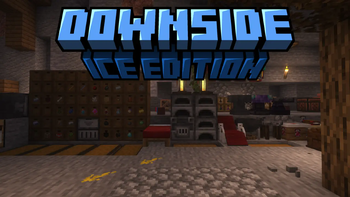
About this Modpack
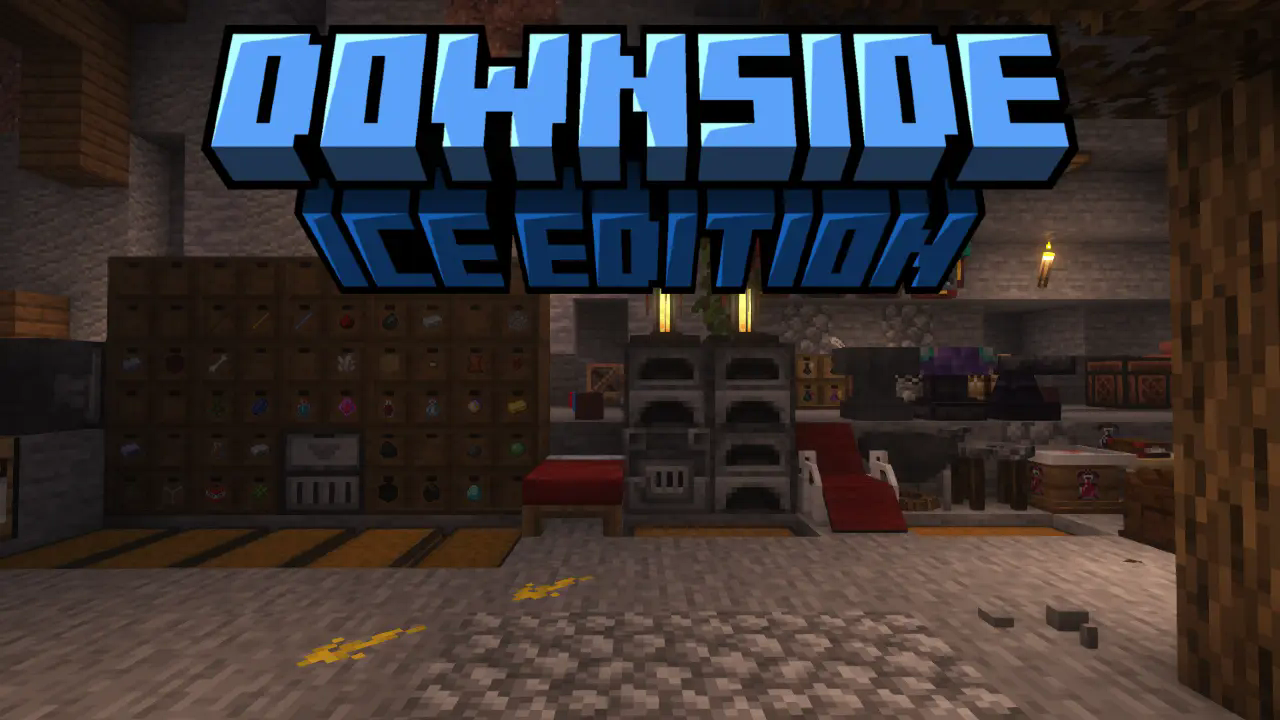
![Downside Ice Edition]
(https://cdn.modrinth.com/data/cached_images/89c7297e5c8e8e2e0c3f1b9469bd14ec5a150d25_0.webp)
The cool winter Post-Apocalyptic modpack
About Modpack
Eternal winter reigns in the world, the world is limited to 5,000 x 5,000 blocks, you can find a large number of high towers, a large number of different dungeons.
Join Discord and send you idea for modpack.
How to survive
Little Guide
- Try to get things on the surface and then go to the caves where you will have to make a base. The best option is to live next to the bunker. He will provide you not only with resources, but also with experience and food.
- First of all, after building a base and extracting a small amount of resources, you need to build a portal in nether. There you will find special blue fruits needed to make a cold protection potion. After receiving nether wart and soul sprout, you need to create basin and mixer.
- By making a cold protection potion, you can explore the world in peace. The next stage of development will be becoming a hunter or a vampire or a werewolf. Transformation will make your life easier and easier.
- A good option is to search for dungeons, and especially from the Iron Spell and SpellBooks mods, in which you can often find caches of resources.
Modpack Content
Magic mods:
- Iron's Spells 'n Spellbooks
- Cataclysm: Spellbooks
- Glimmering Tales
- MC Calamity
- SnackPirate's Aeromancy Additions
- Mutated Items
- Portable Hole
- Relics
- Relics: Artifacts Compat
- Artifats
- Luminous
- Luminous: Beasts
- Luminous: Butterflies
- Luminous: Monsters
Technological mods:
- Create
- Create: Bells & Whistles
- Create: Let The Adventure Begin
- Storage Drawers
Vanila plus mods:
- Advancement Plaques
- Ars Elixirum
- Anvil Never Too Expensive
- AmbientSounds
- AppleSkin
- Antique Atlas 4
- Basic Weapons
- Better Advancements
- BetterF3
- Bottled Air
- Bridging Mod
- Butchery
- Clean Tooltips
- Combat Roll
- Continuity
- Chat Heads
- Durability Tooltip
- Dynamic Crosshair
- Double Doors
- Easy Magic
- Effect Descriptions
- Enchanting Infuser
- Expanded Combat
- FallingTree
- Fishermen's Trap
- Falling Leaves (NeoForge/Forge)
- Golden Foods!
- Grindstone Sharper Tools
- GraveStone Mod
- Held Item Tooltips
- Immersive Snow
- Item Borders
- Item Highlighter
- ItemPhysic
- Just Enough Items
- Lootr
- Merchant Markers
- Metal Bundles
- MmmMmmMmmMmm
- Model Gap Fix
- Mouse Tweaks
- Nature's Compass
- No Hostiles Around Campfire
- Not Enough Animations
- Overflowing Bars
- Pick Up Notifier
- Polymorph
- Project: Vibrant Journeys
- Torch hit!
- Traveler's Titles
- Sophisticated Backpacks
- Villager Names
- Visual Workbench
- Visuality: Reforged
- Void Totem
- World Border
- Zume
Hell mods:
- Cold Sweat
- Ender Dragon Fight Remastered
- End Remastered
- Desert Scourge
- Improved Mobs
- Illager Invasion
- L_Ender's Cataclysm
- Primal Winter
- Serene Seasons
- Better Days
- Enhanced Celestials
Structure mods:
- Additional Structures
- Amendments
- Battle Towers
- Dungeons and Taverns
- Philips Ruins
- Underground Bunkers
- YUNG's Better Desert Temples
- YUNG's Better Dungeons
- YUNG's Better End Island
- YUNG's Better Jungle Temples
- YUNG's Better Mineshafts
- YUNG's Better Nether Fortresses
- YUNG's Better Ocean Monuments
- YUNG's Better Strongholds
- YUNG's Better Witch Huts
Cool mods:
- Cardiac
- Chalk
- Drink Beer Refill
- Musket Mod
- Mutated Items
- Vampirism
- Werewolves
Bosses mods:
- Desert Scourge
- L_Ender's Cataclysm
- Iron's Spells 'n Spellbooks
Available Versions
How to Set Up a Downside: Ice Edition Server
Order Server
Choose at least 6 GB RAM (8 GB recommended for Downside: Ice Edition). Based on player count: per 5 players.
Install Modpack in Dashboard
Open the modpack browser in the dashboard, search for "Downside: Ice Edition" and click "Install". The neoforge loader and Minecraft 1.21.1 are configured automatically.
Start Server & Play
Start the server – all mods are loaded automatically. Share the server IP with friends and play together!
Frequently Asked Questions
Downside: Ice Edition server crashes or won't start – what to do?
Most common causes: insufficient RAM or wrong neoforge loader. Check latest.log for "OutOfMemoryError" → increase RAM to at least 8 GB. For "Mixin" or "ClassNotFoundException" errors: modpack version and loader don't match. With Mado Hosting, loader and Minecraft version are auto-configured on modpack install – preventing most startup issues.
How much RAM does a Downside: Ice Edition server really need?
Minimum 6 GB, recommended 8 GB for stable performance. per 5 players. Important: Minecraft modpacks need more RAM than vanilla – plan extra per additional player. With Mado Hosting, you can scale RAM up live at any time without data loss (from €12/month).
Can I add custom mods to Downside: Ice Edition without conflicts?
Yes, but check compatibility: only use mods for the same loader (neoforge) and same Minecraft version (1.21.1). Common issues: ID conflicts with recipe mods and incompatible coremod versions. The Mado dashboard mod browser only shows compatible mods and warns about known conflicts.
Downside: Ice Edition server lagging – performance tips
1) Increase RAM to 8 GB+. 2) Reduce server view-distance to 8 (server.properties). 3) Pre-generate chunks with the "Chunky" plugin. 4) Use /spark profiler to check which mods consume the most tick time. With Mado Hosting, all servers run on NVMe SSDs with dedicated CPU cores – eliminating hardware as a bottleneck.
Similar Modpacks

![COBBLEVERSE - Pokemon Adventure [Cobblemon]](https://cdn.modrinth.com/data/Jkb29YJU/581ecf54530972afb18a04660afd820f2f24f6c7.png)




Rent Downside: Ice Edition Server
Start your own server with automatic modpack installation.
Details
- License
- Creative Commons Attribution Non Commercial 4.0 International
- Server-side
- Required
- Client-side
- Required
Supported Versions
Start your Downside: Ice Edition Server now
From €12.00/month with 8 GB RAM for the best performance.
Configure Server →