
Dyl_pickle's Vanilla Plus
A collection of mods that enhance the base game while still keeping the same Vanilla feel.
Screenshots

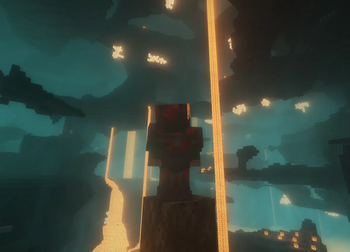
About this Modpack

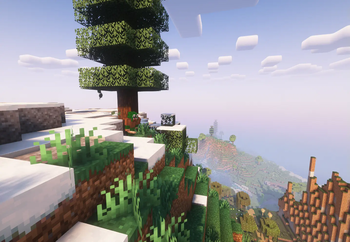
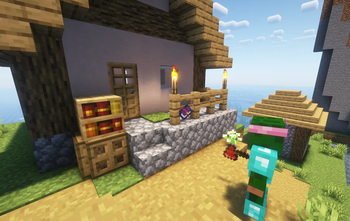
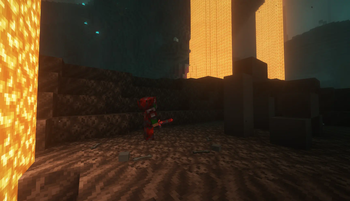
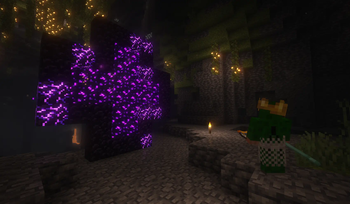
Vanilla Plus is a modpack designed for the people who want an enhanced Vanilla feel without having to create their own and suffer the consequences. This modpack adds many quality of life features, adds a couple survival-friendly mods for things such as inventory management, and also adds game enhancement features for content creation and multiplayer fun. The creators of this mod (that's us) do not personally own any of these mods nor claim ownership of them by using them, we just want to make a simple collection of mods for anyone to use.
Credits to all the original modmakers for making this modpack possible. If you ever run into issues, we highly recommend checking out the original mod pages to troubleshoot your problem.
Now... let's get into it!
Immediate Requirements
Resource Packs:
If you want everything to work as it should, you will need to activate Tool Trims, Vanilla Tweaks, Fresh Animations, Eating Animation, Default Connected Textures, Glass Pane Culling Fix, and Polymer Resources in your resource packs. Keep in mind that Tool Trims has to be at the top to function properly.
Litematica: If you want to use Litematica, you will need to rebind your keys to where the M key is available. For some reason, Litematica doesn't appear in the VisualKeys menu as a rebindable option. If you experience issues getting bounding boxes to render or experience other technical issues, try either changing or turning off your shader pack (I recommend either Complementary one, they worked for us) or going to the Litematica mod page and diagnosing it yourself.
Current Version Compatible?
Currently, the latest compatible version is 1.21.7, and (hopefully) 1.21.8 will be compatible in the near future. When 1.22 drops, compatability should likely follow suit.
Future (?) Features
- Backpacks: We've been trying to find a backpack mod that works and isn't too overpowered, and so far, we haven't had much luck. Hopefully we'll find one when 1.22 rolls around.
- End Dimension Overhaul: We also haven't had much luck finding an "End Update" mod that we like and works for our modpack. There should be one added sooner or later though.
Current Concerns
As of yet, we haven't gotten a proper Trinkets mod to work yet, as the real Trinkets mod isn't updated to the current version of Minecraft. Once 1.22 comes out, functioning trinkets should be on their way.
Current Features in Vanilla Plus v.1.1.6
There's quite a lot of mods and stuff to go over, so I will provide a basic sorted list for those who just want to get more information on this modpack. I will sort all the mods included in Vanilla Plus that you need to know in a few basic categories, plus added information for what could be confusing titles:
Shader Packs - Six shader pack options to choose from. Pick your fancy!
- Complementary Shaders - Reimagined
- Complementary Shaders - Unbound
- Super Duper Vanilla
- Solas Shaders
- Iris Shaders
- BSL Shaders
Aesthetic Enhancements - Enhancements to various visuals and sounds ingame.
- 3D Skin Layers
- Not Enough Animations (brings animations to the third person)
- Eating Animation
- Cool Rain (cooler rain sounds when hitting various materials)
- Fresh Animations
- ItemPhysics Lite
- Sound Physics Remastered
- Particular Reforged (enhanced particles)
- Subtle Effects
- Continuity
- Minecraft Cursor
- Dynamic Lights
Simple Vanilla-Eqsue Additions/Improvements - The bulk of the modpack.
- Cave Spider Spawn (cave spiders spawn rarely in caves)
- Bundle Pins
- Nether Wart Blocks to Nether Warts
- Zombify (100% chance for zombification of a villager)
- Better Withered Mobs (adds withered bones and such)
- Rich Husk (makes the husk drop gold upon death)
- Durability Tooltip
- Tool Trims Mod
- AppleSkin
- Named Traders (makes named wandering traders incapable of despawning)
- Armor Trims Item Fix
- Colorful Books
- Potion Mod (adds a few new potions + their variants)
- Charcoal Blocks
- Better Impaling (brings bedrock impaling to java)
- Better Craftables
- Fire Arrows Ignite Fire
- Potion Stacking
- Nicer Portals (allows for scaleable portals and use of crying obsidian)
- Better Stairs Recipe
- Refined Advancements (adds more advancements)
- Visible Trades
- Better Hanging Signs (allows for items to be shown on hanging signs)
- Stack Refill
- Glow Trims
- Crops Love Rain (makes crops grow faster in the rain)
- Invisible Frames
- Bookmark (allows you to keep the page you were on in a book and quil)
- Better Than Mending (improves certain features of the mending enchantment)
- Just Mob Heads
- Persistent Parrots (parrots really wanna stay on your shoulder)
- Item Tints (puts biome-dependent block color variations into the inventory)
- Spawn Animations
- Useful Brush (gives more uses to the brush)
- RightClickHarvest
- Axolotl Buckets
- Leaves Us In Peace (makes leaves decay faster and not stick to different type trees)
- Just Player Heads
- Vanilla Tweaks
- Mouse Tweaks
- Jade (tells you about what you're looking at)
- Trinkets (Polymer Port) (allows for various armor-type slots)
Vanilla Feature Overhauls - Improvements that went above and beyond.
- Upgraded Mobs
- Dungeons+
- Geophilic
- Towns and Towers
- Amplified Nether
- Continents
Useful Fun Additions - A few mods that we included for one reason or another.
- Bandanas
- Gravestones
- Storage Drawers
Virtuous Necessities - What makes the world go round. Wouldn't be a true modpack without some of these.
- Xaero's World Map
- Do a Barrel Roll
- Freecam
- Xaero's Minimap
- Just Zoom
- ReplayMod
- Simple Voice Chat
- Litematica
- Custom Paintings
- AudioPlayer
Backbone Features/Improvements - Various improvements to what happens outside of the game.
- VisualKeys
- Mod Menu
- Essential Mod
- shut up realms
- FancyMenu
- Drippy Loading Screen
- Dark Mode GUI - Heycronus
APIs, Libraries, Requirements, etc. - You know what these are.
- Collective
- [ETF] Entity Texture Features
- Konkrete
- Deimos
- Cloth Config API
- Cobweb
- owo-lib
- Text Placeholder API
- Architectury API
- CreativeCore
- SuperMartijn642's Config Lib
- PneumonoCore
- Fabric Language Kotlin
- MidnightLib
- [EMF] Entity Model Features
- Cristel Lib
- Fabric API
- CICADA
- Sodium
- JamLib
- Melody
- Polymer
- Fusion (Connected Textures)
- MaLiLib
- Fzzy Config
If you made it to the bottom of the page then thanks for taking the time to look into our modpack!
Available Versions
How to Set Up a Dyl_pickle's Vanilla Plus Server
Order Server
Choose at least 4 GB RAM (6 GB recommended for Dyl_pickle's Vanilla Plus). Based on player count: per 5 players.
Install Modpack in Dashboard
Open the modpack browser in the dashboard, search for "Dyl_pickle's Vanilla Plus" and click "Install". The fabric loader and Minecraft 1.21.7 are configured automatically.
Start Server & Play
Start the server – all mods are loaded automatically. Share the server IP with friends and play together!
Frequently Asked Questions
Dyl_pickle's Vanilla Plus server crashes or won't start – what to do?
Most common causes: insufficient RAM or wrong fabric loader. Check latest.log for "OutOfMemoryError" → increase RAM to at least 6 GB. For "Mixin" or "ClassNotFoundException" errors: modpack version and loader don't match. With Mado Hosting, loader and Minecraft version are auto-configured on modpack install – preventing most startup issues.
How much RAM does a Dyl_pickle's Vanilla Plus server really need?
Minimum 4 GB, recommended 6 GB for stable performance. per 5 players. Important: Minecraft modpacks need more RAM than vanilla – plan extra per additional player. With Mado Hosting, you can scale RAM up live at any time without data loss (from €8/month).
Can I add custom mods to Dyl_pickle's Vanilla Plus without conflicts?
Yes, but check compatibility: only use mods for the same loader (fabric) and same Minecraft version (1.21.7). Common issues: ID conflicts with recipe mods and incompatible coremod versions. The Mado dashboard mod browser only shows compatible mods and warns about known conflicts.
Dyl_pickle's Vanilla Plus server lagging – performance tips
1) Increase RAM to 6 GB+. 2) Reduce server view-distance to 8 (server.properties). 3) Pre-generate chunks with the "Chunky" plugin. 4) Use /spark profiler to check which mods consume the most tick time. With Mado Hosting, all servers run on NVMe SSDs with dedicated CPU cores – eliminating hardware as a bottleneck.
Similar Modpacks

![Cobblemon Official Modpack [Fabric]](https://cdn.modrinth.com/data/5FFgwNNP/e7f9ee2e9d361623847853fe2ddce42f519ee64f.png)
![COBBLEVERSE - Pokemon Adventure [Cobblemon]](https://cdn.modrinth.com/data/Jkb29YJU/581ecf54530972afb18a04660afd820f2f24f6c7.png)
![Better MC [FABRIC] - BMC2](https://cdn.modrinth.com/data/shFhR8Vx/a19c2bcb51d38f32f138d3607e91cb2b7b8e387f_96.webp)


Rent Dyl_pickle's Vanilla Plus Server
Start your own server with automatic modpack installation.
Supported Versions
Start your Dyl_pickle's Vanilla Plus Server now
From €8.00/month with 6 GB RAM for the best performance.
Configure Server →