
Dysphoric's VR Modpack
Dysphoric's VR Modpack is just a list of mods that I use for playing VR Minecraft. These mods are just the ones I use, feel free to do what you want with this pack, I just uploaded it because I thought it would be a good starting place for other people!
Screenshots
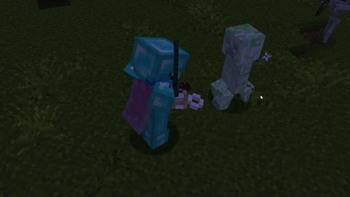
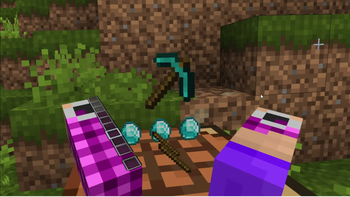
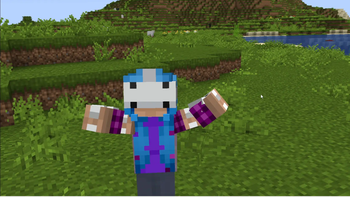
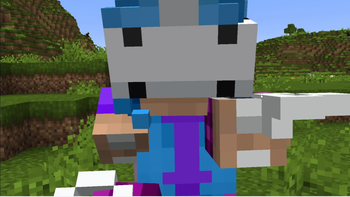
About this Modpack
Dysphoric's VR
Dysphoric's VR is a modpack containing a list of my GOTO mods when it comes to playing Minecraft in VR. Aside from all the boring optimization mods you need to run Vivecraft, it also comes bundled with a few "fun" mods that allow for more immersion and a better visual experience. The main focus of this modpack was making VR feel like vanilla but also its own thing!
Optimizations
- Sodium w/ Sodium Extras & Reese's Sodium Options
- Noxesium
- Lithium
- Indium
- Ruthenim
- Dynamic FPS
- Enhanced Block Entities
- Entity Culling w/ More Culling
- FastAnim
- FerriteCore
- Idle Tweaks
- ImediatlyFast
- Krypton
- LazyDFU
- Memory Leak Fix
- Modern Fix
- Starlight
- Chunky
- Debugify
- StutterFix
Immersive
- 3D Skin Layers
- AmbientSounds
- Continuity
- Cull Leaves
- Eating Animation
- FabricSkyboxes
- Falling Leaves
- Iris (see compatible shaders below)
- Model Gap Fix
- Not Enough Animations
- Sound Physics Remastered
- Visual Workbench
- Visuality
- Wakes
- Wavy Capes
QoL
- Chat Notify/Chat Sounds (multiplayer)
- CraftPresence
- Jade
- Just Enough Items
- Mod Menu
- TalkBubbles
- Xaero's Minimap & Worldmap
Shaders
Vivecraft is compatible with Iris so you can fully immerse yourself, but the shaders also can take a toll. Most shaders work if you put them on LOW or POTATO! I have found that
ComplementaryReimagined and Pastel Shaders on LOW/MEDIUM works well with VR, and also looks the best, the only thing you need to make sure to do is disable World Blur/DoF and motion blur.
Final Recommendations
For the best experience, I would suggest giving Minecraft a minimum of 4GBs of memory, though 6GBs would be preferable if possible.
I would also recommend disabling headset mirroring so that Minecraft doesn't have to render 3 times.
As a final disclaimer, I am running an RTX 4090 GPU and using an Oculus Quest 2, so my settings/experience could be different from yours! If you are not sure if your computer can run VR run the SteamVR Performance Test. You can also compare PC specs using this chart provided by Meta!
Available Versions
How to Set Up a Dysphoric's VR Modpack Server
Order Server
Choose at least 4 GB RAM (6 GB recommended for Dysphoric's VR Modpack). Based on player count: per 8 players.
Install Modpack in Dashboard
Open the modpack browser in the dashboard, search for "Dysphoric's VR Modpack" and click "Install". The fabric loader and Minecraft 1.20.1 are configured automatically.
Start Server & Play
Start the server – all mods are loaded automatically. Share the server IP with friends and play together!
Frequently Asked Questions
Dysphoric's VR Modpack server crashes or won't start – what to do?
Most common causes: insufficient RAM or wrong fabric loader. Check latest.log for "OutOfMemoryError" → increase RAM to at least 6 GB. For "Mixin" or "ClassNotFoundException" errors: modpack version and loader don't match. With Mado Hosting, loader and Minecraft version are auto-configured on modpack install – preventing most startup issues.
How much RAM does a Dysphoric's VR Modpack server really need?
Minimum 4 GB, recommended 6 GB for stable performance. per 8 players. Important: Minecraft modpacks need more RAM than vanilla – plan extra per additional player. With Mado Hosting, you can scale RAM up live at any time without data loss (from €8/month).
Can I add custom mods to Dysphoric's VR Modpack without conflicts?
Yes, but check compatibility: only use mods for the same loader (fabric) and same Minecraft version (1.20.1). Common issues: ID conflicts with recipe mods and incompatible coremod versions. The Mado dashboard mod browser only shows compatible mods and warns about known conflicts.
Dysphoric's VR Modpack server lagging – performance tips
1) Increase RAM to 6 GB+. 2) Reduce server view-distance to 8 (server.properties). 3) Pre-generate chunks with the "Chunky" plugin. 4) Use /spark profiler to check which mods consume the most tick time. With Mado Hosting, all servers run on NVMe SSDs with dedicated CPU cores – eliminating hardware as a bottleneck.
Similar Modpacks

![Cobblemon Official Modpack [Fabric]](https://cdn.modrinth.com/data/5FFgwNNP/e7f9ee2e9d361623847853fe2ddce42f519ee64f.png)
![COBBLEVERSE - Pokemon Adventure [Cobblemon]](https://cdn.modrinth.com/data/Jkb29YJU/581ecf54530972afb18a04660afd820f2f24f6c7.png)
![Better MC [FABRIC] - BMC2](https://cdn.modrinth.com/data/shFhR8Vx/a19c2bcb51d38f32f138d3607e91cb2b7b8e387f_96.webp)


Rent Dysphoric's VR Modpack Server
Start your own server with automatic modpack installation.
Supported Versions
Start your Dysphoric's VR Modpack Server now
From €8.00/month with 6 GB RAM for the best performance.
Configure Server →