
Einseinundzwanzig
Early modpack for 1.21. Many structures to explore, ore generation and low tech storage systems are available. Vein mining gives ores and building blocks. CC turtles.
Screenshots
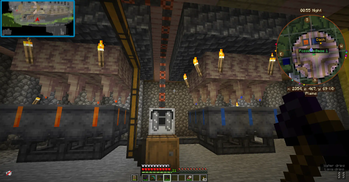
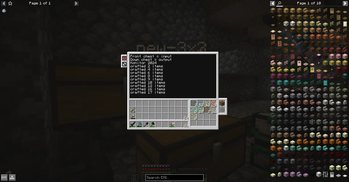
About this Modpack
What?
Explore the world and collect resources. Build your base. Use computercraft turtles to mine your ore reeds and craft them into resources. Have a storage system. Use waystones and map teleporting to get around (and probably get hurt). Vanilla boats are not suitable for crossing oceans anymore. Use something else to get to the other coast. A "real" ship would be an idea.
Starting with 1.1.1 there is the small ships mod. It needs loader 0.16.0 and that is now available for client and server.
I am very curious how the new "unloaded activity" mod will do. (1.1.2)
Computercraft, CC Tweaked
turtle programs:
harvest reeds:
pastebin get Aq1fyUNp aHarvester
(made by Kaikaku. https://www.youtube.com/watch?v=Oz2xnDchqFg )
convert reeds from mixed reeds chest to resources:
pastebin get kZaXMD1Y new-3x3
(made by myself, succeeds with any 3x3 recipes. It also converts slime to slime blocks to save space. It is not only for "Growable Ores" ore reeds.)
The future
I'm still waiting for a plane mod, jetpacks and advanced storage system with autocrafting. These features will be added as soon as available.
How to fly
Atm there a two (very dangerous) hang glider mods for you to stunt over cliffs. One is craftable, the other one is available at the wandering trader. Teleporting home will not safe you from fall damage - but at least you are at home :)
Try to put the "sky walk" enchantment on your boots. Then walk over an edge to start levitating. That feels very close to jetpack experience. Take care.
Server, huh?
Client versions are always able to connect to the same Server version successfully. However, trying to install a client version on a server will fail as there are client-only mods.
Sometimes there are two seemingly same files in the version files list. Hover over the download button to see if it is the server version. If you do not have a server then take the other download without "-server" in the tooltip.
Online Server
My Online server now has another modpack and is not available for this modpack.
Online Server world is partly messed up due to experiments with "epic terrain" mod which is not in the pack anymore as of version 1.1.2. It may come back when it not mainly generates white terrain anymore. Online Server will be started from scratch wnen Create mod and Create structures mods are available. (For ores and structures. I want steam engines!)
Versions notes
As of version 1.1.1 Fabric loader 0.16.0 is supported. This comes along with the small ships mod re-enabled and some other goodies.
If you update from an older version than 1.1.2 then you have to go to places and /sethome (your place) again. The way the home was stored has changed.
With version 1.1.4 the remote terminal from Tom's storage system needs to get reconnected if you had connected it with an older version before.
1.1.5 updated Fabric Loader to newest version. Updated 59 mods and disabled two now incompatible beauty-mods and their two library mods.
Available Versions
How to Set Up a Einseinundzwanzig Server
Order Server
Choose at least 6 GB RAM (8 GB recommended for Einseinundzwanzig). Based on player count: per 5 players.
Install Modpack in Dashboard
Open the modpack browser in the dashboard, search for "Einseinundzwanzig" and click "Install". The fabric loader and Minecraft 1.21 are configured automatically.
Start Server & Play
Start the server – all mods are loaded automatically. Share the server IP with friends and play together!
Frequently Asked Questions
Einseinundzwanzig server crashes or won't start – what to do?
Most common causes: insufficient RAM or wrong fabric loader. Check latest.log for "OutOfMemoryError" → increase RAM to at least 8 GB. For "Mixin" or "ClassNotFoundException" errors: modpack version and loader don't match. With Mado Hosting, loader and Minecraft version are auto-configured on modpack install – preventing most startup issues.
How much RAM does a Einseinundzwanzig server really need?
Minimum 6 GB, recommended 8 GB for stable performance. per 5 players. Important: Minecraft modpacks need more RAM than vanilla – plan extra per additional player. With Mado Hosting, you can scale RAM up live at any time without data loss (from €12/month).
Can I add custom mods to Einseinundzwanzig without conflicts?
Yes, but check compatibility: only use mods for the same loader (fabric) and same Minecraft version (1.21). Common issues: ID conflicts with recipe mods and incompatible coremod versions. The Mado dashboard mod browser only shows compatible mods and warns about known conflicts.
Einseinundzwanzig server lagging – performance tips
1) Increase RAM to 8 GB+. 2) Reduce server view-distance to 8 (server.properties). 3) Pre-generate chunks with the "Chunky" plugin. 4) Use /spark profiler to check which mods consume the most tick time. With Mado Hosting, all servers run on NVMe SSDs with dedicated CPU cores – eliminating hardware as a bottleneck.
Similar Modpacks
![Cobblemon Official Modpack [Fabric]](https://cdn.modrinth.com/data/5FFgwNNP/e7f9ee2e9d361623847853fe2ddce42f519ee64f.png)
![COBBLEVERSE - Pokemon Adventure [Cobblemon]](https://cdn.modrinth.com/data/Jkb29YJU/581ecf54530972afb18a04660afd820f2f24f6c7.png)
![Better MC [FABRIC] - BMC2](https://cdn.modrinth.com/data/shFhR8Vx/a19c2bcb51d38f32f138d3607e91cb2b7b8e387f_96.webp)


![Better MC [FORGE] - BMC4](https://cdn.modrinth.com/data/4BV47HRn/7f5ef7cc61b2593609aabef3ed07a866a4f11b73_96.webp)
Rent Einseinundzwanzig Server
Start your own server with automatic modpack installation.
Supported Versions
Start your Einseinundzwanzig Server now
From €12.00/month with 8 GB RAM for the best performance.
Configure Server →