
Engines & Empires
A modpack centered around Create. Explore, conquer, and build as you seek to create your new empire!
Screenshots
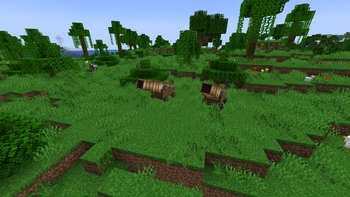
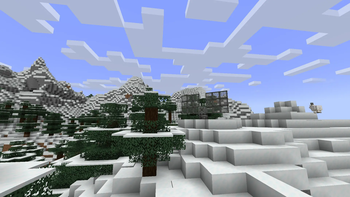
About this Modpack
Multiplayer-focused | Community Server Coming Soon!
👉 Join our Discord for updates and to claim your place in the new world!
🌍 Expand Your Empire
Build powerful cannons, missiles, and artillery to crush enemy fortresses and seize new lands. Conquer rival empires and grow your dominion through strength and industry.
🛡️ Defend What’s Yours
Your empire won’t go unchallenged. Construct radar arrays, missile defense systems, and armor plating to protect your cities and factories. Anticipate enemy strikes and ensure your empire stands tall against all threats.
🚂 Connect Your Lands
An empire thrives on logistics. Build expansive train networks and hypertube systems to move people, goods, and resources across your territories.
🏭 Industrialize with Create
At the core of the pack lies the Create mod. Use gears, shafts, belts, and flywheels to design intricate factories, workshops, and supply chains.
Expanded recipes for more depth and progression
Better crafting ratios for easier production
Early game ore doubling with sandpaper
☢️ Split the Atom
For those who dare to go further: unlock nuclear technology.
Harvest fissile materials
Construct a massive multiblock reactor
Generate more power than your empire could ever consume
Nuclear power is the final step in your industrial revolution, use it wisely.
Available Versions
How to Set Up a Engines & Empires Server
Order Server
Choose at least 4 GB RAM (6 GB recommended for Engines & Empires). Based on player count: per 5 players.
Install Modpack in Dashboard
Open the modpack browser in the dashboard, search for "Engines & Empires" and click "Install". The forge loader and Minecraft 1.20.1 are configured automatically.
Start Server & Play
Start the server – all mods are loaded automatically. Share the server IP with friends and play together!
Frequently Asked Questions
Engines & Empires server crashes or won't start – what to do?
Most common causes: insufficient RAM or wrong forge loader. Check latest.log for "OutOfMemoryError" → increase RAM to at least 6 GB. For "Mixin" or "ClassNotFoundException" errors: modpack version and loader don't match. With Mado Hosting, loader and Minecraft version are auto-configured on modpack install – preventing most startup issues.
How much RAM does a Engines & Empires server really need?
Minimum 4 GB, recommended 6 GB for stable performance. per 5 players. Important: Minecraft modpacks need more RAM than vanilla – plan extra per additional player. With Mado Hosting, you can scale RAM up live at any time without data loss (from €8/month).
Can I add custom mods to Engines & Empires without conflicts?
Yes, but check compatibility: only use mods for the same loader (forge) and same Minecraft version (1.20.1). Common issues: ID conflicts with recipe mods and incompatible coremod versions. The Mado dashboard mod browser only shows compatible mods and warns about known conflicts.
Engines & Empires server lagging – performance tips
1) Increase RAM to 6 GB+. 2) Reduce server view-distance to 8 (server.properties). 3) Pre-generate chunks with the "Chunky" plugin. 4) Use /spark profiler to check which mods consume the most tick time. With Mado Hosting, all servers run on NVMe SSDs with dedicated CPU cores – eliminating hardware as a bottleneck.
Similar Modpacks

![Better MC [FABRIC] - BMC2](https://cdn.modrinth.com/data/shFhR8Vx/a19c2bcb51d38f32f138d3607e91cb2b7b8e387f_96.webp)
![Better MC [FORGE] - BMC4](https://cdn.modrinth.com/data/4BV47HRn/7f5ef7cc61b2593609aabef3ed07a866a4f11b73_96.webp)


Rent Engines & Empires Server
Start your own server with automatic modpack installation.
Details
- License
- GNU General Public License v3.0 or later
- Server-side
- Required
- Client-side
- Required
Supported Versions
Start your Engines & Empires Server now
From €8.00/month with 6 GB RAM for the best performance.
Configure Server →