
Eon
Carefully constructed compilation creation containing cool changes.
Screenshots
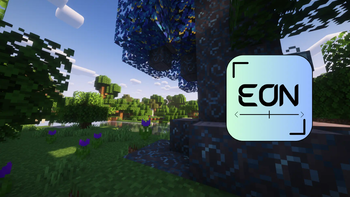
About this Modpack
What is this modpack?
Eon is designed to be a kitchen sink modpack, aimed at not taking up the power of your entire PC. We’ve included hundreds of specially-curated mods, specially curated by UnperishedFoods and Professorlouie2 for the best possible experience. Play with friends, create new structures, and explore a world like you’ve never seen it before.
We are currently in beta and support Neoforge 1.20.1. If there’s an update, check the versions tab!
What are the main features?
Eon contains many mods with a lot of them like Ars nouveau and Iron spells and spell books being used to add magic to the game with other mods like Mekanism and Create to bring technology for you to experiment with. Eon also contains weapons for you to play with such as guns and many popular hero's weapons through Palladium, Fsang18’s Hero Pack, and an unofficial port of MrCrayfish's Gun Mod. Eon also features MCA Reborn to make the game feel more alive where you can talk to villagers instead of just being able to talk with them. Eon also has more enemies for you to gear up against such as dragons in Ice and Fire, which you can even have as a pet once you find a dragon's egg.
Our Sponsor
Turn off your adblocker!
Copyright info
You’re free to use this modpack under the terms of the CC-BY-NC-SA 4.0 license. If you have any questions, contact us at [email protected]
FAQs
Why is this modpack not on CurseForge?
We attempted to upload to CurseForge but due to terrible moderation (rejection of our NeoForge modpack due to inclusion of Forge mods that are proven to work across devices on NeoForge, as intended), we chose to go with Modrinth instead.
For the best experience, please use the Modrinth app, ATLauncher, or MultiMC/Prism!
What happened to the Eclipse modpack?
This was a project that we felt had potential but we couldn’t get off of the ground due to lack of motivation and difficulties with optimization/Forge resource management. This could be considered as a sequel if you prefer. You can still find the latest version of Eclipse on CurseForge, located here.
Will there be a server version?
Likely soon, if we can still access a server.
What will happen in the future?
In the future to make the modpack truly unique we will strive to add fully custom kubejs and even a custom mod to uplift your experience even more so you can have a fun time playing solo or not.
How much RAM should I allocate?
We recommend anywhere from 4 GB to 8 GB, preferably.
Related Projects
- Music Redefined
- Complementary Shaders
- Embeddium
- Lootr
- Iron Spells N’ Spellbooks
- Ice & Fire
- Ars Nouveau
- Mekanism
- Guns
- Palladium
- Fsang18’s Hero Pack
- Create
- MCA Reborn
- And many more!!
We are currently in beta. Let us know if there are any bugs!
This modpack is not affiliated with any SMPs or other servers. You may use it freely and have fun with your friends!
Available Versions
How to Set Up a Eon Server
Order Server
Choose at least 6 GB RAM (10 GB recommended for Eon). Based on player count: per 4 players.
Install Modpack in Dashboard
Open the modpack browser in the dashboard, search for "Eon" and click "Install". The neoforge loader and Minecraft 1.20.1 are configured automatically.
Start Server & Play
Start the server – all mods are loaded automatically. Share the server IP with friends and play together!
Frequently Asked Questions
Eon server crashes or won't start – what to do?
Most common causes: insufficient RAM or wrong neoforge loader. Check latest.log for "OutOfMemoryError" → increase RAM to at least 10 GB. For "Mixin" or "ClassNotFoundException" errors: modpack version and loader don't match. With Mado Hosting, loader and Minecraft version are auto-configured on modpack install – preventing most startup issues.
How much RAM does a Eon server really need?
Minimum 6 GB, recommended 10 GB for stable performance. per 4 players. Important: Minecraft modpacks need more RAM than vanilla – plan extra per additional player. With Mado Hosting, you can scale RAM up live at any time without data loss (from €12/month).
Can I add custom mods to Eon without conflicts?
Yes, but check compatibility: only use mods for the same loader (neoforge) and same Minecraft version (1.20.1). Common issues: ID conflicts with recipe mods and incompatible coremod versions. The Mado dashboard mod browser only shows compatible mods and warns about known conflicts.
Eon server lagging – performance tips
1) Increase RAM to 10 GB+. 2) Reduce server view-distance to 8 (server.properties). 3) Pre-generate chunks with the "Chunky" plugin. 4) Use /spark profiler to check which mods consume the most tick time. With Mado Hosting, all servers run on NVMe SSDs with dedicated CPU cores – eliminating hardware as a bottleneck.
Rent Eon Server
Start your own server with automatic modpack installation.
Details
- License
- Creative Commons Attribution Non Commercial Share Alike 4.0 International
- Server-side
- Required
- Client-side
- Required
Supported Versions
Start your Eon Server now
From €12.00/month with 10 GB RAM for the best performance.
Configure Server →