
EOptimization
EOptimization EgaschOptimization
Screenshots
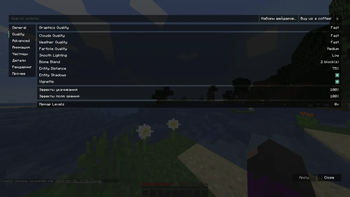
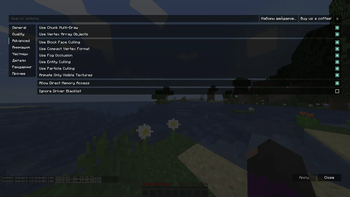
About this Modpack
EgaschOptimization
🇬🇧 English language
This modpack was made with the goal of increasing FPS in Minecraft on weak hardware, but can also be used on a powerful PC for even higher FPS.
Why should you download it? It's simple, this modpack optimizes the game really well + good.
There are no installation restrictions.
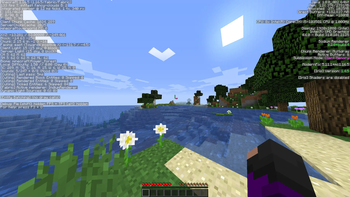
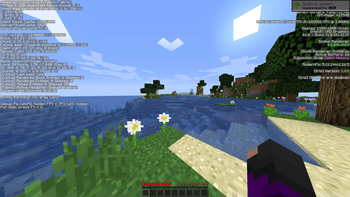
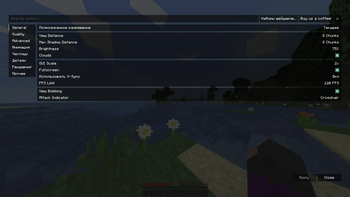
If you are interested in what FPS this modpack produces, then look at the screenshots in gallery.
Available on versions from 1.16.5 to 1.20.4.
If you find an error or have a question, write to me in telegram: @EgaschNSK,or check changelog.
Enjoy a smooth gameplay!

🇷🇺 Русский язык
Данный модпак сделан с целью повысить фпс в майнкрафт на слабом железе,но можно использовать и на мощном пк для ещё большего фпс.
Почему вам стоит его скачать? Все просто, этот модпак реально хорошо оптимизирует игру + выглядит красиво.
Никаких ограничений при установке нету.
Если вас интересует, какой фпс выдает данный модпак, то смотрите скрины в галерее.
Есть на версиях с 1.16.5 до 1.20.4.
Если вы нашли ошибку или у вас есть вопрос, напишите мне в телеграм: @EgaschNSK,или смотрите лог изменений.
Наслаждайтесь плавной игрой!
Available Versions
How to Set Up a EOptimization Server
Order Server
Choose at least 4 GB RAM (6 GB recommended for EOptimization). Based on player count: per 8 players.
Install Modpack in Dashboard
Open the modpack browser in the dashboard, search for "EOptimization" and click "Install". The quilt loader and Minecraft 1.20.4 are configured automatically.
Start Server & Play
Start the server – all mods are loaded automatically. Share the server IP with friends and play together!
Frequently Asked Questions
EOptimization server crashes or won't start – what to do?
Most common causes: insufficient RAM or wrong quilt loader. Check latest.log for "OutOfMemoryError" → increase RAM to at least 6 GB. For "Mixin" or "ClassNotFoundException" errors: modpack version and loader don't match. With Mado Hosting, loader and Minecraft version are auto-configured on modpack install – preventing most startup issues.
How much RAM does a EOptimization server really need?
Minimum 4 GB, recommended 6 GB for stable performance. per 8 players. Important: Minecraft modpacks need more RAM than vanilla – plan extra per additional player. With Mado Hosting, you can scale RAM up live at any time without data loss (from €8/month).
Can I add custom mods to EOptimization without conflicts?
Yes, but check compatibility: only use mods for the same loader (quilt) and same Minecraft version (1.20.4). Common issues: ID conflicts with recipe mods and incompatible coremod versions. The Mado dashboard mod browser only shows compatible mods and warns about known conflicts.
EOptimization server lagging – performance tips
1) Increase RAM to 6 GB+. 2) Reduce server view-distance to 8 (server.properties). 3) Pre-generate chunks with the "Chunky" plugin. 4) Use /spark profiler to check which mods consume the most tick time. With Mado Hosting, all servers run on NVMe SSDs with dedicated CPU cores – eliminating hardware as a bottleneck.
Similar Modpacks

![COBBLEVERSE - Pokemon Adventure [Cobblemon]](https://cdn.modrinth.com/data/Jkb29YJU/581ecf54530972afb18a04660afd820f2f24f6c7.png)




Rent EOptimization Server
Start your own server with automatic modpack installation.
Supported Versions
Start your EOptimization Server now
From €8.00/month with 6 GB RAM for the best performance.
Configure Server →