
Evolução
Experience the growth of a community. Evolve with us in a live experience.
Screenshots
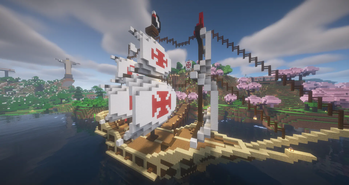
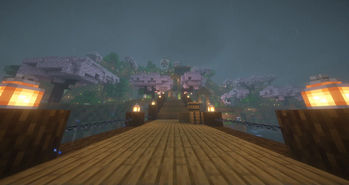
About this Modpack

EVOLVING WITH US
Everyone had that situation where your friends dont wanna play a modpack anymore after some days right?
Well, here is the solution:
This modpack relays on a weekly/biweekly updates system that will bring that discovering, expectating and surprising feeling while playing the greatest game ever. The updates will be "themed" and themes will be choosen by community voting.
We, from electricmonkeys are very excited to bring this idea to reality and make it work.
Grow, Evolve, and have fun!
if not playing in sync with the project, we recommend start your game in the first version, and then every week update it manually to the sequential next version.
MAIN MODS
We DO NOT recommend looking at the main mods of each update, since it kills half of the modpack idea. Do it in your own terms.
its the main mods, the updates have a lot more additions.
TEMPORADA 2
Update 0 (09/03): Alvorecer

Spoiler
Totemic
Roots
Energized Power
Apotheosis
Supplementaries
ETC.
.
.
TEMPORADA 1
Update 0 (06/05): Prelúdio/Prelude

Spoiler
Plasmo Voice
Appleskin
Chat Heads
Update 1 (18/05): Além do Horizonte/Beyond the Horizon

Spoiler
Terralith
Gravestone Mod
Repurposed/Additional Structures & Dungeons and Taverns
Spyglass Improvements
Update 2 (25/05): Um Destino para os Valentes/A Place for the Braves

Spoiler
Basic Weapons
Combatify //conflict in downgrade to 1.20.1
Xtra Arrows
True Darkness
Update 3 (01/06): Semeando Estilo/Farming Styles

Spoiler
Wilder Wilds crash no downgrade 1.20.1
Adorn
Quark
Farmer's Delight
Ambient Sounds
More Block* Variants
Sushi Go
Update 4 (09/06): Um Tipo de Encanto/A Kind of Magic

Spoiler
Mana And Artifice
Spectrum
RpgDifficulty
Waystones
Update 5 (23/06): Reino Selvagem/Wild Kingdom

Spoiler
RPG Series
Simply Skills + Puffish's Skills
Alex's Mobs + Alex's Caves
Backpack
Atlas
Ribbits
.
For more INFO, FUN or HELP:
JOIN OUR DISCORD!
Available Versions
How to Set Up a Evolução Server
Order Server
Choose at least 6 GB RAM (8 GB recommended for Evolução). Based on player count: per 5 players.
Install Modpack in Dashboard
Open the modpack browser in the dashboard, search for "Evolução" and click "Install". The neoforge loader and Minecraft 1.21.1 are configured automatically.
Start Server & Play
Start the server – all mods are loaded automatically. Share the server IP with friends and play together!
Frequently Asked Questions
Evolução server crashes or won't start – what to do?
Most common causes: insufficient RAM or wrong neoforge loader. Check latest.log for "OutOfMemoryError" → increase RAM to at least 8 GB. For "Mixin" or "ClassNotFoundException" errors: modpack version and loader don't match. With Mado Hosting, loader and Minecraft version are auto-configured on modpack install – preventing most startup issues.
How much RAM does a Evolução server really need?
Minimum 6 GB, recommended 8 GB for stable performance. per 5 players. Important: Minecraft modpacks need more RAM than vanilla – plan extra per additional player. With Mado Hosting, you can scale RAM up live at any time without data loss (from €12/month).
Can I add custom mods to Evolução without conflicts?
Yes, but check compatibility: only use mods for the same loader (neoforge) and same Minecraft version (1.21.1). Common issues: ID conflicts with recipe mods and incompatible coremod versions. The Mado dashboard mod browser only shows compatible mods and warns about known conflicts.
Evolução server lagging – performance tips
1) Increase RAM to 8 GB+. 2) Reduce server view-distance to 8 (server.properties). 3) Pre-generate chunks with the "Chunky" plugin. 4) Use /spark profiler to check which mods consume the most tick time. With Mado Hosting, all servers run on NVMe SSDs with dedicated CPU cores – eliminating hardware as a bottleneck.
Similar Modpacks
![Cobblemon Official Modpack [Fabric]](https://cdn.modrinth.com/data/5FFgwNNP/e7f9ee2e9d361623847853fe2ddce42f519ee64f.png)
![COBBLEVERSE - Pokemon Adventure [Cobblemon]](https://cdn.modrinth.com/data/Jkb29YJU/581ecf54530972afb18a04660afd820f2f24f6c7.png)
![Better MC [FABRIC] - BMC2](https://cdn.modrinth.com/data/shFhR8Vx/a19c2bcb51d38f32f138d3607e91cb2b7b8e387f_96.webp)


![Better MC [FORGE] - BMC4](https://cdn.modrinth.com/data/4BV47HRn/7f5ef7cc61b2593609aabef3ed07a866a4f11b73_96.webp)
Rent Evolução Server
Start your own server with automatic modpack installation.
Supported Versions
Start your Evolução Server now
From €12.00/month with 8 GB RAM for the best performance.
Configure Server →