
Expocraft
A modpack closely related to the philosophy of the 1.7-1.10 era.
Screenshots

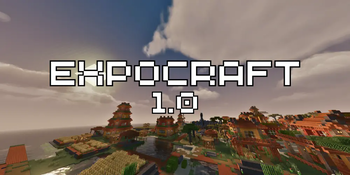
About this Modpack
A Return to the Classics!
For many players, Minecraft has never felt the same as in its golden age. Back then, technology mods were simple, powerful, and fun to learn.
That philosophy has largely faded from modern modpacks—so Expocraft is here to bring it back.
Main Features
The new 1.1 “Badger” release for Minecraft 1.21.1 overhauls the pack from the ground up:
- Tech: The Create ecosystem is gone, replaced by classics like Applied Energistics 2 and Ender IO, alongside Sophisticated Storage and Backpacks.
- Farming: Instead of Croptopia, farming is now built around Farmer’s Delight and Mystical Agriculture, giving progression from simple crops to late-game resources.
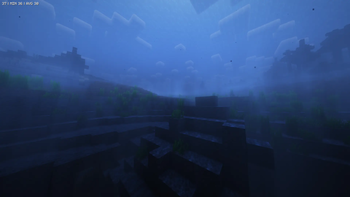
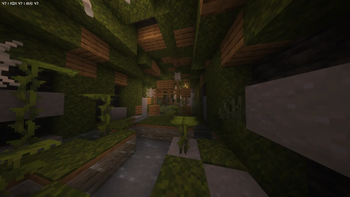
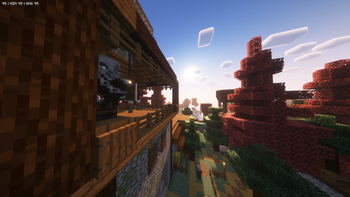
- World & Exploration: Explore Terralith landscapes, YUNG’s reworked dungeons, and new village & pillager structures. The Eternal Nether adds more depth to the underworld.
- Combat & Gear: Better Combat, trinket slots via Accessories/Curios, new weapons, and Illager expansion mods shake up the adventure side.
- Decoration & Atmosphere: Expanded Macaw’s sets, Handcrafted, Chipped, Sound Physics, and AmbientSounds for immersive worlds and cozy builds.
- Performance & QoL: Sodium, Lithium, FerriteCore, ModernFix, and dynamic optimizations keep gameplay smooth. Xaero’s maps, Jade, REI, Serene Seasons, and FancyMenu improve usability and immersion.
In short: a polished, modernized return to the classic “tech + farming + exploration” formula.
Version Overview
| Modpack Version | Minecraft Version | Status |
|---|---|---|
 |
1.20.1 Fabric | Legacy Version |
 |
1.21.1 Neoforge | Main Release |
| version 1.2 | 1.20.1 Neoforge | In development |
About the Philosophy
The 1.0 release was a stepping stone—ambitious, but closer to a mixed experiment. 1.1 “Badger” is the first true realization of Expocraft’s vision: a carefully curated, performance-friendly, yet content-rich pack that feels like the modded classics of the past. Future updates will refine balance, resource pack support, and long-term progression even further.
Closing Statement
I’ve been playing Minecraft since 2017–2018, and my love for older packs like Tekkit and SkyFactory inspired Expocraft. I’ve built and played many personal packs over the years, and while I don’t code, I hope this project lets others relive the magic of those golden-age experiences—updated for modern Minecraft.
This modpack is distributed under AGPL 3.0 for original content. Individual mods are under their own licenses as noted in their respective folders or documentation.
Available Versions
How to Set Up a Expocraft Server
Order Server
Choose at least 6 GB RAM (8 GB recommended for Expocraft). Based on player count: per 5 players.
Install Modpack in Dashboard
Open the modpack browser in the dashboard, search for "Expocraft" and click "Install". The neoforge loader and Minecraft 1.21.1 are configured automatically.
Start Server & Play
Start the server – all mods are loaded automatically. Share the server IP with friends and play together!
Frequently Asked Questions
Expocraft server crashes or won't start – what to do?
Most common causes: insufficient RAM or wrong neoforge loader. Check latest.log for "OutOfMemoryError" → increase RAM to at least 8 GB. For "Mixin" or "ClassNotFoundException" errors: modpack version and loader don't match. With Mado Hosting, loader and Minecraft version are auto-configured on modpack install – preventing most startup issues.
How much RAM does a Expocraft server really need?
Minimum 6 GB, recommended 8 GB for stable performance. per 5 players. Important: Minecraft modpacks need more RAM than vanilla – plan extra per additional player. With Mado Hosting, you can scale RAM up live at any time without data loss (from €12/month).
Can I add custom mods to Expocraft without conflicts?
Yes, but check compatibility: only use mods for the same loader (neoforge) and same Minecraft version (1.21.1). Common issues: ID conflicts with recipe mods and incompatible coremod versions. The Mado dashboard mod browser only shows compatible mods and warns about known conflicts.
Expocraft server lagging – performance tips
1) Increase RAM to 8 GB+. 2) Reduce server view-distance to 8 (server.properties). 3) Pre-generate chunks with the "Chunky" plugin. 4) Use /spark profiler to check which mods consume the most tick time. With Mado Hosting, all servers run on NVMe SSDs with dedicated CPU cores – eliminating hardware as a bottleneck.
Similar Modpacks
![Better MC [FABRIC] - BMC2](https://cdn.modrinth.com/data/shFhR8Vx/a19c2bcb51d38f32f138d3607e91cb2b7b8e387f_96.webp)
![Better MC [FORGE] - BMC4](https://cdn.modrinth.com/data/4BV47HRn/7f5ef7cc61b2593609aabef3ed07a866a4f11b73_96.webp)


![Better MC [FABRIC] - BMC3](https://cdn.modrinth.com/data/NHUidpfR/327e0749bb6d160c41799fd77bf6d3d631569dc8_96.webp)

Rent Expocraft Server
Start your own server with automatic modpack installation.
Details
- License
- GNU Affero General Public License v3.0 only
- Server-side
- Required
- Client-side
- Required
Supported Versions
Start your Expocraft Server now
From €12.00/month with 8 GB RAM for the best performance.
Configure Server →