
Exquisitely Optimized
A tasty ramen base for your MODs :)
Screenshots

About this Modpack

What's EO?
Your modpack needs performance mods, but finding what you need isn't always easy, and often you don't want to look for it...
Download Exquisitely Optimized and focus on adding only the mods that stimulate your creativity, like the base broth of your next tasty bowl of ramen!
It can also be used as is for a 100% vanilla experience without any mods that change the minecraft's variegated gameplay.

The broth base that everyone loves!
If no content is added, the modpack will work 100% on vanilla servers. This allows you to get better performance on your own server with friends, or on your favourite massive server without having to do anything else!.

Customising the recipe
You can simply turn mods on and off using the launcher. However, almost all mods, also allow you to change their parameters and settings using Mod Menu.

Not all flavour combinations are good... :(
Keep in mind that some mods may be incompatible with existing mods, but this is usually written in the descriptions of the mods you download and you can act accordingly.
No mod is essential to the modpack, so you can modify it to suit your needs.

Chef's notes
The aim is to put together the best performance-optimising mods available at the time for the version being released.
This means that some mods may disappear and reappear from the modpack between releases, depending on how quickly individual developers update their mods.

Benchmark's Modus Operandi
This section is a bit more technical and less joking because transparency regarding the effectiveness of EO is crucial for me.
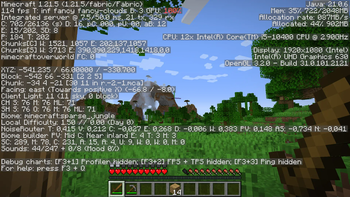
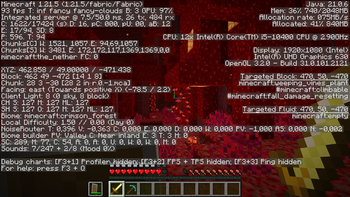
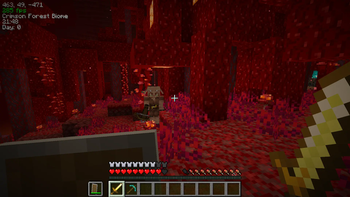
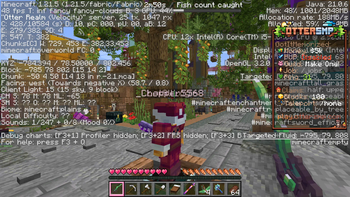
The benchmarks in the gallery are, as you can easily understand, based on my system (which you can confirm via the F3 on the photos without EO):
CPU - i5 10400 @2.90GHz
GPU - UHD 630 (cpu integrated video card)
RAM - 16GB DDR4 2667MHz (only 2048Mb dedicated to MC to better simulate the average set-up)
SETTINGS - Fancy, RenderD:16, SimulationD:8.
The reason why it is difficult to optimise video games on a PC is simple (at least the basic concept): different setups respond differently to optimisation.
Benchmarks can therefore only give an idea and not a guarantee.
As I am not the developer of any of the mods, I can only try to get the best possible mix.
Available Versions
How to Set Up a Exquisitely Optimized Server
Order Server
Choose at least 4 GB RAM (6 GB recommended for Exquisitely Optimized). Based on player count: per 5 players.
Install Modpack in Dashboard
Open the modpack browser in the dashboard, search for "Exquisitely Optimized" and click "Install". The fabric loader and Minecraft 1.21.8 are configured automatically.
Start Server & Play
Start the server – all mods are loaded automatically. Share the server IP with friends and play together!
Frequently Asked Questions
Exquisitely Optimized server crashes or won't start – what to do?
Most common causes: insufficient RAM or wrong fabric loader. Check latest.log for "OutOfMemoryError" → increase RAM to at least 6 GB. For "Mixin" or "ClassNotFoundException" errors: modpack version and loader don't match. With Mado Hosting, loader and Minecraft version are auto-configured on modpack install – preventing most startup issues.
How much RAM does a Exquisitely Optimized server really need?
Minimum 4 GB, recommended 6 GB for stable performance. per 5 players. Important: Minecraft modpacks need more RAM than vanilla – plan extra per additional player. With Mado Hosting, you can scale RAM up live at any time without data loss (from €8/month).
Can I add custom mods to Exquisitely Optimized without conflicts?
Yes, but check compatibility: only use mods for the same loader (fabric) and same Minecraft version (1.21.8). Common issues: ID conflicts with recipe mods and incompatible coremod versions. The Mado dashboard mod browser only shows compatible mods and warns about known conflicts.
Exquisitely Optimized server lagging – performance tips
1) Increase RAM to 6 GB+. 2) Reduce server view-distance to 8 (server.properties). 3) Pre-generate chunks with the "Chunky" plugin. 4) Use /spark profiler to check which mods consume the most tick time. With Mado Hosting, all servers run on NVMe SSDs with dedicated CPU cores – eliminating hardware as a bottleneck.
Similar Modpacks

![Cobblemon Official Modpack [Fabric]](https://cdn.modrinth.com/data/5FFgwNNP/e7f9ee2e9d361623847853fe2ddce42f519ee64f.png)
![COBBLEVERSE - Pokemon Adventure [Cobblemon]](https://cdn.modrinth.com/data/Jkb29YJU/581ecf54530972afb18a04660afd820f2f24f6c7.png)
![Better MC [FABRIC] - BMC2](https://cdn.modrinth.com/data/shFhR8Vx/a19c2bcb51d38f32f138d3607e91cb2b7b8e387f_96.webp)


Rent Exquisitely Optimized Server
Start your own server with automatic modpack installation.
Supported Versions
Start your Exquisitely Optimized Server now
From €8.00/month with 6 GB RAM for the best performance.
Configure Server →