
Fabulously Engineered
A mod-pack which aims at engineering.
Screenshots
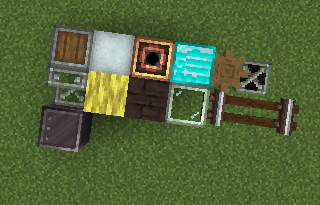
About this Modpack
Fabulously Engineered
a modpack put together to make an amazing combination of engineering mods
Dive into an unparalleled engineering adventure with Fabulously Engineered. This modpack brings together the finest engineering mods, creating a complex and immersive experience perfect for those who revel in crafting, automation, and technological advancements.
Features
- **Advanced Engineering Systems:** Explore a range of mods that provide intricate machinery, automation options, and technological advancements. Perfect for players who love building and optimizing their in-game setups.Seamless Integration: Enjoy a well-curated selection of mods that work together harmoniously, enhancing your gameplay experience with a cohesive engineering theme.
Cutting-Edge Automation: Automate every aspect of your Minecraft world. Build sophisticated production lines, design complex factories, and streamline resource management with innovative mods.
Innovative Technologies: Access and utilize groundbreaking technology to enhance your Minecraft world. Experiment with new machinery, energy systems, and creative tools.
Dynamic Interaction: Utilize engineering tools to interact with and manipulate the world in exciting new ways. Build extraordinary structures and achieve new milestones.
Community Support: Join a community of engineers and creators who share tips, mods, and ideas to enhance your experience. Engage with other players, seek advice, and share your own creations.
Mods
- 📕 Botarium: A library mod that provides essential tools and frameworks for various engineering mods.
- Create: A comprehensive engineering mod offering a wide range of machines and automation options.
- Create Deco: Enhance your creations with decorative elements that complement the Create mod's engineering features.
- Create Ore Excavation: Simplify resource mining with advanced excavation tools and techniques.
- Create: Copycats+: Adds new features and enhancements to the Create mod, expanding your creative possibilities.
- Create: Design n' Decor: Focuses on adding new design elements and decorative options to the Create mod.
- Create: New Age: Introduces innovative technology and new advancements to the Create mod, pushing the boundaries of engineering.
- Create: Steam n' Rails: Adds steam-powered machinery and rail systems, expanding the Create mod’s automation options.
- Create: Structures: Provides tools and features for designing and building complex structures with the Create mod.
- Create: The Factory Must Grow: Enhances factory-building capabilities and automation systems within the Create mod.
- ? Extended Cogwheels: A mod that potentially adds new cogwheel types and mechanics. (Unknown details)
- Immersive Aircraft: Introduces new aviation technology and aircraft, offering a new dimension of engineering challenges.
- Immersive Engineering: A mod that adds advanced machinery, power systems, and engineering tools for creating sophisticated setups.
Getting Started
Installation:
Install a Modpack-Compatible Launcher:
- Choose from SKLauncher, Prism Launcher, MultiMC, or any other launcher compatible with modpacks.
Install the Modpack:
- Prism Launcher and MultiMC:
- Create a new instance.
- With Modrinth option:
- Select 'Modrinth'.
- Search for 'Fabulously Engineered'.
- Download the desired version.
- Importing file:
- Select 'Import'.
- Write out the filepath to the .mrpack or ZIP file, or use the Browse option.
- Click OK.
- SKLauncher:
- Go to the Installations Manager.
- Select 'Modpack'.
- Select 'Modrinth' if not already selected.
- Search for 'Fabulously Engineered'.
- Install the desired version.
If your launcher isn’t listed, refer to the documentation specific to your launcher for detailed instructions.
- Prism Launcher and MultiMC:
Troubleshooting:
- Common Issues:
- Missing Files: Verify that all required files are correctly downloaded and placed in the right directories.
- Performance Issues: Adjust game settings and allocate more memory if necessary.
Contributing:
- Mod Contributions: If you are a mod developer or have suggestions for additional mods, feel free to contribute or propose changes.
- Feedback: Share your experiences and provide feedback to help improve the modpack for future updates.
Credits:
- Mod Developers: A special thanks to the developers of the mods included in this pack for their hard work and creativity.
License:
- This modpack is distributed under Lesser GNU Public License 3.0. Please review the license for details on usage and distribution.
Enjoy your engineering adventure with Fabulously Engineered!
Available Versions
How to Set Up a Fabulously Engineered Server
Order Server
Choose at least 6 GB RAM (8 GB recommended for Fabulously Engineered). Based on player count: per 5 players.
Install Modpack in Dashboard
Open the modpack browser in the dashboard, search for "Fabulously Engineered" and click "Install". The forge loader and Minecraft 1.20.1 are configured automatically.
Start Server & Play
Start the server – all mods are loaded automatically. Share the server IP with friends and play together!
Frequently Asked Questions
Fabulously Engineered server crashes or won't start – what to do?
Most common causes: insufficient RAM or wrong forge loader. Check latest.log for "OutOfMemoryError" → increase RAM to at least 8 GB. For "Mixin" or "ClassNotFoundException" errors: modpack version and loader don't match. With Mado Hosting, loader and Minecraft version are auto-configured on modpack install – preventing most startup issues.
How much RAM does a Fabulously Engineered server really need?
Minimum 6 GB, recommended 8 GB for stable performance. per 5 players. Important: Minecraft modpacks need more RAM than vanilla – plan extra per additional player. With Mado Hosting, you can scale RAM up live at any time without data loss (from €12/month).
Can I add custom mods to Fabulously Engineered without conflicts?
Yes, but check compatibility: only use mods for the same loader (forge) and same Minecraft version (1.20.1). Common issues: ID conflicts with recipe mods and incompatible coremod versions. The Mado dashboard mod browser only shows compatible mods and warns about known conflicts.
Fabulously Engineered server lagging – performance tips
1) Increase RAM to 8 GB+. 2) Reduce server view-distance to 8 (server.properties). 3) Pre-generate chunks with the "Chunky" plugin. 4) Use /spark profiler to check which mods consume the most tick time. With Mado Hosting, all servers run on NVMe SSDs with dedicated CPU cores – eliminating hardware as a bottleneck.
Similar Modpacks

![Cobblemon Official Modpack [Fabric]](https://cdn.modrinth.com/data/5FFgwNNP/e7f9ee2e9d361623847853fe2ddce42f519ee64f.png)
![COBBLEVERSE - Pokemon Adventure [Cobblemon]](https://cdn.modrinth.com/data/Jkb29YJU/581ecf54530972afb18a04660afd820f2f24f6c7.png)
![Better MC [FABRIC] - BMC2](https://cdn.modrinth.com/data/shFhR8Vx/a19c2bcb51d38f32f138d3607e91cb2b7b8e387f_96.webp)


Rent Fabulously Engineered Server
Start your own server with automatic modpack installation.
Details
- License
- GNU Lesser General Public License v3.0 only
- Server-side
- Required
- Client-side
- Required
Supported Versions
Start your Fabulously Engineered Server now
From €12.00/month with 8 GB RAM for the best performance.
Configure Server →