
FacuCraft
A lightweight and optimized 1.20.1 Fabric modpack originally created for friends. Focused on Create and CC: Tweaked, it enhances the tech experience with quality-of-life improvements while keeping performance in mind for all systems.
Screenshots

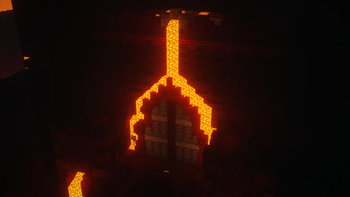
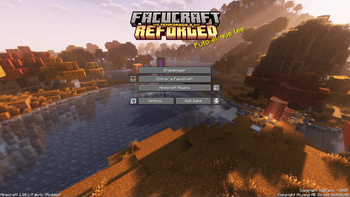
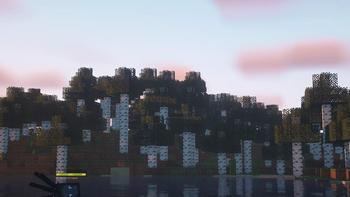
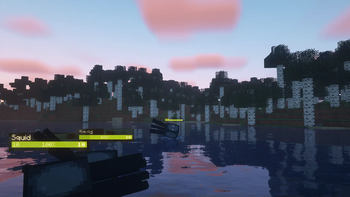

About this Modpack
Español:
🎮 FacuCraft
Un modpack liviano pero lleno de contenido para Fabric 1.20.1 enfocado en la automatización, la exploración y las funciones sociales.
Créditos:
Vanillatweaks por sus increíbles ajustes
⚙️ Automatizá
- ⛏️ Automatizá la minería o ejecutá DOOM en las NUEVAS computadoras con CC: Tweaked
- 🏗️ Automatizá o construí mecanismos insanos con Create: Fabric
🚀 Optimizado
Pensado para las peores papas:
- ⚡ Sodium
- 🧩 Indium
- 🐢 Optimizaciones malas
- Y muchos más...
🛠️ Calidad de Vida
- 📖 Mirá recetas con REI
- 🗺️ Guardá ubicaciones con Xaero's Minimap
- 🌀 Teletransportate rápido con Waystones
- 💪 Llevá cofres, mobs y más con Carry On
- 🎒 Guardá MUCHOS ítems con Sophisticated Backpacks
🧪 ¡Con características retroportadas de la 1.21.6!
- 🥺 Conocé a los voladores Happy Ghasts
- 🧭 Rastreá a tus amigos fácilmente con la nueva Locator Bar
🍳 Cociná Nuevas Comidas
- 🥘 ¡Gracias a Farmer’s Delight y sus deliciosas expansiones!
🗺️ ¡Explorá Muchísimos Lugares Nuevos!
- 🌍 Explorá NUEVOS biomas que se sienten Vanilla+ con Regions Unexplored
- 🔥 Un Nether completamente rediseñado con Incendium
- ☁️ ¡Volá alto en la dimensión del cielo Aether!
- 🏰 Descubrí dungeons épicas, minas y templos con YUNG’s Structures
- 🧭 Mantenete en rumbo con Nature’s Compass
🎉 ¡Jugá Con Amigos! (Si tenés…)
- 🎤 Hablá dentro del juego con Simple Voice Chat
- 🎶 Reproducí música personalizada con VinUrl
- 🖼️ Poné arte personalizado con Immersive Paintings
💻 ESTE MODPACK HACE Todo esto mientras se mantiene rápido, fluido y responsivo, incluso en las peores PCs que existen.
English:
🎮 FacuCraft
A lightweight yet content-rich modpack for Fabric 1.20.1 focused on automation, exploration, and social features.
Credits:
Vanillatweaks for their awesome tweaks
⚙️ Automate
- ⛏️ Automate mining Or run DOOM on your the NEW computers with CC: Tweaked
- 🏗️ Automate or build insane contraptions with Create: Fabric
🚀 Optimized
Made with the worst PC potatoes in mind:
- ⚡ Sodium
- 🧩 Indium
- 🐢 Bad Optimizations
- And many more...
🛠️ Quality of Life
- 📖 View recipes with REI
- 🗺️ Save locations with Xaero's Minimap
- 🌀 Teleport fast with Waystones
- 💪 Carry chests, mobs, and more with Carry On
- 🎒 Store LOTS of items with Sophisticated Backpacks
🧪 With Backported 1.21.6 Features!
- 🥺 Meet the flying Happy Ghasts
- 🧭 Track your friends easily with the new Locator Bar
🍳 Cook New Foods
- 🥘 Thanks to Farmer’s Delight and its delicious expansions!
🗺️ Explore Tons of New Places!
- 🌍 Explore NEW biomes that feel Vanilla+ with Regions Unexplored
- 🔥 A completely overhauled Nether with Incendium
- ☁️ Fly high in the Aether sky dimension!
- 🏰 Discover epic dungeons, mineshafts & temples with YUNG’s Structures
- 🧭 Stay on course with Nature’s Compass
🎉 Play With Friends! (If you have any…)
- 🎤 Talk in-game with Simple Voice Chat
- 🎶 Play custom music with VinUrl
- 🖼️ Place custom art with Immersive Paintings
💻 THIS MODPACK DOES All of this while staying fast, responsive, and smooth — even on the worst PCs out there.
Available Versions
How to Set Up a FacuCraft Server
Order Server
Choose at least 6 GB RAM (8 GB recommended for FacuCraft). Based on player count: per 5 players.
Install Modpack in Dashboard
Open the modpack browser in the dashboard, search for "FacuCraft" and click "Install". The fabric loader and Minecraft 1.20.1 are configured automatically.
Start Server & Play
Start the server – all mods are loaded automatically. Share the server IP with friends and play together!
Frequently Asked Questions
FacuCraft server crashes or won't start – what to do?
Most common causes: insufficient RAM or wrong fabric loader. Check latest.log for "OutOfMemoryError" → increase RAM to at least 8 GB. For "Mixin" or "ClassNotFoundException" errors: modpack version and loader don't match. With Mado Hosting, loader and Minecraft version are auto-configured on modpack install – preventing most startup issues.
How much RAM does a FacuCraft server really need?
Minimum 6 GB, recommended 8 GB for stable performance. per 5 players. Important: Minecraft modpacks need more RAM than vanilla – plan extra per additional player. With Mado Hosting, you can scale RAM up live at any time without data loss (from €12/month).
Can I add custom mods to FacuCraft without conflicts?
Yes, but check compatibility: only use mods for the same loader (fabric) and same Minecraft version (1.20.1). Common issues: ID conflicts with recipe mods and incompatible coremod versions. The Mado dashboard mod browser only shows compatible mods and warns about known conflicts.
FacuCraft server lagging – performance tips
1) Increase RAM to 8 GB+. 2) Reduce server view-distance to 8 (server.properties). 3) Pre-generate chunks with the "Chunky" plugin. 4) Use /spark profiler to check which mods consume the most tick time. With Mado Hosting, all servers run on NVMe SSDs with dedicated CPU cores – eliminating hardware as a bottleneck.
Similar Modpacks


![Cobblemon Official Modpack [Fabric]](https://cdn.modrinth.com/data/5FFgwNNP/e7f9ee2e9d361623847853fe2ddce42f519ee64f.png)
![COBBLEVERSE - Pokemon Adventure [Cobblemon]](https://cdn.modrinth.com/data/Jkb29YJU/581ecf54530972afb18a04660afd820f2f24f6c7.png)
![Better MC [FABRIC] - BMC2](https://cdn.modrinth.com/data/shFhR8Vx/a19c2bcb51d38f32f138d3607e91cb2b7b8e387f_96.webp)

Rent FacuCraft Server
Start your own server with automatic modpack installation.
Supported Versions
Start your FacuCraft Server now
From €12.00/month with 8 GB RAM for the best performance.
Configure Server →