Falling Client
This package was created to increase fps and add interesting features that do not affect gameplay in minecraft
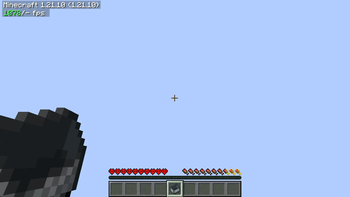
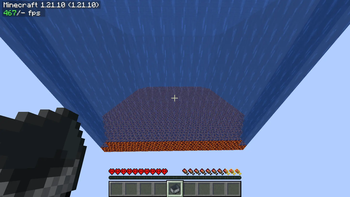
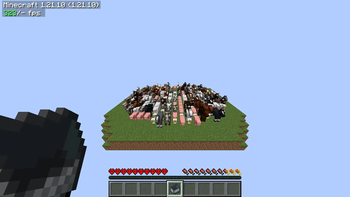
Screenshots
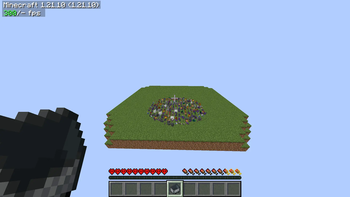
About this Modpack
What the client offers?
Modpack Falling Client is one of the best modpacks because it has very good optimization and useful mods for playing with friends or on servers. It has been tested on several weak computers and provided great comfort with personalized mods. With the ability to add your own mods for pvp, etc., in the near future a discord will be added where you can show off, chat and write your proposal to add a mod.
Mods
BadOptimizations by thosea (Low-impact miscellaneous optimizations)
Cloth Config API by shedaniel (Required by MoreCulling)
C2ME by ishland (Multithreading optimizations to chunk loading, generation and saving)
Enhanced Block Entities by FoundationGames (Reimplements block (tile) entities for performance)
Entity Culling by tr7zw (Uses path tracing to cull entities behind walls)
Fabric API (Needed for many mods to function)
FerriteCore by malte0811 (Memory usage optimizations)
ImmediatelyFast by RaphiMC (Immediate-mode rendering optimizations concerning many areas of the game)
More Culling by fxmorin (Culls more block faces and other things for a performance boost.)
No Chat Reports by Aizistral (A mod that provides options to protect yourself against the chat reporting system introduced in 1.19.1. It's not a performance mod, however it's vital enough to include here)
and many others
Available Versions
How to Set Up a Falling Client Server
Order Server
Choose at least 4 GB RAM (6 GB recommended for Falling Client). Based on player count: per 8 players.
Install Modpack in Dashboard
Open the modpack browser in the dashboard, search for "Falling Client" and click "Install". The fabric loader and Minecraft 1.21.10 are configured automatically.
Start Server & Play
Start the server – all mods are loaded automatically. Share the server IP with friends and play together!
Frequently Asked Questions
Falling Client server crashes or won't start – what to do?
Most common causes: insufficient RAM or wrong fabric loader. Check latest.log for "OutOfMemoryError" → increase RAM to at least 6 GB. For "Mixin" or "ClassNotFoundException" errors: modpack version and loader don't match. With Mado Hosting, loader and Minecraft version are auto-configured on modpack install – preventing most startup issues.
How much RAM does a Falling Client server really need?
Minimum 4 GB, recommended 6 GB for stable performance. per 8 players. Important: Minecraft modpacks need more RAM than vanilla – plan extra per additional player. With Mado Hosting, you can scale RAM up live at any time without data loss (from €8/month).
Can I add custom mods to Falling Client without conflicts?
Yes, but check compatibility: only use mods for the same loader (fabric) and same Minecraft version (1.21.10). Common issues: ID conflicts with recipe mods and incompatible coremod versions. The Mado dashboard mod browser only shows compatible mods and warns about known conflicts.
Falling Client server lagging – performance tips
1) Increase RAM to 6 GB+. 2) Reduce server view-distance to 8 (server.properties). 3) Pre-generate chunks with the "Chunky" plugin. 4) Use /spark profiler to check which mods consume the most tick time. With Mado Hosting, all servers run on NVMe SSDs with dedicated CPU cores – eliminating hardware as a bottleneck.
Rent Falling Client Server
Start your own server with automatic modpack installation.
Supported Versions
Start your Falling Client Server now
From €8.00/month with 6 GB RAM for the best performance.
Configure Server →