
Filled
A Modpack filled to the brim with solely client-side mods for both performance optimizations and quality of life improvements
Screenshots

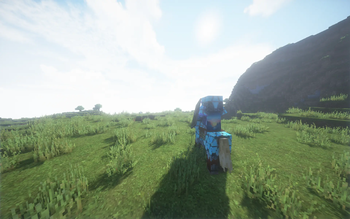

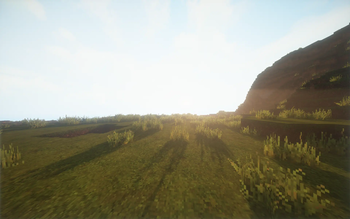
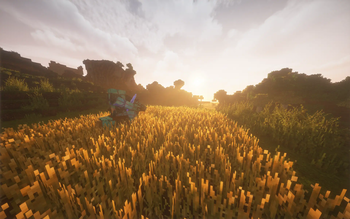
About this Modpack
Overview
This modpack adds over 100 fully client-side fabric mods to create the ultimate vanilla experience. From Sodium to Xaero's Minimap, Filled has it all. It focuses on adding both tons of accessible, useful and necessary quality of life features, as well as strong performance improvements and optimizations, achieving high fps on even the lowest end computers. The included mods do not clutter the gui or the world, they contribute and compliment it, keeping the vanilla feel while containing features that should exist in the vanilla game.
User Testimony
Lunar is so bad compared to Filled
Performance boost
Filled is much faster than the vanilla game, and keeps up with performance based mods and modpacks such as Simply or Fabulously Optimized and OptiFine.
Improvements
Filled adds many improvements to gameplay which should have been in the game in the first place. These include an improved chatting experience, an improved HUD, from the hunger bar to the armor bar, as well as many bug fixes.
OptiFine features
Filled keeps your favorite OptiFine features such as zoom, connected textures, capes (free!), and shaders.
Fully Client Side
Filled is fully client side, letting you play on your favorite server.
FAQ
Q. How do I install this modpack?
A. Follow Modrinth's instructions
Q. Does the modpack need to be installed server-side?
A. No! The modpack is fully client side, and works on any and every vanilla server
Q. I'm on mac and my GUI is all glitchy, and messed up!
A. Disable Immediately Fast, it may cause this glitch on mac.
Q. The modpack is crashing or breaking my game!
A. Either open an issue on github with the crash report (if there is one) and what you were doing and what happened as well as steps to reproduce or email me these details ([email protected])
Q. How do I add other mods to my game?
A. Fabulously Optimized has a good wiki page on it
Q. I have a question or want to make a suggestion!
A. Either go to the github and open an issue, or email me ([email protected])
Included Mods
Recommended Resource and Shader Packs
Milestones
9/23/23 Thank you for 100 downloads!
Disclaimer
By using the modpack, you agree to the following:
- The modpack is made to be playable on most public third-party servers; however, as the user of this modpack, you must verify whether you are allowed to use it and its mods and features. The modpack contains some features that are either required on the server's side, or are bannable on some servers; however, these features are initially disabled, and any action taken with these, or any of the modpack's features is fully yours, and you cannot hold the modpack author, mod developers, and Mojang liable. By installing this modpack, you agree that the modpack author, the mod developers, and Mojang provide no warranties for using this modpack, every action you do with it is your own and you cannot hold us liable for them.
Available Versions
How to Set Up a Filled Server
Order Server
Choose at least 4 GB RAM (6 GB recommended for Filled). Based on player count: per 8 players.
Install Modpack in Dashboard
Open the modpack browser in the dashboard, search for "Filled" and click "Install". The fabric loader and Minecraft 1.20.4 are configured automatically.
Start Server & Play
Start the server – all mods are loaded automatically. Share the server IP with friends and play together!
Frequently Asked Questions
Filled server crashes or won't start – what to do?
Most common causes: insufficient RAM or wrong fabric loader. Check latest.log for "OutOfMemoryError" → increase RAM to at least 6 GB. For "Mixin" or "ClassNotFoundException" errors: modpack version and loader don't match. With Mado Hosting, loader and Minecraft version are auto-configured on modpack install – preventing most startup issues.
How much RAM does a Filled server really need?
Minimum 4 GB, recommended 6 GB for stable performance. per 8 players. Important: Minecraft modpacks need more RAM than vanilla – plan extra per additional player. With Mado Hosting, you can scale RAM up live at any time without data loss (from €8/month).
Can I add custom mods to Filled without conflicts?
Yes, but check compatibility: only use mods for the same loader (fabric) and same Minecraft version (1.20.4). Common issues: ID conflicts with recipe mods and incompatible coremod versions. The Mado dashboard mod browser only shows compatible mods and warns about known conflicts.
Filled server lagging – performance tips
1) Increase RAM to 6 GB+. 2) Reduce server view-distance to 8 (server.properties). 3) Pre-generate chunks with the "Chunky" plugin. 4) Use /spark profiler to check which mods consume the most tick time. With Mado Hosting, all servers run on NVMe SSDs with dedicated CPU cores – eliminating hardware as a bottleneck.
Rent Filled Server
Start your own server with automatic modpack installation.
Supported Versions
Start your Filled Server now
From €8.00/month with 6 GB RAM for the best performance.
Configure Server →