
Five Nights at Freddy's Remastered(NeoForge)
An adventure modpack for Five Nights at Freddy's where you can find animatronic structures and more! Explore the world of Five Nights at Freddy's Remastered.
Screenshots
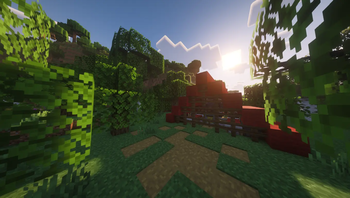
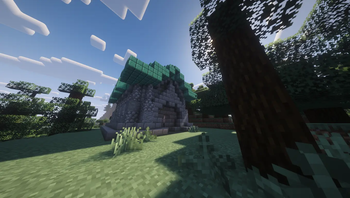
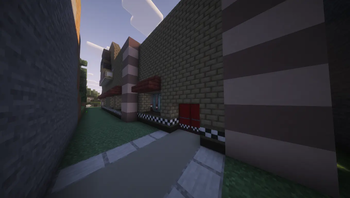

About this Modpack
**_Five Nihts at Freddy´s Remastered
Minecraft is an incredible game, and Five Nights at Freddy's is a horror masterpiece. But what happens when you merge them into one seamless, technical experience? This modpack is the definitive answer.
This isn't just a simple texture swap; it’s a total overhaul designed to bring Scott Cawthon’s brand of terror into the open-world sandbox.
What’s Inside?
Over 100 Animatronic Variants: From the OG classics to Nightmare and Glamrock models. Each entity features unique AI designed to stalk and hunt you.
New Survival Mechanics: Experience more than just basic crafting. We’ve integrated functional security cameras, power management systems, and specialized night events that turn your world into a true fight for survival.
Infinite Creativity & Decor: Hundreds of new blocks, pizzeria props, and detailed furniture to build the ultimate Fazbear Entertainment location.
World Structures: Explore abandoned pizzerias and hidden warehouses that generate naturally throughout your map.
Peak Optimization: Carefully selected performance mods ensure smooth gameplay and high FPS, even when the animatronics start to swarm.
Immersive Atmosphere: Custom ambient sounds, realistic fog, and enhanced lighting make every night feel like a real horror movie.
Honestly, if you want the most complete, terrifying, and technical FNAF experience in Minecraft, this is your best option.
Can you survive until 6:00 AM?._**
Spoiler
by Poteletubbie2245
Available Versions
How to Set Up a Five Nights at Freddy's Remastered(NeoForge) Server
Order Server
Choose at least 6 GB RAM (8 GB recommended for Five Nights at Freddy's Remastered(NeoForge)). Based on player count: per 5 players.
Install Modpack in Dashboard
Open the modpack browser in the dashboard, search for "Five Nights at Freddy's Remastered(NeoForge)" and click "Install". The neoforge loader and Minecraft 1.20.4 are configured automatically.
Start Server & Play
Start the server – all mods are loaded automatically. Share the server IP with friends and play together!
Frequently Asked Questions
Five Nights at Freddy's Remastered(NeoForge) server crashes or won't start – what to do?
Most common causes: insufficient RAM or wrong neoforge loader. Check latest.log for "OutOfMemoryError" → increase RAM to at least 8 GB. For "Mixin" or "ClassNotFoundException" errors: modpack version and loader don't match. With Mado Hosting, loader and Minecraft version are auto-configured on modpack install – preventing most startup issues.
How much RAM does a Five Nights at Freddy's Remastered(NeoForge) server really need?
Minimum 6 GB, recommended 8 GB for stable performance. per 5 players. Important: Minecraft modpacks need more RAM than vanilla – plan extra per additional player. With Mado Hosting, you can scale RAM up live at any time without data loss (from €12/month).
Can I add custom mods to Five Nights at Freddy's Remastered(NeoForge) without conflicts?
Yes, but check compatibility: only use mods for the same loader (neoforge) and same Minecraft version (1.20.4). Common issues: ID conflicts with recipe mods and incompatible coremod versions. The Mado dashboard mod browser only shows compatible mods and warns about known conflicts.
Five Nights at Freddy's Remastered(NeoForge) server lagging – performance tips
1) Increase RAM to 8 GB+. 2) Reduce server view-distance to 8 (server.properties). 3) Pre-generate chunks with the "Chunky" plugin. 4) Use /spark profiler to check which mods consume the most tick time. With Mado Hosting, all servers run on NVMe SSDs with dedicated CPU cores – eliminating hardware as a bottleneck.
Rent Five Nights at Freddy's Remastered(NeoForge) Server
Start your own server with automatic modpack installation.
Supported Versions
Start your Five Nights at Freddy's Remastered(NeoForge) Server now
From €12.00/month with 8 GB RAM for the best performance.
Configure Server →