
Forged in Dragonfire
Forged in Dragonfire is based in the mythic Ice and Fire mod, with tons of new boss fights, countless dungeons, dimensions and magic spells, Claim their scales, forge your legend, and reclaim a world consumed by ice and fire.
Screenshots


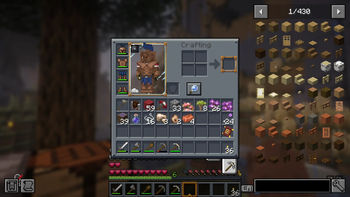


About this Modpack
⚔️ This modpack is build around the mythic OG mod Ice and Fire with a massive collection of new addons like spells, dungeons, bosses, new terrain gen with terralith and Regions Unexplored and a lot of hard challenges!
🏰A lot of new structures and Dungeons to explore: Lose yourself in multi-layered labyrinths. Every corridor is a gamble, chests has a potential to be mimic. From sunken catacombs to sky-high fortresses, the architecture of the ancients is filled with lethal traps and relics that defy time, Chest loot is also individual. You don’t have to worry about teammates stealing your gear, every player sees and collects their own separate loot from dungeons and estructures.
🔮Master the Forbidden Arts: Delve into Ancestral Magic systems a lot of pergamines and books with plenty of spells to use, magic ropes to buff your stats and extremly powerfull spell to unlock in hight tier, Whether you’re enchanting your blade with soul-fire or summoning arcane shields, your mastery of the craft is the only thing standing between you and the abyss.
👺Nightmare Reborn: Legendary Bosses from Mowzies mobs, Eldritch End, blue skies, Bosses of mas destruction, EEEAB 's Mobs, l_Enders Cataclysm and a lot more bosses to Fight with your friends.
🕷️Predators of the Deep, spiders & Ancient Drakes: The world breathes with a terrifying ecosystem. Witness young and ancients Dragons or succumb to the terror of Gigantic Arachnids that skulk in the shadows and storms.
🌌Alex's Caves Presents: Explore the crazy and phenomenal caves from Alex! Featuring a lot of new biomes, mobs, and mechanics that complement each other, along with a very vivid biodiversity. From dinosaurs and the depths of the ocean, to magnetic places and gummy bear caves!
🌌Beyond the Overworld: New Frontiers go with your friends on a adventure through the Blue Skies dimensions the Everbright and Everdawn where unique bosses and rare artifacts await. If that’s not enough, ascend to the Aether, the legendary kingdom in the clouds. new addons, New landscapes, hostile environments, and mystical resources to discover!
Forged in Dragonfire is a heavy content-modpack, You need to put more ram before launching the game instance:
Minimum RAM: 6GB (6144MB).
Recommended RAM: 8GB (8192MB) or 10 GB (10240MB) for optimal performance.
Add this ram settings in the modrinth app > instance settings > configuration > java and memory > custom memory selection.
Shaders are on by default, to turn off, go to options, graphics and look for shaders and toggle off shaders.
How to use the serve files to host a world to play with friends:
Step 1: Download the Server Pack
First, go te version in the Forged in Dragonfire in the modrinth web, then selec the "server-side" version of Forged in Dragonfire. Inside, you will find the essential folders:
mods, config and server properties.
These files are required to set up the server environment you will use it later.
Step 2: Install Java JDK if you don't have it installed
Make sure you have Java JDK 17 or 21 installed on your system more recent jdk won't be compatible. This is necessary for running the jar files for the Minecraft/forge server.
Step 3: setup the Forge server
Go to the official Forge website and download the Forge installer for Minecraft 1.20.1, version 47.4.16. i'm not sure if recent versions are going to work or not, i don't test it yet.
Place the installer inside a dedicated folder for the server files.
Run the installer and select the “Install Server” option.
Forge will automatically download the required libraries and generate the necessary files, including a .bat script to start the server.
Step 4: continue the installation
Accept the EULA: Open eula.txt and set value eula=true.
Configure server.properties: Adjust game mode, difficulty, port, and other settings.
in the mod folder place all server-compatible mods that are inside the mods directory in Forged in Dragon fire server side.
and replace the config folder with the one that it's inside the server files.
Step 5: run the Server
Use the .bat file generated by Forge (Windows).
I recommend to put more ram in the instance like at least 6gb or 8gb or a dynamic ram:
Example command: java -Xmx8G -Xms4G -jar forge-1.20.1-47.4.16-universal.jar nogui
or in user jvm for example: you just need to change de xms (minimum of ram) and de xmx (maximum of ram) for the dynamic config
-Xms6G
-Xmx8G
-XX:+UseG1GC
-XX:+UnlockExperimentalVMOptions
-XX:G1NewSizePercent=20
-XX:G1MaxNewSizePercent=40
-XX:MaxGCPauseMillis=200
-XX:G1HeapRegionSize=32M
Available Versions
How to Set Up a Forged in Dragonfire Server
Order Server
Choose at least 6 GB RAM (8 GB recommended for Forged in Dragonfire). Based on player count: per 5 players.
Install Modpack in Dashboard
Open the modpack browser in the dashboard, search for "Forged in Dragonfire" and click "Install". The forge loader and Minecraft 1.20.1 are configured automatically.
Start Server & Play
Start the server – all mods are loaded automatically. Share the server IP with friends and play together!
Frequently Asked Questions
Forged in Dragonfire server crashes or won't start – what to do?
Most common causes: insufficient RAM or wrong forge loader. Check latest.log for "OutOfMemoryError" → increase RAM to at least 8 GB. For "Mixin" or "ClassNotFoundException" errors: modpack version and loader don't match. With Mado Hosting, loader and Minecraft version are auto-configured on modpack install – preventing most startup issues.
How much RAM does a Forged in Dragonfire server really need?
Minimum 6 GB, recommended 8 GB for stable performance. per 5 players. Important: Minecraft modpacks need more RAM than vanilla – plan extra per additional player. With Mado Hosting, you can scale RAM up live at any time without data loss (from €12/month).
Can I add custom mods to Forged in Dragonfire without conflicts?
Yes, but check compatibility: only use mods for the same loader (forge) and same Minecraft version (1.20.1). Common issues: ID conflicts with recipe mods and incompatible coremod versions. The Mado dashboard mod browser only shows compatible mods and warns about known conflicts.
Forged in Dragonfire server lagging – performance tips
1) Increase RAM to 8 GB+. 2) Reduce server view-distance to 8 (server.properties). 3) Pre-generate chunks with the "Chunky" plugin. 4) Use /spark profiler to check which mods consume the most tick time. With Mado Hosting, all servers run on NVMe SSDs with dedicated CPU cores – eliminating hardware as a bottleneck.
Similar Modpacks
![Cobblemon Official Modpack [Fabric]](https://cdn.modrinth.com/data/5FFgwNNP/e7f9ee2e9d361623847853fe2ddce42f519ee64f.png)
![COBBLEVERSE - Pokemon Adventure [Cobblemon]](https://cdn.modrinth.com/data/Jkb29YJU/581ecf54530972afb18a04660afd820f2f24f6c7.png)
![Better MC [FABRIC] - BMC2](https://cdn.modrinth.com/data/shFhR8Vx/a19c2bcb51d38f32f138d3607e91cb2b7b8e387f_96.webp)


![Better MC [FORGE] - BMC4](https://cdn.modrinth.com/data/4BV47HRn/7f5ef7cc61b2593609aabef3ed07a866a4f11b73_96.webp)
Rent Forged in Dragonfire Server
Start your own server with automatic modpack installation.
Supported Versions
Start your Forged in Dragonfire Server now
From €12.00/month with 8 GB RAM for the best performance.
Configure Server →