
Fox Box
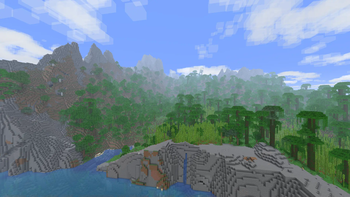
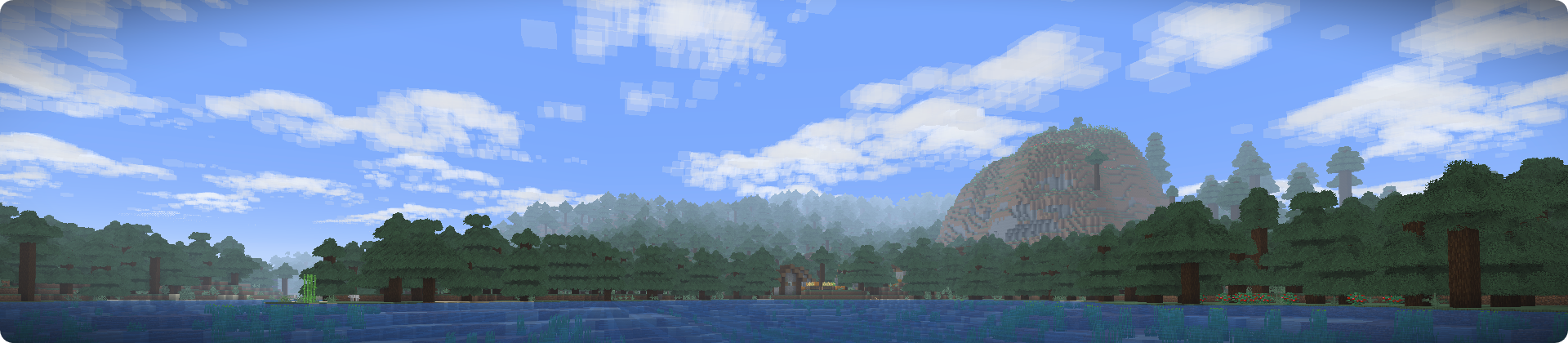
Be foxy! :3 Performant visual enhancements without shaders. GUI addons, enhanced render distance, and quality-of-life additions. Vanilla server compatible.
Screenshots
About this Modpack
About
This pack is a smol collection of client-side mods, data packs, and resource packs, assembled together with a focus on game performance, quality of life, and a handful of opinionated aesthetic changes. The heaviest included addition should be the Bobby view distance mod, which you should safely be able to disable without causing side-effects for the rest of the pack. While this pack is branded for the Fox Box community server, no functionality is bound by it, and the pack can be utilized in full on any single-player world or version compatible server.
Performance
The pack is developed and tested on an eight-year-old PC with an i7-6700k and 980ti, and it targeted to perform with good frame-rate on similar systems or better, when using the recommended settings.
The settings recommended are as follows:
- A view distance of 24 with Bobby enabled, or 16 without
- A simulation distance of 10-12
- 2-6GB of RAM recommended
The following JVM arguments are also provided and highly recommended:
-XX:+UnlockExperimentalVMOptions -XX:+UseG1GC -XX:G1NewSizePercent=20 -XX:G1ReservePercent=20 -XX:MaxGCPauseMillis=50 -XX:G1HeapRegionSize=32M
Notice: RAM and JVM settings are not applied automatically by the pack/launcher. You must enable them yourself in the pack options menu in Modrinth.
Additional
This pack intends to provide entended term support for Minecraft version 1.20.4. A GitHub repo is linked on the sidebar for submitting issues or bugs you may encounter while playing with this pack.
The Fox Box pack icon/logo and this readme/description is licensed under CC BY-NC-SA 4.0
Available Versions
How to Set Up a Fox Box Server
Order Server
Choose at least 6 GB RAM (8 GB recommended for Fox Box). Based on player count: per 5 players.
Install Modpack in Dashboard
Open the modpack browser in the dashboard, search for "Fox Box" and click "Install". The fabric loader and Minecraft 1.21 are configured automatically.
Start Server & Play
Start the server – all mods are loaded automatically. Share the server IP with friends and play together!
Frequently Asked Questions
Fox Box server crashes or won't start – what to do?
Most common causes: insufficient RAM or wrong fabric loader. Check latest.log for "OutOfMemoryError" → increase RAM to at least 8 GB. For "Mixin" or "ClassNotFoundException" errors: modpack version and loader don't match. With Mado Hosting, loader and Minecraft version are auto-configured on modpack install – preventing most startup issues.
How much RAM does a Fox Box server really need?
Minimum 6 GB, recommended 8 GB for stable performance. per 5 players. Important: Minecraft modpacks need more RAM than vanilla – plan extra per additional player. With Mado Hosting, you can scale RAM up live at any time without data loss (from €12/month).
Can I add custom mods to Fox Box without conflicts?
Yes, but check compatibility: only use mods for the same loader (fabric) and same Minecraft version (1.21). Common issues: ID conflicts with recipe mods and incompatible coremod versions. The Mado dashboard mod browser only shows compatible mods and warns about known conflicts.
Fox Box server lagging – performance tips
1) Increase RAM to 8 GB+. 2) Reduce server view-distance to 8 (server.properties). 3) Pre-generate chunks with the "Chunky" plugin. 4) Use /spark profiler to check which mods consume the most tick time. With Mado Hosting, all servers run on NVMe SSDs with dedicated CPU cores – eliminating hardware as a bottleneck.
Similar Modpacks
![Cobblemon Official Modpack [Fabric]](https://cdn.modrinth.com/data/5FFgwNNP/e7f9ee2e9d361623847853fe2ddce42f519ee64f.png)
![COBBLEVERSE - Pokemon Adventure [Cobblemon]](https://cdn.modrinth.com/data/Jkb29YJU/581ecf54530972afb18a04660afd820f2f24f6c7.png)
![Better MC [FABRIC] - BMC2](https://cdn.modrinth.com/data/shFhR8Vx/a19c2bcb51d38f32f138d3607e91cb2b7b8e387f_96.webp)


![Better MC [FORGE] - BMC4](https://cdn.modrinth.com/data/4BV47HRn/7f5ef7cc61b2593609aabef3ed07a866a4f11b73_96.webp)
Rent Fox Box Server
Start your own server with automatic modpack installation.
Details
- License
- Creative Commons Attribution Non Commercial Share Alike 4.0 International
- Server-side
- Unsupported
- Client-side
- Required
Supported Versions
Start your Fox Box Server now
From €12.00/month with 8 GB RAM for the best performance.
Configure Server →