
FPSTODOMOON Sodium Edition
Are you looking for a potato pc resurrection? Then look no further. No unnecessary extra mods. Just fps boost and some necessary quality of life mods.
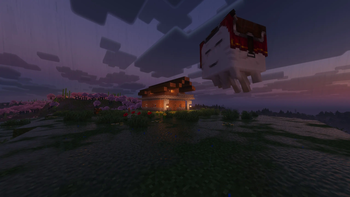
Screenshots





About this Modpack
🚀 FPSTODOMOON: Sodium Edition
Elevate your Minecraft experience to the stratosphere.
Tired of suboptimal performance? FPSTODOMOON is the ultimate, high-octane optimization suite meticulously engineered to eliminate bottlenecks and launch your frame rates to the moon. We don't just add mods; we overhaul the entire engine for a seamless, crystal-clear experience.
🛠️ The Optimization Arsenal
🏎️ The Core Engine
Sodium: The crown jewel of the pack. By rewriting the rendering pipeline from the ground up, Sodium eliminates micro-stutters and provides a massive boost to frame rates that vanilla simply cannot match.

Lithium: A general-purpose optimization tool for the game engine. It refines physics, AI, and block-ticking logic to deliver up to 50% faster tick times, keeping your world running smoothly even under heavy loads.

C2ME (Concurrent Chunk Management Engine): Designed for the modern era. C2ME utilizes multiple CPU cores to parallelize world generation and chunk loading, making exploration fast and stutter-free.
🛡️ Resource & Memory Management
FerriteCore: Memory is precious. FerriteCore swoops in to optimize RAM usage through JVM-level tweaks, making your game run leaner and significantly reducing the risk of "Out of Memory" crashes.

Dynamic FPS: Intelligent resource allocation. When you're tabbed out or multitasking, Dynamic FPS automatically throttles the frame rate to conserve your system's power for other tasks.

ImmediatelyFast: Focused on immediate-mode rendering. This mod optimizes the UI and text rendering, ensuring that every menu and interface feels snappy and responsive.
🔭 Advanced Rendering Logic
Entity Culling & More Culling: Why render what’s behind a wall? These mods work in tandem to aggressively skip the rendering of hidden objects and occluded faces, freeing up massive amounts of GPU bandwidth for what actually matters.

Krypton: A professional-grade networking stack. Krypton streamlines data packets to reduce latency and jitter, ensuring your multiplayer sessions are stable and "rubber-band" free.

Spark: The ultimate diagnostic tool. If you ever encounter a performance hiccup, Spark acts as your personal detective, profiling CPU and memory usage to help you maintain peak performance.
💎 Why It's Different
Unlike bloated modpacks that prioritize quantity, FPSTODOMOON focuses on pure efficiency. Every mod in this list is selected for its compatibility and its ability to contribute to a "zero-lag" environment.
"Experience Minecraft at its absolute peak performance. Don't just play—ascend."
📥 Technical Setup
Download the latest .mrpack file.

Import into your preferred launcher (Modrinth, Prism, etc.).

Lift-off: Launch the game and witness the performance leap immediately.
Bugs:
If your system language is not English, or if Java is running with a non-English locale (for example Turkish), Minecraft may crash on startup due to a bug introduced in the latest Sodium update. This happens because Sodium currently does not fully handle locale-specific characters during initialization.
To fix this issue, force Java to use the English (US) locale by adding the following JVM arguments to your launcher: -Duser.language=en -Duser.country=US
Available Versions
How to Set Up a FPSTODOMOON Sodium Edition Server
Order Server
Choose at least 6 GB RAM (8 GB recommended for FPSTODOMOON Sodium Edition). Based on player count: per 5 players.
Install Modpack in Dashboard
Open the modpack browser in the dashboard, search for "FPSTODOMOON Sodium Edition" and click "Install". The fabric loader and Minecraft 1.21.11 are configured automatically.
Start Server & Play
Start the server – all mods are loaded automatically. Share the server IP with friends and play together!
Frequently Asked Questions
FPSTODOMOON Sodium Edition server crashes or won't start – what to do?
Most common causes: insufficient RAM or wrong fabric loader. Check latest.log for "OutOfMemoryError" → increase RAM to at least 8 GB. For "Mixin" or "ClassNotFoundException" errors: modpack version and loader don't match. With Mado Hosting, loader and Minecraft version are auto-configured on modpack install – preventing most startup issues.
How much RAM does a FPSTODOMOON Sodium Edition server really need?
Minimum 6 GB, recommended 8 GB for stable performance. per 5 players. Important: Minecraft modpacks need more RAM than vanilla – plan extra per additional player. With Mado Hosting, you can scale RAM up live at any time without data loss (from €12/month).
Can I add custom mods to FPSTODOMOON Sodium Edition without conflicts?
Yes, but check compatibility: only use mods for the same loader (fabric) and same Minecraft version (1.21.11). Common issues: ID conflicts with recipe mods and incompatible coremod versions. The Mado dashboard mod browser only shows compatible mods and warns about known conflicts.
FPSTODOMOON Sodium Edition server lagging – performance tips
1) Increase RAM to 8 GB+. 2) Reduce server view-distance to 8 (server.properties). 3) Pre-generate chunks with the "Chunky" plugin. 4) Use /spark profiler to check which mods consume the most tick time. With Mado Hosting, all servers run on NVMe SSDs with dedicated CPU cores – eliminating hardware as a bottleneck.
Similar Modpacks

![Cobblemon Official Modpack [Fabric]](https://cdn.modrinth.com/data/5FFgwNNP/e7f9ee2e9d361623847853fe2ddce42f519ee64f.png)
![COBBLEVERSE - Pokemon Adventure [Cobblemon]](https://cdn.modrinth.com/data/Jkb29YJU/581ecf54530972afb18a04660afd820f2f24f6c7.png)
![Better MC [FABRIC] - BMC2](https://cdn.modrinth.com/data/shFhR8Vx/a19c2bcb51d38f32f138d3607e91cb2b7b8e387f_96.webp)


Rent FPSTODOMOON Sodium Edition Server
Start your own server with automatic modpack installation.
Supported Versions
Start your FPSTODOMOON Sodium Edition Server now
From €12.00/month with 8 GB RAM for the best performance.
Configure Server →