
Frigid
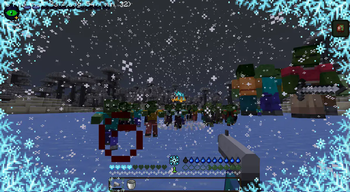
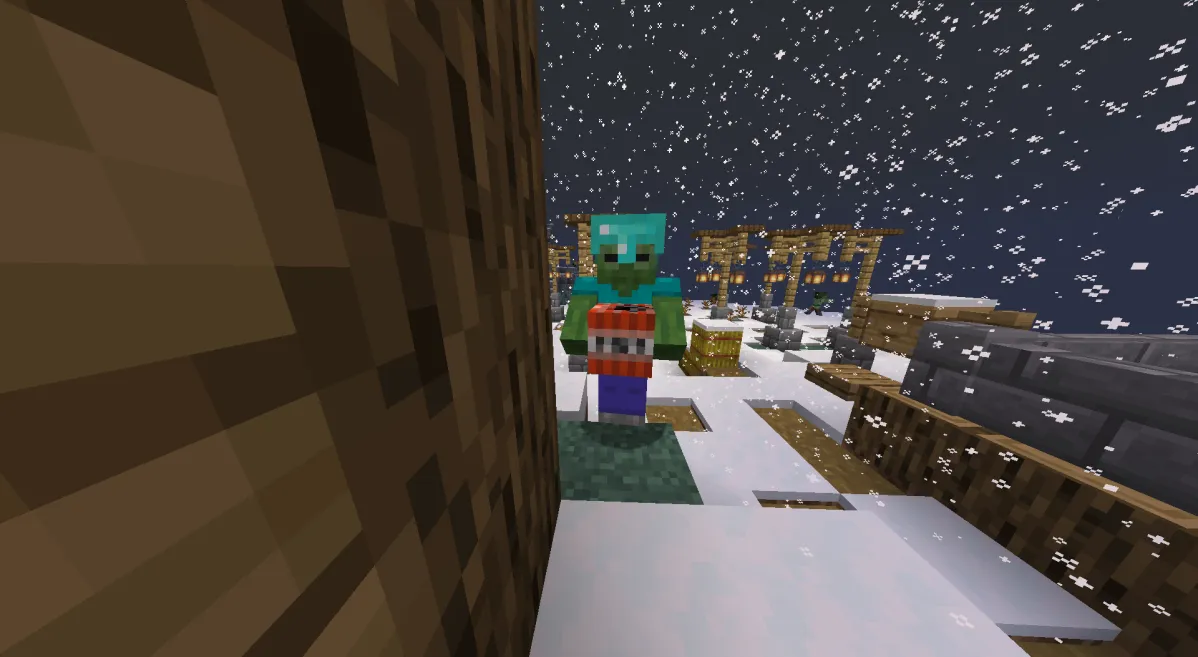
A 1.19.3 winter zombie apocalypse modpack
Screenshots

About this Modpack
{For testing only currently}
A 1.19.3 winter zombie apocalypse mod pack with a variety of data packs, custom resource packs, and mods to help the experience. It includes Winter Apocalypse++, Manic, and Tough As Nails, and much more it has everything you could ever need to have a frigid Apocalypse experience.


Mod List
Check out the projects I'm using!
Atlas Lib
Better Animations Collection
BetterF3
CreativeCore
Death Finder
FPS Reducer
From The Fog
Jade 🔍
Just Enough Resources (JER)
Kiwi 🥝
Mutant Monsters
Open Loader
Puzzles Lib
Snow! Real Magic! ⛄
TerraBlender
TexTrue's Rubidium Options
The Hordes
Tough As Nails
Towns and Towers
Traveler's Backpack
Traveler's Titles
Underground Villages
Visual Workbench
YUNG's API
YUNG's Better Desert Temples
YUNG's Better Dungeons
YUNG's Better Mineshafts
YUNG's Better Nether Fortresses
YUNG's Better Ocean Monuments
YUNG's Better Strongholds
YUNG's Better Witch Huts
YUNG's Bridges
YUNG's Extras
AppleSkin
Architectury API
Balm
Better Combat
Canary
MrCrayfish's Gun Mod
CTOV - Friends and Foes Compat
Cloth Config API
Collective
Corpse
Cristel Lib
ChoiceTheorem's Overhauled Village
CTOV - Farmer Delight Compat
The End of Herobrine
[EMF] Entity Model Features
[ETF] Entity Texture Features
Entity Culling
FerriteCore
Framework
Giant Spawn
Hardcore Revival
Just Enough Items
Konkrete
Let Me Despawn
Majrusz Library
Majrusz's Progressive Difficulty
Manic
Memory Leak Fix
Mob Captains
playerAnimator
Protect Mobs From Daylight
Radon
Rubidium
Rubidium Extra
Saturn
Scriptor Magicae
Smooth Boot (Reloaded)
Snowballs Freeze Mobs
Solid Mobs
Starter Kit
SuperMartijn642's Config Lib
SuperMartijn642's Core Lib
Simple Voice Chat"
Available Versions
How to Set Up a Frigid Server
Order Server
Choose at least 6 GB RAM (8 GB recommended for Frigid). Based on player count: per 5 players.
Install Modpack in Dashboard
Open the modpack browser in the dashboard, search for "Frigid" and click "Install". The forge loader and Minecraft 1.19.3 are configured automatically.
Start Server & Play
Start the server – all mods are loaded automatically. Share the server IP with friends and play together!
Frequently Asked Questions
Frigid server crashes or won't start – what to do?
Most common causes: insufficient RAM or wrong forge loader. Check latest.log for "OutOfMemoryError" → increase RAM to at least 8 GB. For "Mixin" or "ClassNotFoundException" errors: modpack version and loader don't match. With Mado Hosting, loader and Minecraft version are auto-configured on modpack install – preventing most startup issues.
How much RAM does a Frigid server really need?
Minimum 6 GB, recommended 8 GB for stable performance. per 5 players. Important: Minecraft modpacks need more RAM than vanilla – plan extra per additional player. With Mado Hosting, you can scale RAM up live at any time without data loss (from €12/month).
Can I add custom mods to Frigid without conflicts?
Yes, but check compatibility: only use mods for the same loader (forge) and same Minecraft version (1.19.3). Common issues: ID conflicts with recipe mods and incompatible coremod versions. The Mado dashboard mod browser only shows compatible mods and warns about known conflicts.
Frigid server lagging – performance tips
1) Increase RAM to 8 GB+. 2) Reduce server view-distance to 8 (server.properties). 3) Pre-generate chunks with the "Chunky" plugin. 4) Use /spark profiler to check which mods consume the most tick time. With Mado Hosting, all servers run on NVMe SSDs with dedicated CPU cores – eliminating hardware as a bottleneck.
Similar Modpacks
![Cobblemon Official Modpack [Fabric]](https://cdn.modrinth.com/data/5FFgwNNP/e7f9ee2e9d361623847853fe2ddce42f519ee64f.png)
![COBBLEVERSE - Pokemon Adventure [Cobblemon]](https://cdn.modrinth.com/data/Jkb29YJU/581ecf54530972afb18a04660afd820f2f24f6c7.png)
![Better MC [FABRIC] - BMC2](https://cdn.modrinth.com/data/shFhR8Vx/a19c2bcb51d38f32f138d3607e91cb2b7b8e387f_96.webp)


![Better MC [FORGE] - BMC4](https://cdn.modrinth.com/data/4BV47HRn/7f5ef7cc61b2593609aabef3ed07a866a4f11b73_96.webp)
Rent Frigid Server
Start your own server with automatic modpack installation.
Details
- License
- GNU General Public License v3.0 or later
- Server-side
- Required
- Client-side
- Required
Supported Versions
Start your Frigid Server now
From €12.00/month with 8 GB RAM for the best performance.
Configure Server →