
Fyxe's Vanilla+
A Vanilla Plus modpack centered around QoL tweaks, performance, and fun additions. Vanilla+
Screenshots
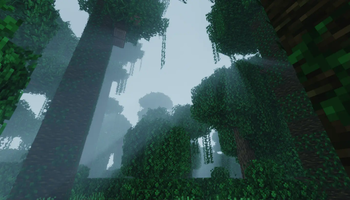
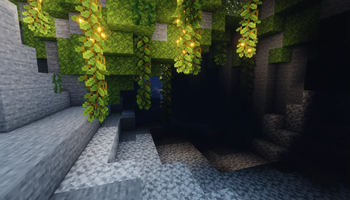
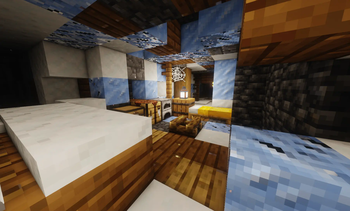
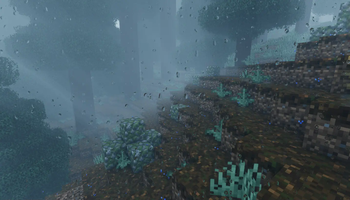
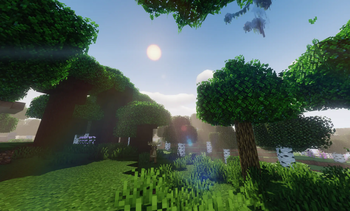
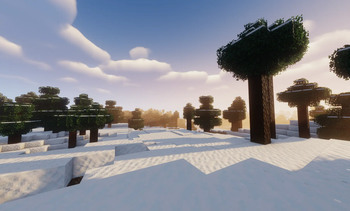
About this Modpack
WELCOME!
WHY USE THIS OVER OTHER PACKS?
TL;DR:
- I've uniquely configured every single one of the 400+ mods and datapacks, and heavily iterated and refined the configuration of the shaderpack.
- I've created a custom resource pack to make visuals compatible between mods.
- I've created a custom mod enhance mod compatibility and balance.
- NOTE: This is still pending moderation approval and not yet included.
- This is a polished, optimized, fun, Vanilla+ pack created from my years of in-industry game development and design experience.
- It's damn pretty.
DESCRIPTION
Summary
While the concept of a V+ modpack is hardly unique, I believe my take on the idea is a much more genuine improved vanilla experience than others I have tried. Over many iterations I have configured mods, datapacks, resource packs, and shaders to craft a unique blend of beautiful visuals and interesting mechanics that I hope you enjoy as much as I do. (Worth noting, I have purposefully NOT put photos of the coolest things in the Gallery. You'll have to discover them yourself!)
How do I define Vanilla+?
Vanilla+'s definition is akin to Roguelite in the Minecraft community. Takes on it can vary wildy from visual overhauls to barely chaning any mechanics. So my take was to refine the definition to essentially "game pillars", which I have listed below, and ensure any changes/additions/configurations satisfied all points.
- Improve QoL in-game and in-menu
- New features should enhance casual play
- New Blocks/Items/Entities should be kept to a minimum
Getting Started
- I encouage you not to browse the mods contained within the pack. There is joy to be had discovering things in-game.
- The Advancements can be useful for general direction and guidance.
- Read the TIPS! There are Tips on the loading screens and pause screens. I have added a plethora of them to detail less intuitive additions.
- I built a simple getting started guide which may be
useful to learn some mechanics but is not extensive.
I still need more direction
No worries! Here are things that I personally enjoy doing in this modpack. This section is spoilered because it can be quite fun to discover these things on your own.
Spoiler
- Building a Camera and taking/developing pictures of rare mobs, builds, or beautiful landscapes.
- Finding a village and completing Bounties
- Collecting Dye, crafting an easel, and painting the sunset
- Building Display cases to show off the rare items I've collected
- Exploring with an aircraft to collect all the world's paintings
- Crafting and expanding an Atlas and using banners to map points of interest
- Collecting and displaying all the different kinds of Fish in the world
ADDITIONAL NOTES
- I had to use the non-pro Physics Mod from this pack as it's license does not allow me to use it. However I did include the configuration files I set for it, so please download and install the pro version (Which is now free). I cannot link it but you can find it on their patreon website. Use the 1.20.1 version.
- This pack has a very different feel without the physics mod. It is highly recommended that you install it before playing.
- The first time startup can take some time. Ensure you have enough RAM allocated.
- Panda's Falling Trees will cause framerate lags when fullscreen, personally I think it's still worth it for the features, but disable it if you find it annoying.
- This pack has some great optimizations within it, however still needs a decent chunk of ram and a graphics card to run. Feel free to expirement with settings until you're getting a buttery fps.
- If you have any feedback please send to [email protected]
Have fun and happy mining!
- Fyxe
Available Versions
How to Set Up a Fyxe's Vanilla+ Server
Order Server
Choose at least 6 GB RAM (8 GB recommended for Fyxe's Vanilla+). Based on player count: per 5 players.
Install Modpack in Dashboard
Open the modpack browser in the dashboard, search for "Fyxe's Vanilla+" and click "Install". The fabric loader and Minecraft 1.20.1 are configured automatically.
Start Server & Play
Start the server – all mods are loaded automatically. Share the server IP with friends and play together!
Frequently Asked Questions
Fyxe's Vanilla+ server crashes or won't start – what to do?
Most common causes: insufficient RAM or wrong fabric loader. Check latest.log for "OutOfMemoryError" → increase RAM to at least 8 GB. For "Mixin" or "ClassNotFoundException" errors: modpack version and loader don't match. With Mado Hosting, loader and Minecraft version are auto-configured on modpack install – preventing most startup issues.
How much RAM does a Fyxe's Vanilla+ server really need?
Minimum 6 GB, recommended 8 GB for stable performance. per 5 players. Important: Minecraft modpacks need more RAM than vanilla – plan extra per additional player. With Mado Hosting, you can scale RAM up live at any time without data loss (from €12/month).
Can I add custom mods to Fyxe's Vanilla+ without conflicts?
Yes, but check compatibility: only use mods for the same loader (fabric) and same Minecraft version (1.20.1). Common issues: ID conflicts with recipe mods and incompatible coremod versions. The Mado dashboard mod browser only shows compatible mods and warns about known conflicts.
Fyxe's Vanilla+ server lagging – performance tips
1) Increase RAM to 8 GB+. 2) Reduce server view-distance to 8 (server.properties). 3) Pre-generate chunks with the "Chunky" plugin. 4) Use /spark profiler to check which mods consume the most tick time. With Mado Hosting, all servers run on NVMe SSDs with dedicated CPU cores – eliminating hardware as a bottleneck.
Similar Modpacks
![Cobblemon Official Modpack [Fabric]](https://cdn.modrinth.com/data/5FFgwNNP/e7f9ee2e9d361623847853fe2ddce42f519ee64f.png)
![COBBLEVERSE - Pokemon Adventure [Cobblemon]](https://cdn.modrinth.com/data/Jkb29YJU/581ecf54530972afb18a04660afd820f2f24f6c7.png)
![Better MC [FABRIC] - BMC2](https://cdn.modrinth.com/data/shFhR8Vx/a19c2bcb51d38f32f138d3607e91cb2b7b8e387f_96.webp)


![Better MC [FORGE] - BMC4](https://cdn.modrinth.com/data/4BV47HRn/7f5ef7cc61b2593609aabef3ed07a866a4f11b73_96.webp)
Rent Fyxe's Vanilla+ Server
Start your own server with automatic modpack installation.
Supported Versions
Start your Fyxe's Vanilla+ Server now
From €12.00/month with 8 GB RAM for the best performance.
Configure Server →