
Get Those FPS
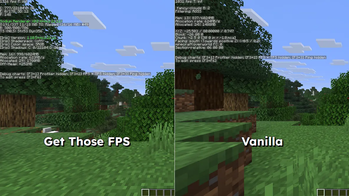
Minecraft shouldn't feel like a slideshow. GET THOSE FPS is a lightweight optimization pack designed to get rid of the lag, boost frame rates, and provide the smoothest gameplay possible even on potato PCs.
Screenshots
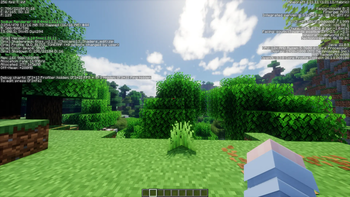
About this Modpack
Minecraft shouldn't feel like a slideshow. GET THOSE FPS is a lightweight optimization pack designed to get rid of the lag, boost frame rates, and provide the smoothest gameplay possible even on potato PCs.
🚀 Extreme Performance
Sodium & Sodium Extra: Advanced rendering engine and expanded video settings.

Lithium: Optimized game logic and physics.

C2ME: Multithreaded chunk loading and generation.

FerriteCore: Significant RAM usage reduction.

Entity Culling: Performance boost by hiding non-visible entities.

BadOptimizations: Smooths out UI and micro-stutters.

Krypton: Optimized network stack for lower ping.
⚔️ Competitive & PvP QoL
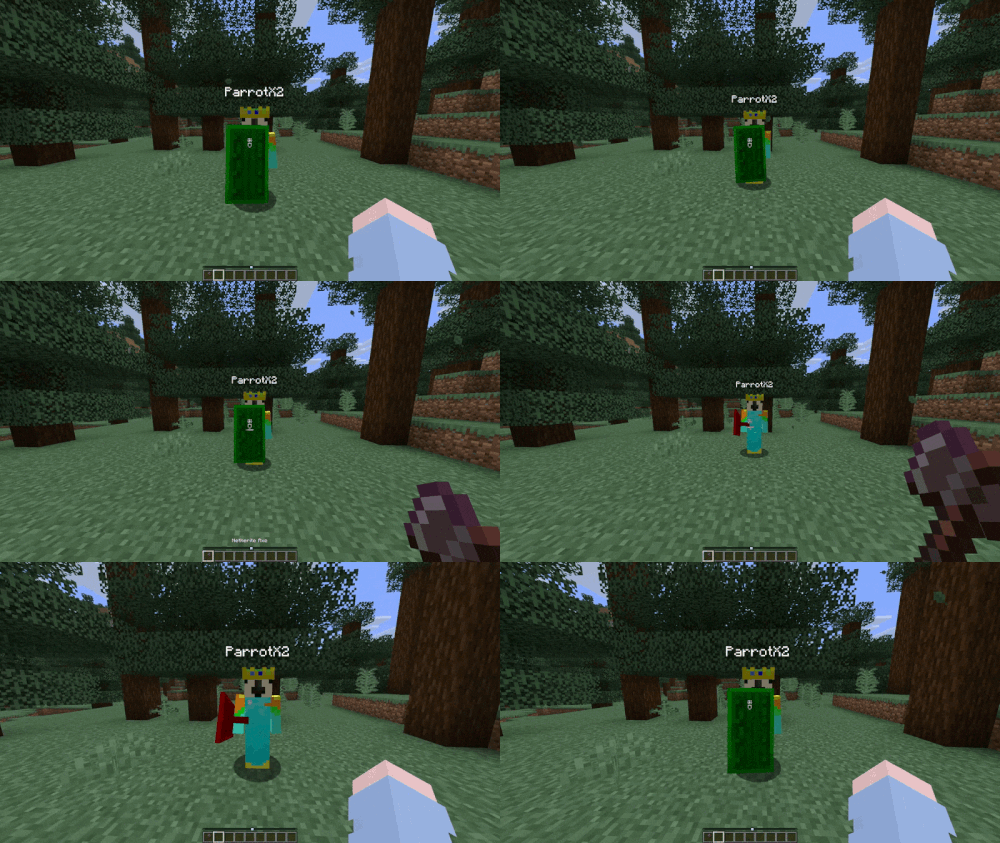
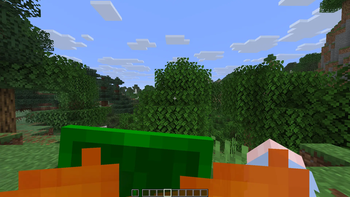
Low Fire & Low Shield: Reduced visual clutter for maximum visibility.

Shield Status & Fixes: HUD durability display and corrected shield positioning.

Crosshair Addons: Fully customizable crosshair.

Zoomify: Fast and smooth cinematic zoom.

Consumable Optimizer: Optimized eating/drinking mechanics.
✨ Enhanched Visuals
Iris Shaders: Native shader support.

Continuity: Connected textures for glass and blocks.

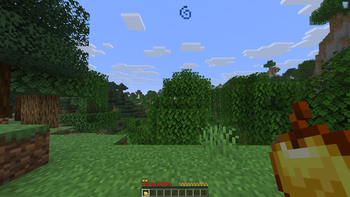
LambDynamicLights: Real-time lighting from held items.
🛠️ Utilities
Ukus Armor HUD: Clean durability display for gear.

AppleSkin: Hunger and saturation HUD indicators.

ShulkerBoxTooltip: Hover preview for container contents.

Chat Heads & No Chat Reports: Player avatars in chat and secure messaging.
📋 Technical Recommendations
Allocated RAM: 6 GB is recommended for optimal stability and performance.

Ready to Play: Pre-configured for immediate use; no setup required.
Available Versions
How to Set Up a Get Those FPS Server
Order Server
Choose at least 4 GB RAM (6 GB recommended for Get Those FPS). Based on player count: per 8 players.
Install Modpack in Dashboard
Open the modpack browser in the dashboard, search for "Get Those FPS" and click "Install". The fabric loader and Minecraft 1.21.11 are configured automatically.
Start Server & Play
Start the server – all mods are loaded automatically. Share the server IP with friends and play together!
Frequently Asked Questions
Get Those FPS server crashes or won't start – what to do?
Most common causes: insufficient RAM or wrong fabric loader. Check latest.log for "OutOfMemoryError" → increase RAM to at least 6 GB. For "Mixin" or "ClassNotFoundException" errors: modpack version and loader don't match. With Mado Hosting, loader and Minecraft version are auto-configured on modpack install – preventing most startup issues.
How much RAM does a Get Those FPS server really need?
Minimum 4 GB, recommended 6 GB for stable performance. per 8 players. Important: Minecraft modpacks need more RAM than vanilla – plan extra per additional player. With Mado Hosting, you can scale RAM up live at any time without data loss (from €8/month).
Can I add custom mods to Get Those FPS without conflicts?
Yes, but check compatibility: only use mods for the same loader (fabric) and same Minecraft version (1.21.11). Common issues: ID conflicts with recipe mods and incompatible coremod versions. The Mado dashboard mod browser only shows compatible mods and warns about known conflicts.
Get Those FPS server lagging – performance tips
1) Increase RAM to 6 GB+. 2) Reduce server view-distance to 8 (server.properties). 3) Pre-generate chunks with the "Chunky" plugin. 4) Use /spark profiler to check which mods consume the most tick time. With Mado Hosting, all servers run on NVMe SSDs with dedicated CPU cores – eliminating hardware as a bottleneck.
Similar Modpacks

![Better MC [FABRIC] - BMC2](https://cdn.modrinth.com/data/shFhR8Vx/a19c2bcb51d38f32f138d3607e91cb2b7b8e387f_96.webp)
![Better MC [FORGE] - BMC4](https://cdn.modrinth.com/data/4BV47HRn/7f5ef7cc61b2593609aabef3ed07a866a4f11b73_96.webp)


Rent Get Those FPS Server
Start your own server with automatic modpack installation.
Supported Versions
Start your Get Those FPS Server now
From €8.00/month with 6 GB RAM for the best performance.
Configure Server →