
GHOSTLINE
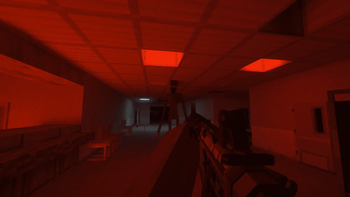
GHOSTLINE is the most immersive military simulator inspired by BodyCam — engage solo or with others in a hauntingly authentic warzone.
Screenshots
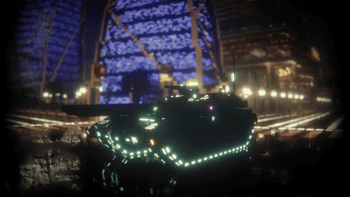
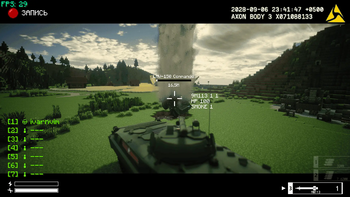
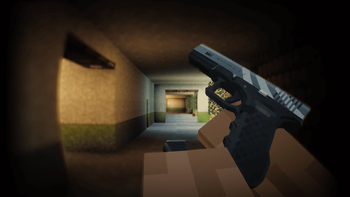
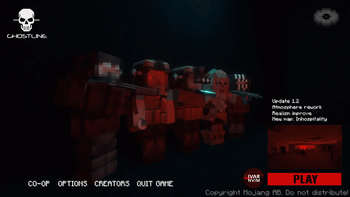
About this Modpack
Ghostline
An ultra-immersive simulation inspired by the intensity of modern FPS experiences like BodyCam and Ready or Not. Step into an unnerving atmosphere where every movement counts. Play solo against advanced NPCs or join coordinated multiplayer sessions.
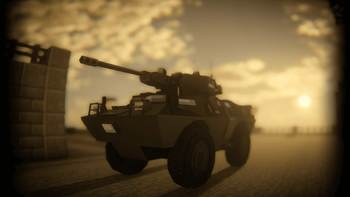
The pack offers a refined, high-stakes gameplay experience. Adjusted health and damage systems introduce realistic consequences like limited mobility and progressive injuries. Authentic gear, uniforms, and equipment are based on real references. Players can operate advanced vehicles — from ground transports and helicopters to first-person drones.
Ghostline also includes advanced movement and interaction mechanics: prone positioning, dodging, sliding, and high-tech optics such as thermal and night vision. Multiple gameplay modes support both solo operations and cooperative challenges.
Features
- BodyCam-style visuals for maximum immersion
- Expanded arsenal — from close-quarters weapons to heavy equipment
- Controllable vehicles — cars, transports, helicopters, FPV drones, and more
- Specialized shooting techniques — no crosshair, precision-focused aiming
- Realistic physics — ragdolls, environment interaction, and spatial audio
- Overhauled health and damage system
- Clean, minimal interface with tactical feel
- Hand-crafted environments for solo and team scenarios
Motto
GHOSTLINE: No HUD. No mercy. Just hunt.
📖 Wiki: ghostline.tilda.ws
Community
💬 Join our Discord: discord.gg/gCUmpBZsjk
Mod-pack trailer
Available Versions
How to Set Up a GHOSTLINE Server
Order Server
Choose at least 4 GB RAM (6 GB recommended for GHOSTLINE). Based on player count: per 5 players.
Install Modpack in Dashboard
Open the modpack browser in the dashboard, search for "GHOSTLINE" and click "Install". The forge loader and Minecraft 1.20.1 are configured automatically.
Start Server & Play
Start the server – all mods are loaded automatically. Share the server IP with friends and play together!
Frequently Asked Questions
GHOSTLINE server crashes or won't start – what to do?
Most common causes: insufficient RAM or wrong forge loader. Check latest.log for "OutOfMemoryError" → increase RAM to at least 6 GB. For "Mixin" or "ClassNotFoundException" errors: modpack version and loader don't match. With Mado Hosting, loader and Minecraft version are auto-configured on modpack install – preventing most startup issues.
How much RAM does a GHOSTLINE server really need?
Minimum 4 GB, recommended 6 GB for stable performance. per 5 players. Important: Minecraft modpacks need more RAM than vanilla – plan extra per additional player. With Mado Hosting, you can scale RAM up live at any time without data loss (from €8/month).
Can I add custom mods to GHOSTLINE without conflicts?
Yes, but check compatibility: only use mods for the same loader (forge) and same Minecraft version (1.20.1). Common issues: ID conflicts with recipe mods and incompatible coremod versions. The Mado dashboard mod browser only shows compatible mods and warns about known conflicts.
GHOSTLINE server lagging – performance tips
1) Increase RAM to 6 GB+. 2) Reduce server view-distance to 8 (server.properties). 3) Pre-generate chunks with the "Chunky" plugin. 4) Use /spark profiler to check which mods consume the most tick time. With Mado Hosting, all servers run on NVMe SSDs with dedicated CPU cores – eliminating hardware as a bottleneck.
Similar Modpacks

![Better MC [FABRIC] - BMC2](https://cdn.modrinth.com/data/shFhR8Vx/a19c2bcb51d38f32f138d3607e91cb2b7b8e387f_96.webp)
![Better MC [FORGE] - BMC4](https://cdn.modrinth.com/data/4BV47HRn/7f5ef7cc61b2593609aabef3ed07a866a4f11b73_96.webp)


Rent GHOSTLINE Server
Start your own server with automatic modpack installation.
Supported Versions
Start your GHOSTLINE Server now
From €8.00/month with 6 GB RAM for the best performance.
Configure Server →