
Hearth & Horizons
Hearth & Horizon combines cozy homesteading with a immersive tech, from early survival and farming to electricity, factories, vehicles, and airships. Build a base, grow it into a working settlement, and eventually turn it into a connected industrial world.
About this Modpack
You start small: a shelter, a field, a few animals, a kitchen that slowly becomes the center of the base.
Then the belts arrive. Then the powerlines. Then the workshop turns into a factory, the village starts needing real infrastructure, and eventually there is an airship waiting above the roof.
Hearth & Horizon is built around that kind of progression: not a quest book dragging you from one checkbox to the next, but a world that naturally grows from simple survival into machinery, electricity, transport, colonies, and large-scale production.
The goal is to keep both sides of Minecraft alive at the same time. You can make a cozy home with furniture, food, lanterns, gardens, pets, and little details — but that home can also sit next to a working Create setup, an Immersive Engineering power grid, a MineColonies settlement, a witch's garden, or an airship dock.
Core pillars






Main mods
Machinery, power, and factories
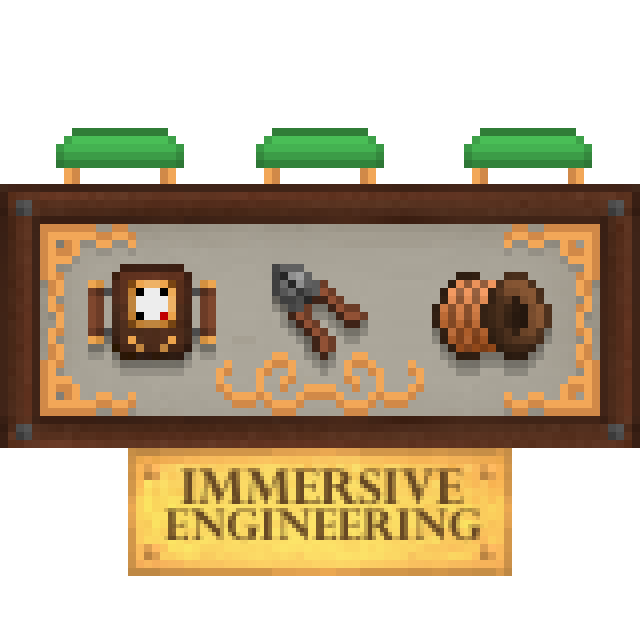
Create, Create Aeronautics, Create Crafts & Additions, Create Diesel Generators, Create: Central Kitchen, Create: Dragons Plus, Create: Compatible Storage, Create: Gunsmithing, Immersive Engineering
Flight, vehicles, and travel
Create Aeronautics, Automobility, Immersive Aircraft, AstikorCarts Redux, Waystones, Xaero's Minimap, Xaero's World Map
Colonies and settlement building
MineColonies, Structurize, Domum Ornamentum, Byzantine, Sophisticated Storage, Supplementaries, Amendments
Farming, cooking, and food
Farmer's Delight, Cooking for Blockheads, Brewin' and Chewin', Aquaculture 2, Aquaculture Delight, Croptopia, Croptopia Delight, Pam's HarvestCraft 2, Caupona, and several Farmer's Delight addons
Witchcraft, magic, and strange little things
Hexerei, Enchanted: Witchcraft, Waystones, Gravestone, Chimes, Fairy Lights, Exposure, Exposure Polaroid
Building, furniture, and decoration
Another Furniture, Handcrafted, Cluttered, Macaw's furniture/building mods, Decorative Blocks Reborn, Chimes, Fairy Lights, Exposure, Exposure Polaroid, Supplementaries
World, exploration, and wildlife
Terralith, YUNG's Better structures, CTOV, Ecologics, Environmental, Naturalist, Mo' Animals, Serene Seasons, Distant Horizons
Quality of life, UI, and performance
JEI, Jade, AppleSkin, Polymorph, Carry On, Mouse Tweaks, Nature's Compass, Sodium, Iris, FerriteCore, EntityCulling, Connectivity, Xaero's Minimap, Xaero's World Map
❤️ Credits
Thanks to all mod authors whose work made this pack possible. Special shoutouts to:
- The Create team, for making automation feel physical, readable, and fun to build around.
- The Create Aeronautics team, for pushing Create contraptions into vehicles, airships, and moving machines.
- BluSunrize and the Immersive Engineering contributors, for the wires, multiblocks, and retro-industrial backbone.
- Let’s Dev Together / MineColonies, for turning base-building into a living settlement.
- vectorwing, for making the kitchen feel like part of the game instead of just a food menu.
- Favouriteless, for Enchanted: Witchcraft and its slower, ritual-heavy take on magic.
- JoeFoxe, for Hexerei and its witchy, decorative, folklore-flavored corner of the world.
- Stardust Labs, YUNG, and the worldgen mod authors for making the horizon worth chasing.
- The Modrinth community, for an open and clean distribution platform.
Available Versions
How to Set Up a Hearth & Horizons Server
Order Server
Choose at least 6 GB RAM (8 GB recommended for Hearth & Horizons). Based on player count: per 5 players.
Install Modpack in Dashboard
Open the modpack browser in the dashboard, search for "Hearth & Horizons" and click "Install". The neoforge loader and Minecraft 1.21.1 are configured automatically.
Start Server & Play
Start the server – all mods are loaded automatically. Share the server IP with friends and play together!
Frequently Asked Questions
Hearth & Horizons server crashes or won't start – what to do?
Most common causes: insufficient RAM or wrong neoforge loader. Check latest.log for "OutOfMemoryError" → increase RAM to at least 8 GB. For "Mixin" or "ClassNotFoundException" errors: modpack version and loader don't match. With Mado Hosting, loader and Minecraft version are auto-configured on modpack install – preventing most startup issues.
How much RAM does a Hearth & Horizons server really need?
Minimum 6 GB, recommended 8 GB for stable performance. per 5 players. Important: Minecraft modpacks need more RAM than vanilla – plan extra per additional player. With Mado Hosting, you can scale RAM up live at any time without data loss (from €12/month).
Can I add custom mods to Hearth & Horizons without conflicts?
Yes, but check compatibility: only use mods for the same loader (neoforge) and same Minecraft version (1.21.1). Common issues: ID conflicts with recipe mods and incompatible coremod versions. The Mado dashboard mod browser only shows compatible mods and warns about known conflicts.
Hearth & Horizons server lagging – performance tips
1) Increase RAM to 8 GB+. 2) Reduce server view-distance to 8 (server.properties). 3) Pre-generate chunks with the "Chunky" plugin. 4) Use /spark profiler to check which mods consume the most tick time. With Mado Hosting, all servers run on NVMe SSDs with dedicated CPU cores – eliminating hardware as a bottleneck.
Similar Modpacks
![Cobblemon Official Modpack [Fabric]](https://cdn.modrinth.com/data/5FFgwNNP/e7f9ee2e9d361623847853fe2ddce42f519ee64f.png)
![COBBLEVERSE - Pokemon Adventure [Cobblemon]](https://cdn.modrinth.com/data/Jkb29YJU/581ecf54530972afb18a04660afd820f2f24f6c7.png)
![Better MC [FABRIC] - BMC2](https://cdn.modrinth.com/data/shFhR8Vx/a19c2bcb51d38f32f138d3607e91cb2b7b8e387f_96.webp)


![Better MC [FORGE] - BMC4](https://cdn.modrinth.com/data/4BV47HRn/7f5ef7cc61b2593609aabef3ed07a866a4f11b73_96.webp)
Rent Hearth & Horizons Server
Start your own server with automatic modpack installation.
Supported Versions
Start your Hearth & Horizons Server now
From €12.00/month with 8 GB RAM for the best performance.
Configure Server →