
Helpfully Optimised
This modpack contains mods that I personally like to use and would be a good starting point for your potato. I would still recommend it even if you are using a great pc as the optimisations always help.
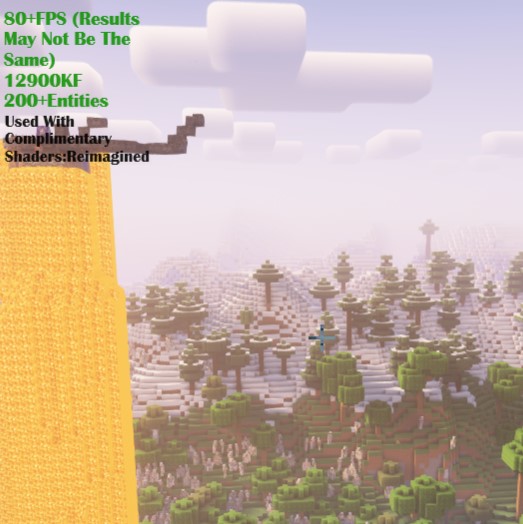
Screenshots

About this Modpack
What Is The Purpose Of This Modpack?
This modpack is built so that your pc will be able to run minecraft better and look good. It has some popular performance mods and shader compatibility. There may be some compatibility issues, but they are always expected. I made this as a fun little project so I might not update it that much, but I will try. I hope that you will have fun!
Join the official Discord: https://discord.gg/834rfbj6qf
Your game should definitely be playable, though it might need some adjusting for an optimal experience.
What's Inside?
- Animatica
Adds support for resource packs that use custom animated textures - Continuity
Allows for effecient connected textures - Debugify
Fixes over 70 bugs found on the Minecraft bug tracker - Dynamic FPS
Reduces the amount of resources Minecraft uses while in the background - Enhanced Block Entities
Increases the performance of block entity rendering - Fabric API
Contains essential features for fabric mods - Ferrite Core
Reduces the RAM usage of Minecraft - Immediately Fast
Improves immediate mode rendering - Indium
Addon to Sodium to provide support for the Fabric Rendering API - Iris Shaders
A shaders mod that allows for the use of shaders - Lamb Dynamic Lights
Adds dynamic lights - Lithium
A general purpose optimisation mod - Modern Fix
A mod that contains a series of tweaks for optimisation - Reese's Sodium Options
Improves of the UI of Sodium's options screen - Sodium
Popular rendering engine mod - Sodium Extra
Adds extra settings for better optimisation - Starlight
Rewrites the lighting engine to improve performance - Bad Optimisations (v1.0.1+)
A collection of small optimisations - Chunky (v1.0.1+)
Pre-generates chunks efficiently - Cloth Config API (v1.0.1+)
An API for config screens - Complete Config (v1.0.1+)
A configuration library for fabric mods - Concurent Chunk Management Engine (v1.0.1+)
A mod to improve the chunk performance of Minecraft - Cull Leaves (v1.0.1+)
Adds culling to leaf blocks - Krypton (v1.0.1+)
Optimises the Minecraft networking stack - More Culling (v1.0.1+)
Changes how multiple types of culling are handled in order to improve performance - No Weather Effects (v1.0.1+)
Disables client-side weather effects - Noxesium (v1.0.1+)
Improves client performance on large multiplayer servers
Why Use Helpfully Optimised?
I have picked all of these mods for an easy optimised experience that won't be much of a hassle so that you can just enjoy playing. This is just for the people that want a good Minecraft experience out of the box.
Available Versions
How to Set Up a Helpfully Optimised Server
Order Server
Choose at least 4 GB RAM (6 GB recommended for Helpfully Optimised). Based on player count: per 8 players.
Install Modpack in Dashboard
Open the modpack browser in the dashboard, search for "Helpfully Optimised" and click "Install". The fabric loader and Minecraft 1.20.4 are configured automatically.
Start Server & Play
Start the server – all mods are loaded automatically. Share the server IP with friends and play together!
Frequently Asked Questions
Helpfully Optimised server crashes or won't start – what to do?
Most common causes: insufficient RAM or wrong fabric loader. Check latest.log for "OutOfMemoryError" → increase RAM to at least 6 GB. For "Mixin" or "ClassNotFoundException" errors: modpack version and loader don't match. With Mado Hosting, loader and Minecraft version are auto-configured on modpack install – preventing most startup issues.
How much RAM does a Helpfully Optimised server really need?
Minimum 4 GB, recommended 6 GB for stable performance. per 8 players. Important: Minecraft modpacks need more RAM than vanilla – plan extra per additional player. With Mado Hosting, you can scale RAM up live at any time without data loss (from €8/month).
Can I add custom mods to Helpfully Optimised without conflicts?
Yes, but check compatibility: only use mods for the same loader (fabric) and same Minecraft version (1.20.4). Common issues: ID conflicts with recipe mods and incompatible coremod versions. The Mado dashboard mod browser only shows compatible mods and warns about known conflicts.
Helpfully Optimised server lagging – performance tips
1) Increase RAM to 6 GB+. 2) Reduce server view-distance to 8 (server.properties). 3) Pre-generate chunks with the "Chunky" plugin. 4) Use /spark profiler to check which mods consume the most tick time. With Mado Hosting, all servers run on NVMe SSDs with dedicated CPU cores – eliminating hardware as a bottleneck.
Similar Modpacks

![Cobblemon Official Modpack [Fabric]](https://cdn.modrinth.com/data/5FFgwNNP/e7f9ee2e9d361623847853fe2ddce42f519ee64f.png)
![COBBLEVERSE - Pokemon Adventure [Cobblemon]](https://cdn.modrinth.com/data/Jkb29YJU/581ecf54530972afb18a04660afd820f2f24f6c7.png)
![Better MC [FABRIC] - BMC2](https://cdn.modrinth.com/data/shFhR8Vx/a19c2bcb51d38f32f138d3607e91cb2b7b8e387f_96.webp)


Rent Helpfully Optimised Server
Start your own server with automatic modpack installation.
Supported Versions
Start your Helpfully Optimised Server now
From €8.00/month with 6 GB RAM for the best performance.
Configure Server →