
Hero's PS4 Edition Replication Modpack
This modpack aims to replicate the Minecraft experience on the PS4 before it was changed to Bedrock Edition.
Screenshots
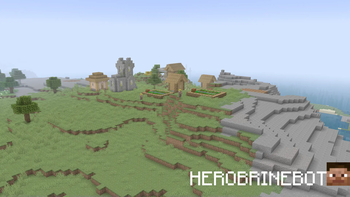
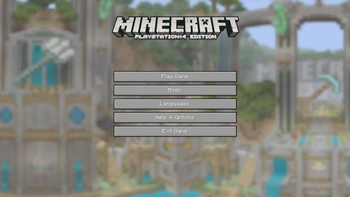
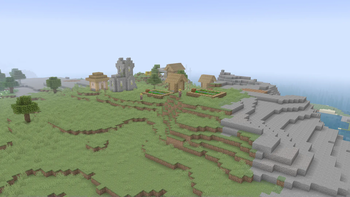
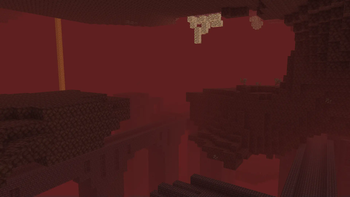
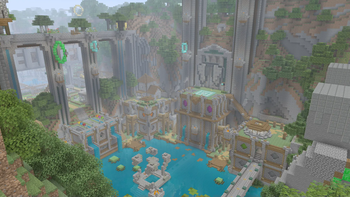
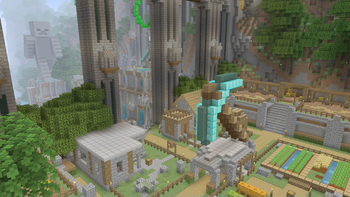
About this Modpack
This modpack aims to replicate Minecraft:Playstation 4® Edition as much as humanly possible. For 1.20.4, This pack removes all 1.15+ Features! So no bees, piglins, glow squids, wardens (sadly), or breezes, then adds ps4 edition parity atop it, dlcs, the ui, even niche stuff like leashable boats, everything is back! With an optional legacy replicating terrain preset (creds to moderner beta and use the 1.17 one we took all new stuff out) Immersion has truly never been better! Old pigman designs, old vexes, old bats, old ui, you name it, it's here.
Plans: -Limited world sizes
-Non- PS4 settings from Legacy4j removed
-Removing Herobrine -DLC worlds and textures
-Skin Changer
-Minigames
-Launch new Minecraft button that opens bugrock if installed
-Replicate bugs on the latest version
-Other modpacks replicating other versions
-Decay arrows from fletchers
-Old dungeon terrain generation
-Playstation 4® System style achievements
-Screenshots from users of the modpack's worlds
-A discord server
-Leaderboards
-Shrubs in Creative Inventory
Credits:
Permdog99 for Legacy Mipmaps,
HEROBRINEBOT for creating the modpack,
FR00TP3NCH for initial release on Modrinth, new logo, igloo bug help, advice for a name change to play online button, general cool person behavior.
Available Versions
How to Set Up a Hero's PS4 Edition Replication Modpack Server
Order Server
Choose at least 6 GB RAM (8 GB recommended for Hero's PS4 Edition Replication Modpack). Based on player count: per 5 players.
Install Modpack in Dashboard
Open the modpack browser in the dashboard, search for "Hero's PS4 Edition Replication Modpack" and click "Install". The fabric loader and Minecraft 1.20.4 are configured automatically.
Start Server & Play
Start the server – all mods are loaded automatically. Share the server IP with friends and play together!
Frequently Asked Questions
Hero's PS4 Edition Replication Modpack server crashes or won't start – what to do?
Most common causes: insufficient RAM or wrong fabric loader. Check latest.log for "OutOfMemoryError" → increase RAM to at least 8 GB. For "Mixin" or "ClassNotFoundException" errors: modpack version and loader don't match. With Mado Hosting, loader and Minecraft version are auto-configured on modpack install – preventing most startup issues.
How much RAM does a Hero's PS4 Edition Replication Modpack server really need?
Minimum 6 GB, recommended 8 GB for stable performance. per 5 players. Important: Minecraft modpacks need more RAM than vanilla – plan extra per additional player. With Mado Hosting, you can scale RAM up live at any time without data loss (from €12/month).
Can I add custom mods to Hero's PS4 Edition Replication Modpack without conflicts?
Yes, but check compatibility: only use mods for the same loader (fabric) and same Minecraft version (1.20.4). Common issues: ID conflicts with recipe mods and incompatible coremod versions. The Mado dashboard mod browser only shows compatible mods and warns about known conflicts.
Hero's PS4 Edition Replication Modpack server lagging – performance tips
1) Increase RAM to 8 GB+. 2) Reduce server view-distance to 8 (server.properties). 3) Pre-generate chunks with the "Chunky" plugin. 4) Use /spark profiler to check which mods consume the most tick time. With Mado Hosting, all servers run on NVMe SSDs with dedicated CPU cores – eliminating hardware as a bottleneck.
Similar Modpacks
![Cobblemon Official Modpack [Fabric]](https://cdn.modrinth.com/data/5FFgwNNP/e7f9ee2e9d361623847853fe2ddce42f519ee64f.png)
![COBBLEVERSE - Pokemon Adventure [Cobblemon]](https://cdn.modrinth.com/data/Jkb29YJU/581ecf54530972afb18a04660afd820f2f24f6c7.png)
![Better MC [FABRIC] - BMC2](https://cdn.modrinth.com/data/shFhR8Vx/a19c2bcb51d38f32f138d3607e91cb2b7b8e387f_96.webp)


![Better MC [FORGE] - BMC4](https://cdn.modrinth.com/data/4BV47HRn/7f5ef7cc61b2593609aabef3ed07a866a4f11b73_96.webp)
Rent Hero's PS4 Edition Replication Modpack Server
Start your own server with automatic modpack installation.
Supported Versions
Start your Hero's PS4 Edition Replication Modpack Server now
From €12.00/month with 8 GB RAM for the best performance.
Configure Server →