
HerosUniversalPack
A modpack that was created to provide a good experience, whether it's survival or creative
Screenshots
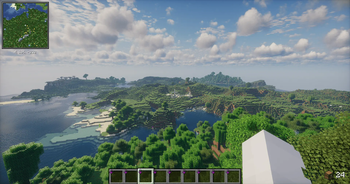
About this Modpack
🎮 HerosUniversalPack
Welcome to HerosUniversalPack, a modpack designed for players who love exploring, building, and messing around in Minecraft with all the tools and features that make the game smoother, prettier, and just more fun – especially in Singleplayer or private SMPs with friends! 🏡👾
This pack offers a huge range of quality-of-life mods, performance boosts, and creative tools to customize your world exactly how you want it – whether you're building megabases, running mini-SMPs, or just vibing alone with shaders on.
⚠️ This modpack is not intended for public multiplayer servers. Some included mods can get you banned on strict anti-cheat servers – speaking from experience 😅 So stick to creative play, local worlds, or trusted friends.
📦 Mod Categories (Highlights)
⚙️ Performance & Visuals
Sodium • Lithium • FerriteCore • Entity Culling • Krypton • ImmediatelyFast • More Culling • Dynamic FPS • Bobby • Model Gap Fix • Borderless Fullscreen • Sodium Extra • Very Many Players
🎮 Gameplay & Creative Tools
Tweakeroo • Litematica • WorldEdit • Client Side Noteblocks • ElytraSwapper+ • Durability Tooltip • Camera Tweaks • Inventory Profiles Next • TotemCounter • Gamma Utils • EXP Counter • Skin Shuffle
🧩 UI, API & Backend
Fabric API • Cloth Config • Architectury • SuperMartijn642's Config Lib • Collective • YetAnotherConfigLib (YACL) • Dark Loading Screen • FastQuit • Mod Menu
🗺️ Navigation & Voice
Xaero’s Minimap • Xaero’s World Map • Simple Voice Chat • Sound Physics Remastered • Melody
💡 Why use this pack?
⚡ Much better performance than vanilla
🛠️ Tons of tweaks for building, flying, organizing
✨ Shader support for epic visuals
🧍 Perfect for Singleplayer or friendly SMPs
❌ Not meant for anti-cheat-heavy public servers
use at own risk
your favorite Modpack creator HeroOfCrafting_
Available Versions
How to Set Up a HerosUniversalPack Server
Order Server
Choose at least 4 GB RAM (6 GB recommended for HerosUniversalPack). Based on player count: per 8 players.
Install Modpack in Dashboard
Open the modpack browser in the dashboard, search for "HerosUniversalPack" and click "Install". The fabric loader and Minecraft 1.21.10 are configured automatically.
Start Server & Play
Start the server – all mods are loaded automatically. Share the server IP with friends and play together!
Frequently Asked Questions
HerosUniversalPack server crashes or won't start – what to do?
Most common causes: insufficient RAM or wrong fabric loader. Check latest.log for "OutOfMemoryError" → increase RAM to at least 6 GB. For "Mixin" or "ClassNotFoundException" errors: modpack version and loader don't match. With Mado Hosting, loader and Minecraft version are auto-configured on modpack install – preventing most startup issues.
How much RAM does a HerosUniversalPack server really need?
Minimum 4 GB, recommended 6 GB for stable performance. per 8 players. Important: Minecraft modpacks need more RAM than vanilla – plan extra per additional player. With Mado Hosting, you can scale RAM up live at any time without data loss (from €8/month).
Can I add custom mods to HerosUniversalPack without conflicts?
Yes, but check compatibility: only use mods for the same loader (fabric) and same Minecraft version (1.21.10). Common issues: ID conflicts with recipe mods and incompatible coremod versions. The Mado dashboard mod browser only shows compatible mods and warns about known conflicts.
HerosUniversalPack server lagging – performance tips
1) Increase RAM to 6 GB+. 2) Reduce server view-distance to 8 (server.properties). 3) Pre-generate chunks with the "Chunky" plugin. 4) Use /spark profiler to check which mods consume the most tick time. With Mado Hosting, all servers run on NVMe SSDs with dedicated CPU cores – eliminating hardware as a bottleneck.
Rent HerosUniversalPack Server
Start your own server with automatic modpack installation.
Supported Versions
Start your HerosUniversalPack Server now
From €8.00/month with 6 GB RAM for the best performance.
Configure Server →