
HOLY Optimized
Containts too much mods for optimize & for player mods like gamma utils, death finder, and etc...
About this Modpack
HOLY Optimized Minecraft Client: Performance Released
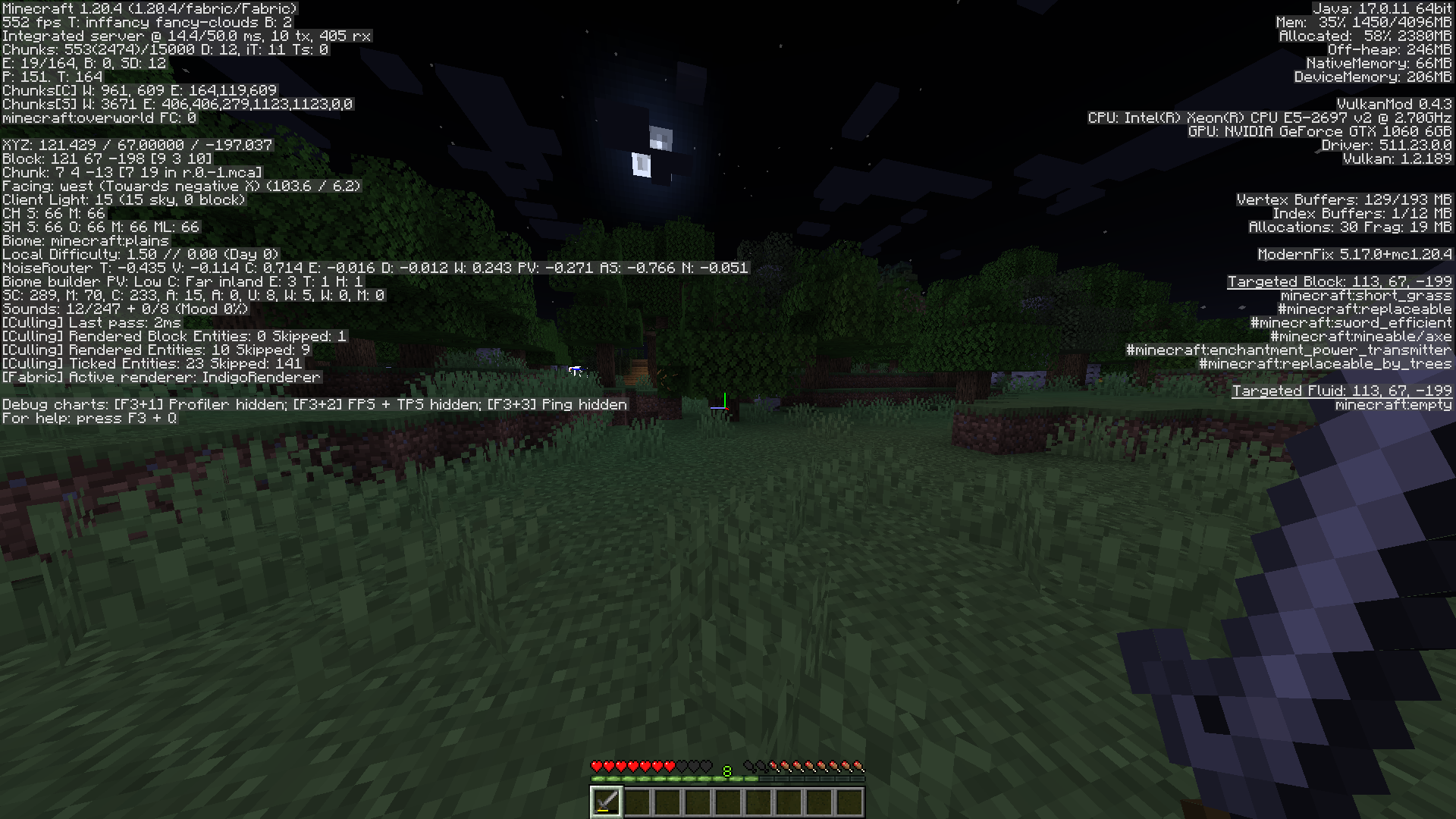
Built for version 1.20.4, this Minecraft client uses a powerful cloth modding platform to push the boundaries of performance. Built through careful optimization, this client consistently achieves average frame rates of 400-500 fps, delivering incredibly smooth and responsive gameplay.
Key optimization
Fabric Integration: By leveraging the efficiency of fabric, this client benefits from a streamlined and streamlined modding environment, maximizing performance potential.
- Optimized codebase: Every line of code is carefully analyzed and improved to eliminate bottlenecks and improve execution speed. This includes:
- Optimized Rendering Pipeline: Renders the game world efficiently for a seamless visual experience.
- Efficient resource management: Carefully handle memory allocation and resource usage to minimize overhead.
- Performance-oriented logic: Simplify gameplay to reduce processing requirements.
- Dedicated Performance Features: The client includes custom features designed to further improve performance:
- Dynamically Adaptive Settings: Automatically adjusts graphics and rendering settings based on system resources, ensuring optimal performance across a variety of hardware configurations.
- Preload Assets: Anticipates gameplay needs and preloads required assets, minimizing load times and reducing stuttering.
- Efficient Chunk Loading: Optimizes the way chunks are loaded and unloaded, minimizing the impact on overall framerate.
Result
This client gives players an unprecedented gaming experience, characterized by:
- Unparalleled Smoothness: Effortlessly navigate the Minecraft world at buttery-smooth frame rates, eliminating lag and stuttering.
- Improved Responsiveness: React instantly to in-game events and commands thanks to quick response times.
- Immersive Gameplay: Focus on the game world and enjoy a seamless experience without the distraction of performance limitations.
Besides numbers
Exceptional client performance isn't just about raw FPS; it's about creating an immersive and enjoyable gaming experience. Players can fully immerse themselves in the world of Minecraft, enjoying the beauty and intricacies of the game without the performance burden.
NOTE
While the client consistently achieves impressive frame rates, it is important to note that actual performance may vary depending on individual system specifications and game settings.
Available Versions
How to Set Up a HOLY Optimized Server
Order Server
Choose at least 4 GB RAM (6 GB recommended for HOLY Optimized). Based on player count: per 8 players.
Install Modpack in Dashboard
Open the modpack browser in the dashboard, search for "HOLY Optimized" and click "Install". The fabric loader and Minecraft 1.20.4 are configured automatically.
Start Server & Play
Start the server – all mods are loaded automatically. Share the server IP with friends and play together!
Frequently Asked Questions
HOLY Optimized server crashes or won't start – what to do?
Most common causes: insufficient RAM or wrong fabric loader. Check latest.log for "OutOfMemoryError" → increase RAM to at least 6 GB. For "Mixin" or "ClassNotFoundException" errors: modpack version and loader don't match. With Mado Hosting, loader and Minecraft version are auto-configured on modpack install – preventing most startup issues.
How much RAM does a HOLY Optimized server really need?
Minimum 4 GB, recommended 6 GB for stable performance. per 8 players. Important: Minecraft modpacks need more RAM than vanilla – plan extra per additional player. With Mado Hosting, you can scale RAM up live at any time without data loss (from €8/month).
Can I add custom mods to HOLY Optimized without conflicts?
Yes, but check compatibility: only use mods for the same loader (fabric) and same Minecraft version (1.20.4). Common issues: ID conflicts with recipe mods and incompatible coremod versions. The Mado dashboard mod browser only shows compatible mods and warns about known conflicts.
HOLY Optimized server lagging – performance tips
1) Increase RAM to 6 GB+. 2) Reduce server view-distance to 8 (server.properties). 3) Pre-generate chunks with the "Chunky" plugin. 4) Use /spark profiler to check which mods consume the most tick time. With Mado Hosting, all servers run on NVMe SSDs with dedicated CPU cores – eliminating hardware as a bottleneck.
Rent HOLY Optimized Server
Start your own server with automatic modpack installation.
Supported Versions
Start your HOLY Optimized Server now
From €8.00/month with 6 GB RAM for the best performance.
Configure Server →