
Horizon Reborn
The modpack improves Minecraft's visuals and adds mods for voice chat and emotes. Modpack with good optimization and performance. ⚡
Screenshots
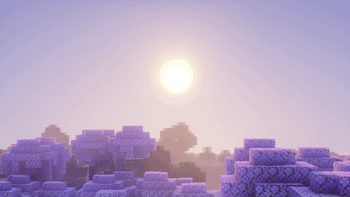
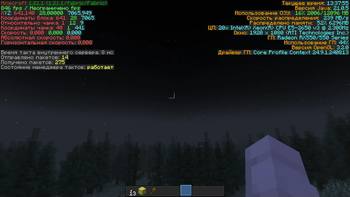

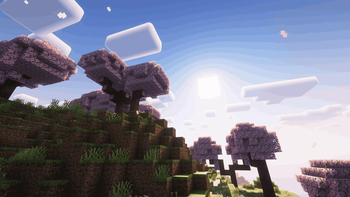
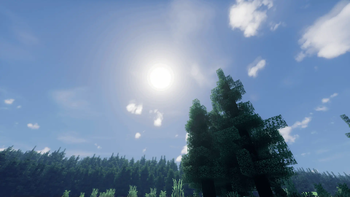
About this Modpack
English Description:
This modpack is designed to be played both on servers and in single-player. It includes mods that significantly improve the visual effects of the game, making the world of Minecraft more beautiful and atmospheric. 🌼
With mods such as PlasmoVoice and EmoteCraft, the modpack is perfect for playing with friends, adding support for voice chat and emotes to make chatting with friends or players even more fun. 🎙️
Visual changes include improved fog, clouds, and a host of other effects that create a more scenic and detailed picture of the world around you. 🏞️
The optimization of the build is made to keep the FPS high, but if your device is having performance issues, you can always disable or remove unnecessary mods to improve the game. ⚡
Russian Description:
Этот модпак предназначен для игры как на серверах, так и в одиночной игре. Он включает в себя моды, которые значительно улучшают визуальные эффекты игры, делая мир Minecraft более красивым и атмосферным. 🌼
С помощью модов, таких как PlasmoVoice и EmoteCraft, модпак идеально подходит для игры с друзьями, добавляя поддержку голосового чата и эмоций, чтобы общение с друзьями или игроками было ещё более увлекательным. 🎙️
Визуальные изменения включают улучшение тумана, облаков, а также множество других эффектов, которые создают более живописную и детализированную картину окружающего мира. 🏞️
Оптимизация сборки сделана так, чтобы сохранить высокий FPS, но если на вашем устройстве возникают проблемы с производительностью, вы всегда можете отключить или удалить лишние моды, чтобы улучшить игру. ⚡
Available Versions
How to Set Up a Horizon Reborn Server
Order Server
Choose at least 6 GB RAM (8 GB recommended for Horizon Reborn). Based on player count: per 5 players.
Install Modpack in Dashboard
Open the modpack browser in the dashboard, search for "Horizon Reborn" and click "Install". The fabric loader and Minecraft 1.21.1 are configured automatically.
Start Server & Play
Start the server – all mods are loaded automatically. Share the server IP with friends and play together!
Frequently Asked Questions
Horizon Reborn server crashes or won't start – what to do?
Most common causes: insufficient RAM or wrong fabric loader. Check latest.log for "OutOfMemoryError" → increase RAM to at least 8 GB. For "Mixin" or "ClassNotFoundException" errors: modpack version and loader don't match. With Mado Hosting, loader and Minecraft version are auto-configured on modpack install – preventing most startup issues.
How much RAM does a Horizon Reborn server really need?
Minimum 6 GB, recommended 8 GB for stable performance. per 5 players. Important: Minecraft modpacks need more RAM than vanilla – plan extra per additional player. With Mado Hosting, you can scale RAM up live at any time without data loss (from €12/month).
Can I add custom mods to Horizon Reborn without conflicts?
Yes, but check compatibility: only use mods for the same loader (fabric) and same Minecraft version (1.21.1). Common issues: ID conflicts with recipe mods and incompatible coremod versions. The Mado dashboard mod browser only shows compatible mods and warns about known conflicts.
Horizon Reborn server lagging – performance tips
1) Increase RAM to 8 GB+. 2) Reduce server view-distance to 8 (server.properties). 3) Pre-generate chunks with the "Chunky" plugin. 4) Use /spark profiler to check which mods consume the most tick time. With Mado Hosting, all servers run on NVMe SSDs with dedicated CPU cores – eliminating hardware as a bottleneck.
Similar Modpacks
![Cobblemon Official Modpack [Fabric]](https://cdn.modrinth.com/data/5FFgwNNP/e7f9ee2e9d361623847853fe2ddce42f519ee64f.png)
![COBBLEVERSE - Pokemon Adventure [Cobblemon]](https://cdn.modrinth.com/data/Jkb29YJU/581ecf54530972afb18a04660afd820f2f24f6c7.png)
![Better MC [FABRIC] - BMC2](https://cdn.modrinth.com/data/shFhR8Vx/a19c2bcb51d38f32f138d3607e91cb2b7b8e387f_96.webp)


![Better MC [FORGE] - BMC4](https://cdn.modrinth.com/data/4BV47HRn/7f5ef7cc61b2593609aabef3ed07a866a4f11b73_96.webp)
Rent Horizon Reborn Server
Start your own server with automatic modpack installation.
Supported Versions
Start your Horizon Reborn Server now
From €12.00/month with 8 GB RAM for the best performance.
Configure Server →