
Immersive Journey
Enjoy exploring this magical world, adds an RPG like experience.
Screenshots
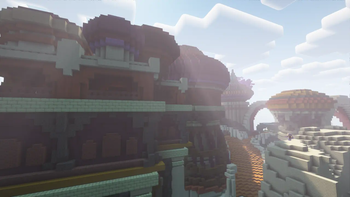
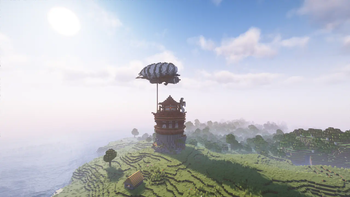
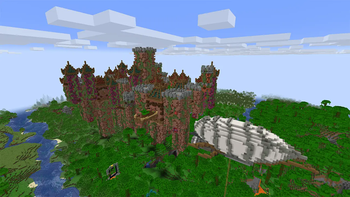
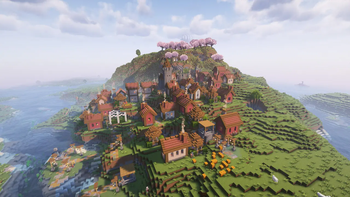
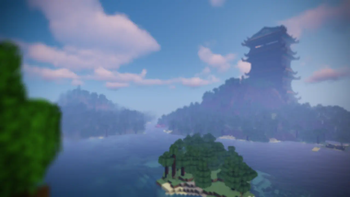
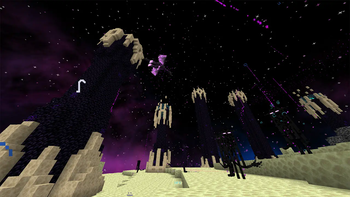
About this Modpack
Immersive Journey
This modpack adds a variety of mods and new experience to the game
have fun exploring this magical world.
More details
Some features :
There is a new mobs and massive structures to explore.
There is a new combat mechanic
and a simple progression system.
Some mobs could be tough to deal with be ready.
Portals are actually portals now.
Ender dragon fight is now very Epic.
You might encounter some minibosses have fun.
In other words, it's like an RPG game that is impossible for casuals to beat.
Performance?
This modpack is lightweight it should work even on low spec PC.
Ram allocation?
It works just fine with 2.5GB allocated but you might encounter lag spikes while opening a new portal.
I recommend allocating 4GB for a better experience.
Have Performance Issues?
Have Problems with leaves density?
Dense Leaves

Firstly remove "Better Leaves" resourcepack

Then put your graphics on fast
Or just leaves on fast
Have Problems in the Nether?
Nether?

Use one of the "Nether Lite" resourcepacks as you need
This option is available only in "v_0.6" and above
and most likely the issue is caused by the particles so this option will not affect that much

So if you still have issue change particles to minimal
Mods & Resourcepacks
You will find everything I used under versions tab.
Other mods/resourcepacks used
Mods from other sources.
Resourcepacks from other sources.
Mods I recommend
Some mods you might wanna tryout.
If you want to play online with your friend I encourage you to try simple voice chat
and you might wanna try e4mc it makes the process much easier. 😉
Spoiler Alert
Spoilers
This fight will be tough are you ready
Oh and you get blown away each hit...
yeah have fun dealing with that😀

Did you think the Ender dragon was the only threat?
Available Versions
How to Set Up a Immersive Journey Server
Order Server
Choose at least 6 GB RAM (8 GB recommended for Immersive Journey). Based on player count: per 5 players.
Install Modpack in Dashboard
Open the modpack browser in the dashboard, search for "Immersive Journey" and click "Install". The fabric loader and Minecraft 1.20.1 are configured automatically.
Start Server & Play
Start the server – all mods are loaded automatically. Share the server IP with friends and play together!
Frequently Asked Questions
Immersive Journey server crashes or won't start – what to do?
Most common causes: insufficient RAM or wrong fabric loader. Check latest.log for "OutOfMemoryError" → increase RAM to at least 8 GB. For "Mixin" or "ClassNotFoundException" errors: modpack version and loader don't match. With Mado Hosting, loader and Minecraft version are auto-configured on modpack install – preventing most startup issues.
How much RAM does a Immersive Journey server really need?
Minimum 6 GB, recommended 8 GB for stable performance. per 5 players. Important: Minecraft modpacks need more RAM than vanilla – plan extra per additional player. With Mado Hosting, you can scale RAM up live at any time without data loss (from €12/month).
Can I add custom mods to Immersive Journey without conflicts?
Yes, but check compatibility: only use mods for the same loader (fabric) and same Minecraft version (1.20.1). Common issues: ID conflicts with recipe mods and incompatible coremod versions. The Mado dashboard mod browser only shows compatible mods and warns about known conflicts.
Immersive Journey server lagging – performance tips
1) Increase RAM to 8 GB+. 2) Reduce server view-distance to 8 (server.properties). 3) Pre-generate chunks with the "Chunky" plugin. 4) Use /spark profiler to check which mods consume the most tick time. With Mado Hosting, all servers run on NVMe SSDs with dedicated CPU cores – eliminating hardware as a bottleneck.
Rent Immersive Journey Server
Start your own server with automatic modpack installation.
Supported Versions
Start your Immersive Journey Server now
From €12.00/month with 8 GB RAM for the best performance.
Configure Server →