
Immersivity
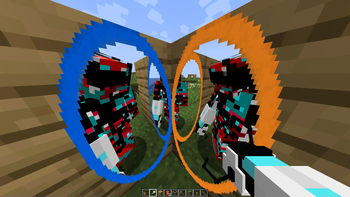
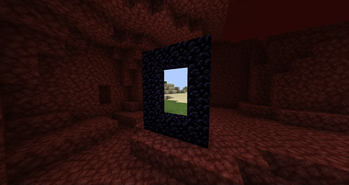
A Minecraft modpack centered around one thing: Immersive Portals.
Screenshots
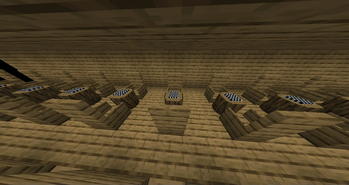
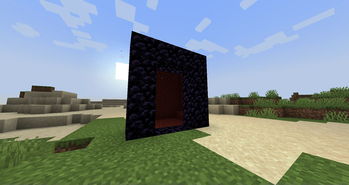
About this Modpack
Description
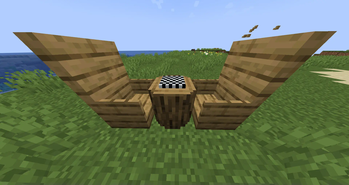
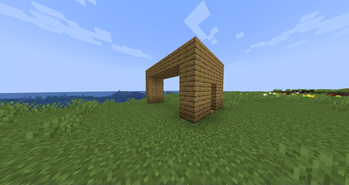
Immersivity is a Minecraft modpack centered around one thing: Immersive Portals. It makes use of many other mods such as Pehkui and Bits and Chisels to elevate the experience and fun while still keeping the game running smoothly with mods like ImmediatelyFast and Enhanced Block Entities.
FAQ
Q: Will this modpack ever be updated for past / future versions?
A: This modpack will probably never be given any support for any version before MC 1.20.1. As for future versions, you can expect them to be supported once the mods the modpack uses support them as well.
Q: What gave you the inspiration to make this modpack?
A: What kind of question even is this? It's not like this is some painting.
Q: Forge?
A: Nope.
All Mods Included
Bits and Chisels - Turn Blocks Into Small Bits With Chisels; Build All The Things.
CIT Resewn - Re-implements MCPatcher's CIT (custom item textures from optifine resource packs).
Clean F3 - Removes useless information from the debug screen.
Cloth Config API - Configuration Library for Minecraft Mods.
Cubes Without Borders - A mod that allows you to play Minecraft in a borderless fullscreen window.
Cull Leaves - Adds culling to leaf blocks, providing a huge performance boost over vanilla.
DashLoader - Launch at the speed of light.
Dynamic FPS - Reduce resource usage while Minecraft is in the background or idle.
Essential - Boost your Minecraft. Play together without a server. Customize your character. And more.
Enhanced Block Entities - Reduce FPS lag with block entities, as well as customize them with resource packs.
Fabric API - Lightweight and modular API providing common hooks and intercompatibility measures utilized by mods using the Fabric toolchain.
FabricSkyboxes Interop - FabricSkyBoxes Interoperability for MCPatcher/OptiFine Skies.
FabricSkyboxes - Allows resource packs to define custom skyboxes.
FastAnim - Speeds up entity animation calculations.
FastQuit - Lets you return to the Title Screen early while your world is still saving in the background.
FerriteCore - Memory usage optimizations.
FeyTweaks - Mod for optimizing signs and beacons.
Geckolib - A 3D animation library for entities, blocks, items, armor, and more.
ImmediatelyFast - Speed up immediate mode rendering in Minecraft.
Immersive Portal Gun - Portal Gun with Immersive Portals.
Immersive Portals - See through portals and teleport seamlessly.
Ksyxis - Speed up the loading of your world.
Language Reload - Reduces load times and adds fallbacks for languages.
Lithium - No-compromises game logic/server optimization mod.
Memory Leak Fix - A mod that fixes random memory leaks for both the client and server.
Mod Loading Screen - An advanced loading screen with the loading progress of mods.
Mod Menu - Adds a mod menu to view the list of mods you have installed.
Model Gap Fix - Fixes gaps in Block Models and Item Models.
Noxesium - Improves client performance and play experience on large multiplayer servers.
Pehkui - Lets you change the size of most entities, shrinking them smaller or growing them larger.
ToolTipFix - Fixes Tooltips from runnning off the screen.
[EMF] Entity Model Features - EMF is an, OptiFine format, Custom Entity Model replacement mod available for Fabric and Forge.
[ETF] Entity Texture Features - Emissive, Random & Custom texture support for entities in resourcepacks just like Optifine but for Fabric.
Available Versions
How to Set Up a Immersivity Server
Order Server
Choose at least 6 GB RAM (8 GB recommended for Immersivity). Based on player count: per 5 players.
Install Modpack in Dashboard
Open the modpack browser in the dashboard, search for "Immersivity" and click "Install". The fabric loader and Minecraft 1.20.1 are configured automatically.
Start Server & Play
Start the server – all mods are loaded automatically. Share the server IP with friends and play together!
Frequently Asked Questions
Immersivity server crashes or won't start – what to do?
Most common causes: insufficient RAM or wrong fabric loader. Check latest.log for "OutOfMemoryError" → increase RAM to at least 8 GB. For "Mixin" or "ClassNotFoundException" errors: modpack version and loader don't match. With Mado Hosting, loader and Minecraft version are auto-configured on modpack install – preventing most startup issues.
How much RAM does a Immersivity server really need?
Minimum 6 GB, recommended 8 GB for stable performance. per 5 players. Important: Minecraft modpacks need more RAM than vanilla – plan extra per additional player. With Mado Hosting, you can scale RAM up live at any time without data loss (from €12/month).
Can I add custom mods to Immersivity without conflicts?
Yes, but check compatibility: only use mods for the same loader (fabric) and same Minecraft version (1.20.1). Common issues: ID conflicts with recipe mods and incompatible coremod versions. The Mado dashboard mod browser only shows compatible mods and warns about known conflicts.
Immersivity server lagging – performance tips
1) Increase RAM to 8 GB+. 2) Reduce server view-distance to 8 (server.properties). 3) Pre-generate chunks with the "Chunky" plugin. 4) Use /spark profiler to check which mods consume the most tick time. With Mado Hosting, all servers run on NVMe SSDs with dedicated CPU cores – eliminating hardware as a bottleneck.
Similar Modpacks


![Cobblemon Official Modpack [Fabric]](https://cdn.modrinth.com/data/5FFgwNNP/e7f9ee2e9d361623847853fe2ddce42f519ee64f.png)
![COBBLEVERSE - Pokemon Adventure [Cobblemon]](https://cdn.modrinth.com/data/Jkb29YJU/581ecf54530972afb18a04660afd820f2f24f6c7.png)
![Better MC [FABRIC] - BMC2](https://cdn.modrinth.com/data/shFhR8Vx/a19c2bcb51d38f32f138d3607e91cb2b7b8e387f_96.webp)

Rent Immersivity Server
Start your own server with automatic modpack installation.
Supported Versions
Start your Immersivity Server now
From €12.00/month with 8 GB RAM for the best performance.
Configure Server →