
Industrial Renaissance
An old school tech modpack.
Screenshots
About this Modpack
Description
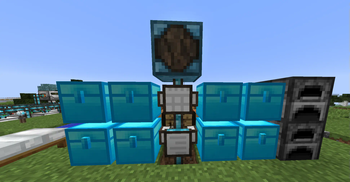
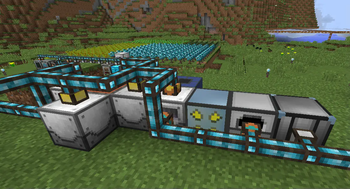
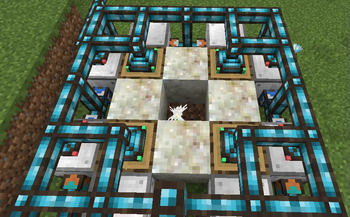
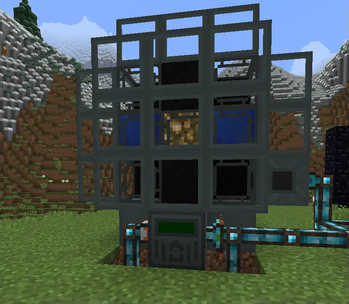
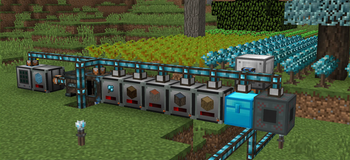
Industrial Renaissance is a carefully curated Minecraft modpack centered around the golden era of technical and industrial mods. Step into a world where mechanical innovation and automation drive your progression. Built for the classic 1.12.2 version, this pack blends industrial complexity with immersive world-building and exploration.
Whether you’re a veteran of the tech mod era or a newcomer looking to explore the roots of Minecraft automation, Industrial Renaissance offers a challenging and rewarding sandbox to unleash your inner inventor.
Key Mods
- Tech & Power: Industrial Foregoing, BuildCraft, NuclearCraft, Thermal Series
- Automation & Logistics: Integrated Dynamics Suite
- Environment & Exploration: Biomes O’ Plenty, Xaero's Minimap & World Map
- Utilities & Enhancements: AppleSkin, Controlling, Fast Leaf Decay, Reap, Nature’s Compass, JEI
Optimized for Performance
With performance-focused mods like Phosphor, Entity Culling, and MixinBooter, Industrial Renaissance ensures smooth gameplay even in the most complex automated bases.
Modlist :
- AppleSkin
- Baubles
- Biomes O' Plenty
- Botania
- BuildCraft Lib
- BuildCraftRF
- ChickenChunks
- CoFH Core
- CoFH World
- CodeChicken Lib
- CommonCapabilities
- Controlling
- Cyclops Core
- EntityCulling
- Fast Leaf Decay
- Industrial Foregoing
- Integrated Crafting
- Integrated Dynamics
- Integrated Terminals
- Integrated Tunnels
- Inventory Tweaks
- Iron Chest
- Just Enough Items
- Light Level Overlay Reloaded
- MixinBooter
- Mouse Tweaks
- Nature's Compass
- NuclearCraft
- Phosphor Lighting Engine
- Placebo
- Reap Mod
- Redstone Flux
- Shadowfacts' Forgelin
- Tesla Core Lib
- The One Probe
- Thermal Cultivation
- Thermal Dynamics
- Thermal Expansion
- Thermal Foundation
- Thermal Innovation
- Toast Control
- Xaero's Minimap
- Xaero's World Map
Overrides :
Available Versions
How to Set Up a Industrial Renaissance Server
Order Server
Choose at least 6 GB RAM (8 GB recommended for Industrial Renaissance). Based on player count: per 5 players.
Install Modpack in Dashboard
Open the modpack browser in the dashboard, search for "Industrial Renaissance" and click "Install". The forge loader and Minecraft 1.12.2 are configured automatically.
Start Server & Play
Start the server – all mods are loaded automatically. Share the server IP with friends and play together!
Frequently Asked Questions
Industrial Renaissance server crashes or won't start – what to do?
Most common causes: insufficient RAM or wrong forge loader. Check latest.log for "OutOfMemoryError" → increase RAM to at least 8 GB. For "Mixin" or "ClassNotFoundException" errors: modpack version and loader don't match. With Mado Hosting, loader and Minecraft version are auto-configured on modpack install – preventing most startup issues.
How much RAM does a Industrial Renaissance server really need?
Minimum 6 GB, recommended 8 GB for stable performance. per 5 players. Important: Minecraft modpacks need more RAM than vanilla – plan extra per additional player. With Mado Hosting, you can scale RAM up live at any time without data loss (from €12/month).
Can I add custom mods to Industrial Renaissance without conflicts?
Yes, but check compatibility: only use mods for the same loader (forge) and same Minecraft version (1.12.2). Common issues: ID conflicts with recipe mods and incompatible coremod versions. The Mado dashboard mod browser only shows compatible mods and warns about known conflicts.
Industrial Renaissance server lagging – performance tips
1) Increase RAM to 8 GB+. 2) Reduce server view-distance to 8 (server.properties). 3) Pre-generate chunks with the "Chunky" plugin. 4) Use /spark profiler to check which mods consume the most tick time. With Mado Hosting, all servers run on NVMe SSDs with dedicated CPU cores – eliminating hardware as a bottleneck.
Similar Modpacks


Rent Industrial Renaissance Server
Start your own server with automatic modpack installation.
Details
- License
- GNU General Public License v3.0 or later
- Server-side
- Required
- Client-side
- Required
Supported Versions
Start your Industrial Renaissance Server now
From €12.00/month with 8 GB RAM for the best performance.
Configure Server →