
Inside the Trailer
Experience Minecraft as if you were inside the trailers
Screenshots
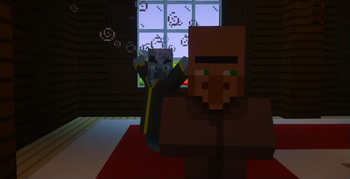
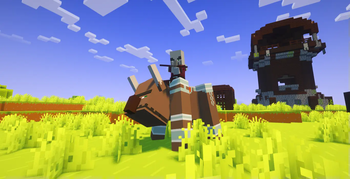
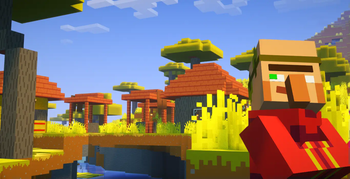
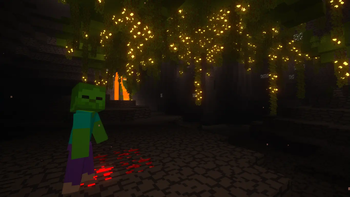
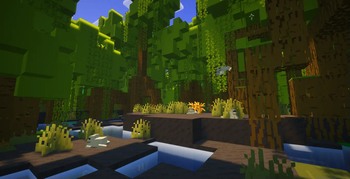
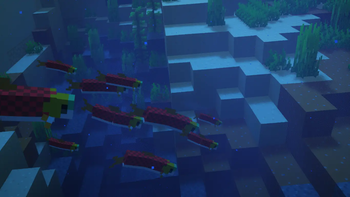
About this Modpack
Enter the Minecraft trailers | Only in Theaters your PC.
Inside the Trailer aims to bring vanilla Minecraft as close as possible to the atmosphere and feel of Minecraft trailers, so that you really feel like you're inside one.
This is done by modifying the visuals, audio, animations and other minor aspects, without adding any changes to the gameplay and thus keeping the modpack client-side, meaning you can use it on your favorite servers, even if it doesn't have the modpack installed.
Gameplay footage
All the gameplay footage is available on the Gallery tab.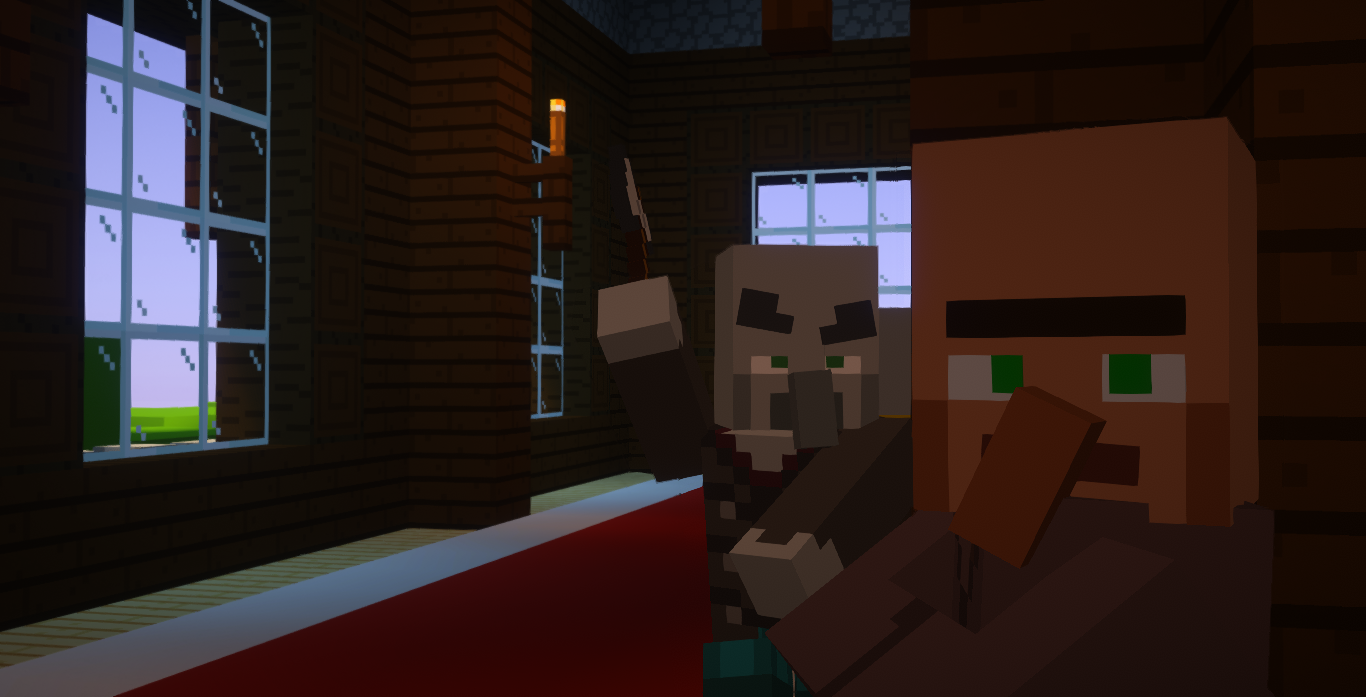
Features
The following list of features applies to the latest version of the modpack (2.0.0):
★ Main
- Shaders with customized by hand settings to make the gameplay as similar as possible to the Minecraft trailers
- Textures inspired by the trailers
- 88% of mobs with animations inspired by the trailers
- Great performance
👁 Visual
- New particles for ambience, cave dust and others
- New water effects (splashes, droplets, ripples, waterfall clouds and mist, ...)
- Bubble particles in the water rise to the surface of the water and pop
- Chests open underwater emit bubbles
Glow squids hypnotize (attract the cursor)(temporarily removed in 2.0.0)- First-person camera more realistic (toggleable)
- You can see your body on first-person view (toggleable by pressing F6)
- Screen shakes effects (for explosions, Warden roars and sonic booms, Ravager roars and Ender Dragon roars)
- Snow under the trees
- Cloud formations similar to those in trailers
- Soul fire appears correctly when a player is on fire
- Arrows with 2D model similarly to the trailers
Mobs don't flash red when hitted, as in the trailers(temporarily removed in 2.0.0)- Fluids fade in the void
- Animated chunk generation
♫ Audio
- Sounds physics
- New ambient and footstep sounds
- New sound effects when opening interfaces, moving items in inventories, changing the active hotbar slot, dropping items, typing in chat, earning achievements...
- More Villager speech sounds
〰 Animations
- Player with more animations
- Animations for block placement inspired by the trailers
- Animations for block breaking
- Eating animations
- Boats,
chestsand minecarts with animations Doors, gates, trapdoors and levers with animations(temporarily removed in 1.1.0)- Interfaces with animations when opened and closed
- Items are animated when carried and hovered over in the inventory
- Falling blocks are rotated to the direction they're falling towards
☰ Other
- Dynamic hotbar, allowing an appreciation of the game's visuals (toggleable by pressing H)
- Enhanced 3rd person view
- Main Menu background is now an animation, based on the Minecraft official videos outro
- Animated intro when you enter the game, based on the official Mojang Studios logo animation
- Fish swim in schools
- Better bossbars textures
- Armor is rendered in first-person view
- Details about armor in the armor bar
- Potency indicator and countdown overlay in status effect icons
- Controller support
- LAN servers can be opened for anyone you want
- Chat is animated and has new features such as being able to copy messages.
- Messages are indicated with player heads
- Resource packs, datapacks, servers and worlds are now draggable
- Searchable keybinds
- OptiFine capes support
- Z-fighting fixes
- And more...
In addition to the shaders, other mods have their configurations customized by hand to better fit the modpack.
Inside the Trailer is currently only available on Modrinth. Don't download it from another source.
Available Versions
How to Set Up a Inside the Trailer Server
Order Server
Choose at least 6 GB RAM (8 GB recommended for Inside the Trailer). Based on player count: per 5 players.
Install Modpack in Dashboard
Open the modpack browser in the dashboard, search for "Inside the Trailer" and click "Install". The quilt loader and Minecraft 1.21.1 are configured automatically.
Start Server & Play
Start the server – all mods are loaded automatically. Share the server IP with friends and play together!
Frequently Asked Questions
Inside the Trailer server crashes or won't start – what to do?
Most common causes: insufficient RAM or wrong quilt loader. Check latest.log for "OutOfMemoryError" → increase RAM to at least 8 GB. For "Mixin" or "ClassNotFoundException" errors: modpack version and loader don't match. With Mado Hosting, loader and Minecraft version are auto-configured on modpack install – preventing most startup issues.
How much RAM does a Inside the Trailer server really need?
Minimum 6 GB, recommended 8 GB for stable performance. per 5 players. Important: Minecraft modpacks need more RAM than vanilla – plan extra per additional player. With Mado Hosting, you can scale RAM up live at any time without data loss (from €12/month).
Can I add custom mods to Inside the Trailer without conflicts?
Yes, but check compatibility: only use mods for the same loader (quilt) and same Minecraft version (1.21.1). Common issues: ID conflicts with recipe mods and incompatible coremod versions. The Mado dashboard mod browser only shows compatible mods and warns about known conflicts.
Inside the Trailer server lagging – performance tips
1) Increase RAM to 8 GB+. 2) Reduce server view-distance to 8 (server.properties). 3) Pre-generate chunks with the "Chunky" plugin. 4) Use /spark profiler to check which mods consume the most tick time. With Mado Hosting, all servers run on NVMe SSDs with dedicated CPU cores – eliminating hardware as a bottleneck.
Similar Modpacks
![Cobblemon Official Modpack [Fabric]](https://cdn.modrinth.com/data/5FFgwNNP/e7f9ee2e9d361623847853fe2ddce42f519ee64f.png)
![COBBLEVERSE - Pokemon Adventure [Cobblemon]](https://cdn.modrinth.com/data/Jkb29YJU/581ecf54530972afb18a04660afd820f2f24f6c7.png)
![Better MC [FABRIC] - BMC2](https://cdn.modrinth.com/data/shFhR8Vx/a19c2bcb51d38f32f138d3607e91cb2b7b8e387f_96.webp)


![Better MC [FORGE] - BMC4](https://cdn.modrinth.com/data/4BV47HRn/7f5ef7cc61b2593609aabef3ed07a866a4f11b73_96.webp)
Rent Inside the Trailer Server
Start your own server with automatic modpack installation.
Supported Versions
Start your Inside the Trailer Server now
From €12.00/month with 8 GB RAM for the best performance.
Configure Server →