
Jump_Orion (OLD)
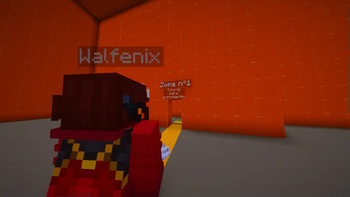
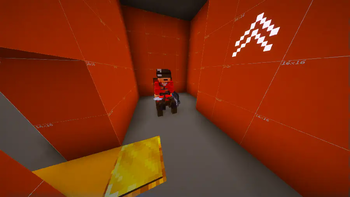
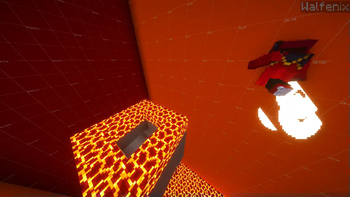
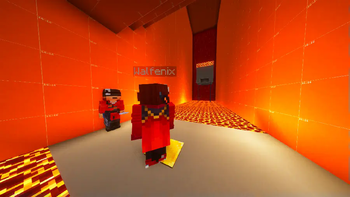
Parkour map based off "Jump maps" from TF2
Screenshots
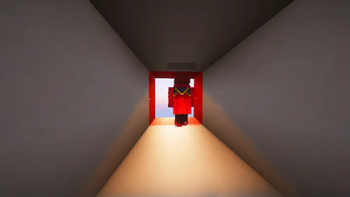
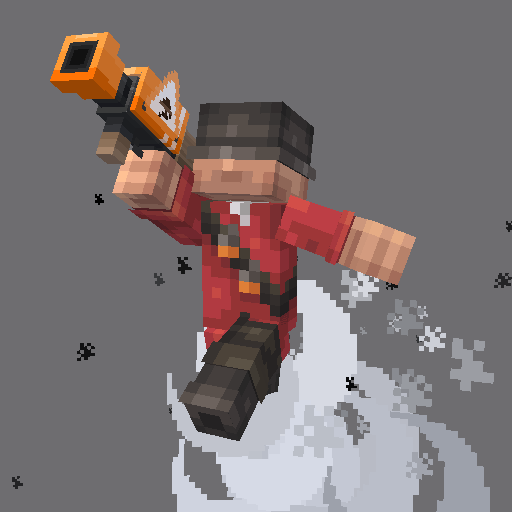
About this Modpack
(Este es un projecto hispano, intentaré más adelante hacer una versión inglesa)
¡Hola! este es mi primer proyecto serio en cuanto a minecraft y "programación", mi idea es la de crear un jump map dentro de minecraft utilizando 0 mods (aparte de npcs y uno que otro cosmetico).
Jump_Orion es un modpack/mapa de aventuras el cual reimagina el parkour tradicional utilizando las cargas de viento para poder avanzar de prueba a prueba, este mapa contiene por el momento 2 niveles completos, 1 nivel por terminar y 1 último nivel como promeza a futuro. Este mapa promete grandes retos y simples niveles para aquellos que recién están empezando a experimentar con este tipo mapas, al igual de varios secretos y logros esparcidos por el mapa ¿podrás encontrarlos todos?.
(This is a non-english project, but i'll try to submit an english version later down the road)
Hello! this is my first serious project regarding minecraft and "programming", my idea is to create a jump map inside minecraft using 0 mods (apart from npcs and one or another cosmetic).
Credits:Jump_Orion is a modpack/adventure map which reimagines the traditional parkour using wind charges to advance from challenge to challenge, this map contains for the moment 2 complete levels, 1 level to finish and 1 last level as a promise for the future. This map promises great challenges and simple levels for those who are just starting to experiment with this kind of maps, as well as several secrets and achievements scattered around the map, will you be able to find them all?
Main Developer: Walfenix
Main Inspo: Jump Academy team, Jump Academy and Portal 1
Recommended texturepack: Evees Teamfortress Craft v.0.1
Available Versions
How to Set Up a Jump_Orion (OLD) Server
Order Server
Choose at least 4 GB RAM (6 GB recommended for Jump_Orion (OLD)). Based on player count: per 8 players.
Install Modpack in Dashboard
Open the modpack browser in the dashboard, search for "Jump_Orion (OLD)" and click "Install". The fabric loader and Minecraft 1.21.1 are configured automatically.
Start Server & Play
Start the server – all mods are loaded automatically. Share the server IP with friends and play together!
Frequently Asked Questions
Jump_Orion (OLD) server crashes or won't start – what to do?
Most common causes: insufficient RAM or wrong fabric loader. Check latest.log for "OutOfMemoryError" → increase RAM to at least 6 GB. For "Mixin" or "ClassNotFoundException" errors: modpack version and loader don't match. With Mado Hosting, loader and Minecraft version are auto-configured on modpack install – preventing most startup issues.
How much RAM does a Jump_Orion (OLD) server really need?
Minimum 4 GB, recommended 6 GB for stable performance. per 8 players. Important: Minecraft modpacks need more RAM than vanilla – plan extra per additional player. With Mado Hosting, you can scale RAM up live at any time without data loss (from €8/month).
Can I add custom mods to Jump_Orion (OLD) without conflicts?
Yes, but check compatibility: only use mods for the same loader (fabric) and same Minecraft version (1.21.1). Common issues: ID conflicts with recipe mods and incompatible coremod versions. The Mado dashboard mod browser only shows compatible mods and warns about known conflicts.
Jump_Orion (OLD) server lagging – performance tips
1) Increase RAM to 6 GB+. 2) Reduce server view-distance to 8 (server.properties). 3) Pre-generate chunks with the "Chunky" plugin. 4) Use /spark profiler to check which mods consume the most tick time. With Mado Hosting, all servers run on NVMe SSDs with dedicated CPU cores – eliminating hardware as a bottleneck.
Similar Modpacks

![COBBLEVERSE - Pokemon Adventure [Cobblemon]](https://cdn.modrinth.com/data/Jkb29YJU/581ecf54530972afb18a04660afd820f2f24f6c7.png)




Rent Jump_Orion (OLD) Server
Start your own server with automatic modpack installation.
Supported Versions
Start your Jump_Orion (OLD) Server now
From €8.00/month with 6 GB RAM for the best performance.
Configure Server →