
Keys of Recording
Level-up your Minecraft content creation experience with optimization, decoration and utility mods.
Screenshots
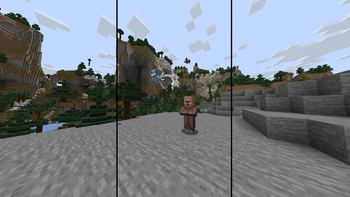
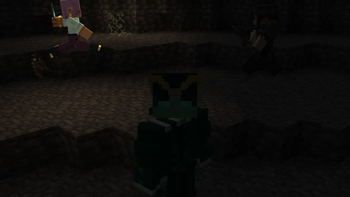

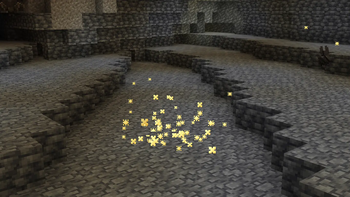

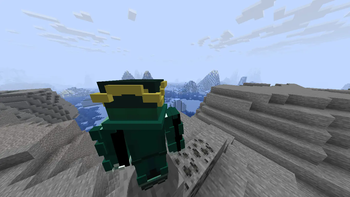
About this Modpack
Backstory
As a chill person on YouTube, I occasionally enjoy watching professional videos of other people that make a simple Minecraft topic into hype as big as Team Cherry dropping a new project. And I often find myself asking what the key is to achieving such cinematic shots, and overall making the video feel very "premium".
For my initial research, I just went around YouTube and tried to find some mods that either other people use very often, or mods that aren't as impactful, but can draw the viewers attention with little details. And over time, I've gone through some mods on Modrinth too, and attempted to make my first video ever afterwards. And all of those experiences combined to make one mod pack to fulfill many tools for content creation, be it single player videos or videos with multiple people interacting.
However, I also didn't have the best laptop, so I basically used an optimization pack and added mods in it before making this pack. Therefore, this pack doubled as a content creation and optimization pack.
Features
Enough of the yappery, let's talk about what it can perform for the user.
- To begin with, this pack of course has the essential tools to record videos and get footage from in-game.
- The pack is also equipped with several small tweak mods that are picked to be close to the vanilla experience.
- Additionally, it has optimization mods to get a better FPS count, specifically for older hardware.
- Complimentary Shaders are used for the pack, although you can use whatever you would like.
- There are also some quality-of-life additions that makes the game feel more smooth.
Mod List
Huge shoutout to these mods/resource packs/shaders and their creators and thanks for their approval of usage.
All mods in the pack:
- [EMF] Entity Model Features
- [ETF] Entity Texture Features
- 3D Default
- 3D Ladders
- 3D Skin Layers
- BadOptimizations
- CameraUtils
- Cloth Config API
- Complementary Shaders - Unbound
- Concurrent Chunk Management Engine
- Continuity
- Cool Rain
- Creator Overlays
- Cubes Without Borders
- Dynamic FPS
- Eating Animation
- Enchantment Glint Outline
- Entity Culling
- Fabric API
- Fabric Language Kotlin
- Fabrishot
- Fast IP Ping
- FastQuit
- FerriteCore
- Fresh Animations
- Gamma Utils (Fullbright)
- Glowing
- ImmediatelyFast
- Iris Shaders
- LambDynamicLights
- Lithium
- Mace 3D
- Mod Menu
- MoreCulling
- Motion Capture
- Noisium
- Not Enough Animations
- Particle Effects
- Rarity Tooltips
- Reese's Sodium Options
- ReplayMod
- ScalableLux
- Shulker Box Tooltip
- Sodium
- Sodium Extra
- Sound Physics Remastered
- Text Placeholder API
- ThreadTweak
- YetAnotherConfigLib (YACL)
- Zoomify
You can also find pictures from some mods in the Gallery!
Available Versions
How to Set Up a Keys of Recording Server
Order Server
Choose at least 6 GB RAM (8 GB recommended for Keys of Recording). Based on player count: per 5 players.
Install Modpack in Dashboard
Open the modpack browser in the dashboard, search for "Keys of Recording" and click "Install". The fabric loader and Minecraft 1.21.5 are configured automatically.
Start Server & Play
Start the server – all mods are loaded automatically. Share the server IP with friends and play together!
Frequently Asked Questions
Keys of Recording server crashes or won't start – what to do?
Most common causes: insufficient RAM or wrong fabric loader. Check latest.log for "OutOfMemoryError" → increase RAM to at least 8 GB. For "Mixin" or "ClassNotFoundException" errors: modpack version and loader don't match. With Mado Hosting, loader and Minecraft version are auto-configured on modpack install – preventing most startup issues.
How much RAM does a Keys of Recording server really need?
Minimum 6 GB, recommended 8 GB for stable performance. per 5 players. Important: Minecraft modpacks need more RAM than vanilla – plan extra per additional player. With Mado Hosting, you can scale RAM up live at any time without data loss (from €12/month).
Can I add custom mods to Keys of Recording without conflicts?
Yes, but check compatibility: only use mods for the same loader (fabric) and same Minecraft version (1.21.5). Common issues: ID conflicts with recipe mods and incompatible coremod versions. The Mado dashboard mod browser only shows compatible mods and warns about known conflicts.
Keys of Recording server lagging – performance tips
1) Increase RAM to 8 GB+. 2) Reduce server view-distance to 8 (server.properties). 3) Pre-generate chunks with the "Chunky" plugin. 4) Use /spark profiler to check which mods consume the most tick time. With Mado Hosting, all servers run on NVMe SSDs with dedicated CPU cores – eliminating hardware as a bottleneck.
Similar Modpacks

![Cobblemon Official Modpack [Fabric]](https://cdn.modrinth.com/data/5FFgwNNP/e7f9ee2e9d361623847853fe2ddce42f519ee64f.png)
![COBBLEVERSE - Pokemon Adventure [Cobblemon]](https://cdn.modrinth.com/data/Jkb29YJU/581ecf54530972afb18a04660afd820f2f24f6c7.png)
![Better MC [FABRIC] - BMC2](https://cdn.modrinth.com/data/shFhR8Vx/a19c2bcb51d38f32f138d3607e91cb2b7b8e387f_96.webp)


Rent Keys of Recording Server
Start your own server with automatic modpack installation.
Details
- License
- Creative Commons Attribution Non Commercial Share Alike 4.0 International
- Server-side
- Optional
- Client-side
- Required
Supported Versions
Start your Keys of Recording Server now
From €12.00/month with 8 GB RAM for the best performance.
Configure Server →