Kiosk
A modpack that makes escaping Minecraft difficult. Only supports Windows 11 and Prism Launcher derivatives.
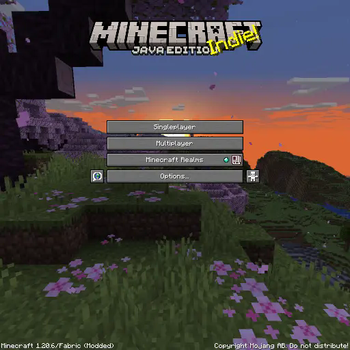
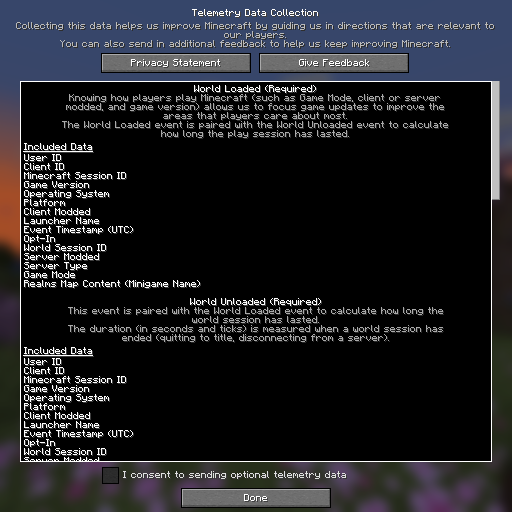
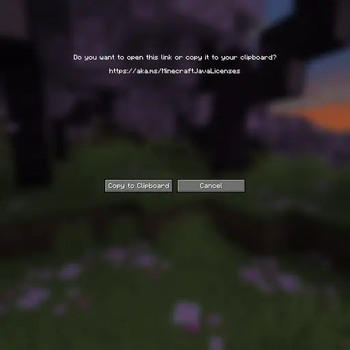
Screenshots
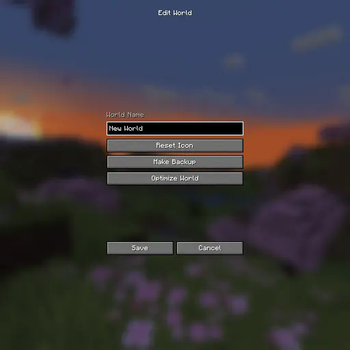
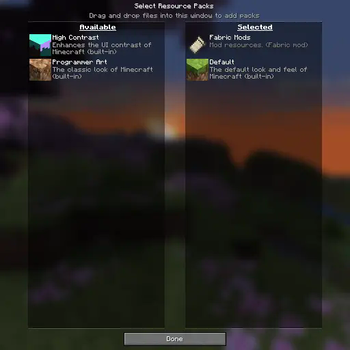
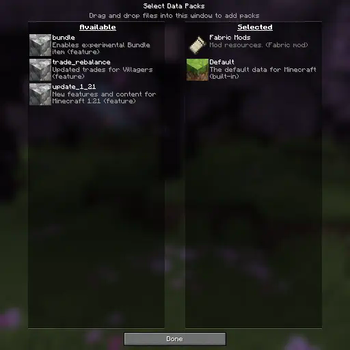
About this Modpack
 ⚠ Warning
Do not use on personal computers.
Do not install as a regular modpack.
Follow instructions carefully.
About
Kiosk is a modpack that makes escaping Minecraft difficult. It does so by removing UI elements and keyboard shortcuts (like pressing Alt + F4 or holding F3 + C for ten seconds). This modpack also hides onboarding (the "Welcome to Minecraft!" screen), warnings (e.g. the "Third-Party Online Play" warning), tutorial hints, and Minecraft Realms notifications. By default, Music, the Narrator, and its keyboard shortcut are turned off.
Mods (5)
Fabric API - Required by FancyMenu, Konkrete, Melody, and RebindAllTheKeys.
FancyMenu - Enables custom menus.
Konkrete - Required by FancyMenu.
Melody - Required by FancyMenu.
RebindAllTheKeys - Adds keybinds to keys that aren't rebindable.
Installation
Requirements
- Windows 11
- Prism Launcher
- No peripheral monitors
Steps
Uninstall apps/programs that have their own keyboard shortcuts (e.g. Snipping Tool or Game Bar)
Disable screen and touchpad gestures in settings as shown in the following images:


Create and open the following .reg files to disable task manager and screen edge swipe:
Windows Registry Editor Version 5.00

[HKEY_LOCAL_MACHINE\SOFTWARE\Microsoft\PolicyManager\default\LockDown\AllowEdgeSwipe]
"value"=dword:00000000

[HKEY_CURRENT_USER\SOFTWARE\Policies\Microsoft\Windows\EdgeUI]
"AllowEdgeSwipe"=-

[HKEY_LOCAL_MACHINE\SOFTWARE\Policies\Microsoft\Windows\EdgeUI]
"AllowEdgeSwipe"=dword:00000000
 ⚠ Warning
Only do this if you know what you are doing.
Get permission before doing this.
Windows Registry Editor Version 5.00

[HKEY_CURRENT_USER\SOFTWARE\Microsoft\Windows\CurrentVersion\Policies\System]
"DisableTaskMgr"=dword:00000001

[HKEY_LOCAL_MACHINE\SOFTWARE\Microsoft\Windows\CurrentVersion\Policies\System]
"DisableTaskMgr"=dword:00000001
Use https://github.com/ThatBlueEnder/Kiosk/releases/latest/download/Minecraft.zip as the URL when importing a Minecraft instance as shown in the following image:

Update the imported Minecraft instance as shown in the following image:

Notes
Keyboard shortcuts not specific to Minecraft (e.g. Alt + F4) are blocked by a compiled AutoHotkey executable that runs while the Minecraft instance is open. The intended method to escape Minecraft is by pressing Ctrl + Shift + \. If a different method to escape Minecraft is found, please create an issue. Below is the .ahk that was compiled by AutoHotkey:
#NoTrayIcon
#SingleInstance Force
Persistent
*LWin::Return
*RWin::Return
*!F4::Return
*!Space::Return
*!Tab::Return
*^Esc::Return
*^+Esc::Return
*^!Tab::Return
*!Esc::Return
*AppsKey::Return
*PrintScreen::Return
*CtrlBreak::Return
*Pause::Return
*Help::Return
*Sleep::Return
*Browser_Back::Return
*Browser_Forward::Return
*Browser_Refresh::Return
*Browser_Stop::Return
*Browser_Search::Return
*Browser_Favorites::Return
*Browser_Home::Return
*Volume_Mute::Return
*Volume_Down::Return
*Volume_Up::Return
*Media_Next::Return
*Media_Prev::Return
*Media_Stop::Return
*Media_Play_Pause::Return
*Launch_Mail::Return
*Launch_Media::Return
*Launch_App1::Return
*Launch_App2::Return
*XButton1::Return
*XButton2::Return
*WheelLeft::Return
*WheelRight::Return
^+\::!F4
Available Versions
How to Set Up a Kiosk Server
Order Server
Choose at least 4 GB RAM (6 GB recommended for Kiosk). Based on player count: per 8 players.
Install Modpack in Dashboard
Open the modpack browser in the dashboard, search for "Kiosk" and click "Install". The fabric loader and Minecraft 1.21.1 are configured automatically.
Start Server & Play
Start the server – all mods are loaded automatically. Share the server IP with friends and play together!
Frequently Asked Questions
Kiosk server crashes or won't start – what to do?
Most common causes: insufficient RAM or wrong fabric loader. Check latest.log for "OutOfMemoryError" → increase RAM to at least 6 GB. For "Mixin" or "ClassNotFoundException" errors: modpack version and loader don't match. With Mado Hosting, loader and Minecraft version are auto-configured on modpack install – preventing most startup issues.
How much RAM does a Kiosk server really need?
Minimum 4 GB, recommended 6 GB for stable performance. per 8 players. Important: Minecraft modpacks need more RAM than vanilla – plan extra per additional player. With Mado Hosting, you can scale RAM up live at any time without data loss (from €8/month).
Can I add custom mods to Kiosk without conflicts?
Yes, but check compatibility: only use mods for the same loader (fabric) and same Minecraft version (1.21.1). Common issues: ID conflicts with recipe mods and incompatible coremod versions. The Mado dashboard mod browser only shows compatible mods and warns about known conflicts.
Kiosk server lagging – performance tips
1) Increase RAM to 6 GB+. 2) Reduce server view-distance to 8 (server.properties). 3) Pre-generate chunks with the "Chunky" plugin. 4) Use /spark profiler to check which mods consume the most tick time. With Mado Hosting, all servers run on NVMe SSDs with dedicated CPU cores – eliminating hardware as a bottleneck.
Rent Kiosk Server
Start your own server with automatic modpack installation.
Supported Versions
Start your Kiosk Server now
From €8.00/month with 6 GB RAM for the best performance.
Configure Server →