
Kults Magic Pack
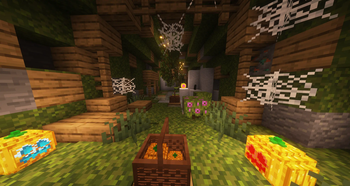
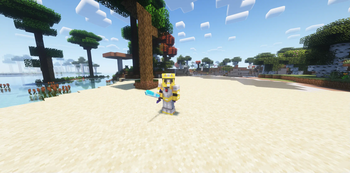
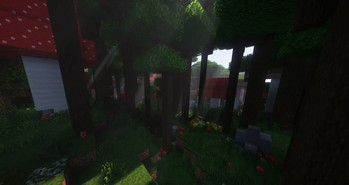
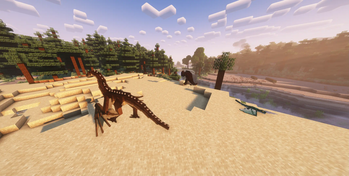
Magic and Exploration. Get a taste and avoid feeling overwhelmed with complicated technology or magic mods. Using simple but exciting magic and structure mods! Experience a plethora fancy and magical weapons using old combat mechanics (1.8/pre1.9 combat)
Screenshots


About this Modpack
Overview
This modpack aims to give palyers a magical experience in exploration and combat without overwhelming the player.
There will be many tools, ores, and weapons you'll have to navigate, but extra tool tips should help you get through that!
Old combat mechanics and powerfull weapons will make you feel stronger than ever. However over time the mobs that spawn around you will also slowly increase in strength. Do you have the skill and equipment to keep up?
When you're not fighting repurpose a structure into a new home, use one of the many decoration mods to make this house a home. Collect plushies, backpacks and other trinkets.
There are a few things that will cater towards the engineer side of players. Use copper pipes to make an easy item sorter or to send mail to another player. Dabble with alchemy and spawner changes.
Every playstyle should feel at home in this modpack!
As I expand and change this modpack the change log will provide the information needed to keep up. There are still plenty of magic based mods that I'd love to add but that are simply not up to 1.20.4 quite yet.
Technical Tips:
For any other questions comments or concerns please join the discord!
RAM:
I recommend at least 4GB of allocated RAM
Server:
I have yet to do one myself with this modpack. Eventually I will and I will provide a download to make it easier for others. If you are trying to make a server with this modpack just make sure you remove all client side mods from the mods folder. This is the most common issue people have when running modded servers.
The modpack includes the Essential mod so you'll be able to play with friends easily without servers.
Xaero's Minimap
(Possibly Fixed)
Unfortunatly every update will reset your mini-map settings to that of the defaults I have set. This is due to the settings being stored in config which can be an import folder for me to update. I understand how annoying this is as it affects my game too.
The only thing I can recommend is you change everything to your liking, go to the config folder of the modpack, and copy/save the file "xaerominimap.txt" somewhere else.
This is where your settings are saved. Every update you'll want to bring that saved version into the config folder.
Update Format:
X.Y
X = All players will need to be on this version to play with one another via essential or servers. A gameplay mod has been added or removed.
Y = Missmatched versions should be able to play with one another still. A client side mod was added or removed.
Example: 2.1 and 2.3 can play together but 2.0 and 3.0 cannot.
Available Versions
How to Set Up a Kults Magic Pack Server
Order Server
Choose at least 6 GB RAM (8 GB recommended for Kults Magic Pack). Based on player count: per 5 players.
Install Modpack in Dashboard
Open the modpack browser in the dashboard, search for "Kults Magic Pack" and click "Install". The fabric loader and Minecraft 1.20.4 are configured automatically.
Start Server & Play
Start the server – all mods are loaded automatically. Share the server IP with friends and play together!
Frequently Asked Questions
Kults Magic Pack server crashes or won't start – what to do?
Most common causes: insufficient RAM or wrong fabric loader. Check latest.log for "OutOfMemoryError" → increase RAM to at least 8 GB. For "Mixin" or "ClassNotFoundException" errors: modpack version and loader don't match. With Mado Hosting, loader and Minecraft version are auto-configured on modpack install – preventing most startup issues.
How much RAM does a Kults Magic Pack server really need?
Minimum 6 GB, recommended 8 GB for stable performance. per 5 players. Important: Minecraft modpacks need more RAM than vanilla – plan extra per additional player. With Mado Hosting, you can scale RAM up live at any time without data loss (from €12/month).
Can I add custom mods to Kults Magic Pack without conflicts?
Yes, but check compatibility: only use mods for the same loader (fabric) and same Minecraft version (1.20.4). Common issues: ID conflicts with recipe mods and incompatible coremod versions. The Mado dashboard mod browser only shows compatible mods and warns about known conflicts.
Kults Magic Pack server lagging – performance tips
1) Increase RAM to 8 GB+. 2) Reduce server view-distance to 8 (server.properties). 3) Pre-generate chunks with the "Chunky" plugin. 4) Use /spark profiler to check which mods consume the most tick time. With Mado Hosting, all servers run on NVMe SSDs with dedicated CPU cores – eliminating hardware as a bottleneck.
Rent Kults Magic Pack Server
Start your own server with automatic modpack installation.
Supported Versions
Start your Kults Magic Pack Server now
From €12.00/month with 8 GB RAM for the best performance.
Configure Server →