
Lag Optimizer
This is a lightweight, carefully optimized Fabric modpack designed to completely eliminate game lag, maximize FPS, and add essential quality-of-life features for playing with friends.
Screenshots
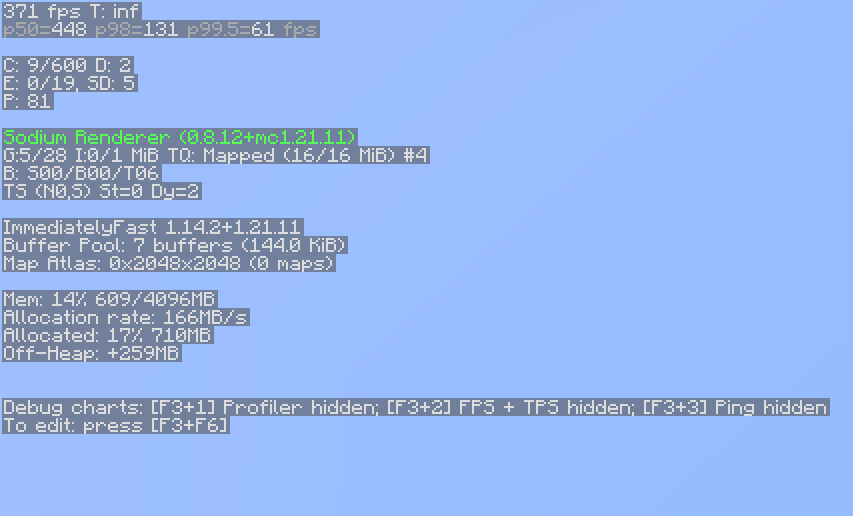


About this Modpack
Lag Optimizer
A lightweight, performance-focused Fabric modpack for Minecraft 1.21.1 designed to maximize your frame rates and make playing with friends completely seamless.
What this project does:
This modpack brings together the absolute best open-source optimization mods available for the Fabric loader. It completely swaps out Minecraft's default rendering system with modern, high-efficiency engines that eliminate stuttering, lower memory usage, and keep your game running smoothly.
Why you should download it:
If you struggle with low FPS, screen tearing, or server-connection lag, this pack is built for you. It includes:
Sodium & ImmediatelyFast: Massive boosts to your graphical frame rates and HUD rendering.
FerriteCore & Entity Culling: Drastically reduces RAM usage and stops the game from processing blocks or mobs you can't see.
Essential Mod: Allows you to host multiplayer worlds and invite your friends directly from your singleplayer menu without needing a paid server.
uku's Armor HUD: Adds a clean, minimalist display on your screen to track your current gear durability.
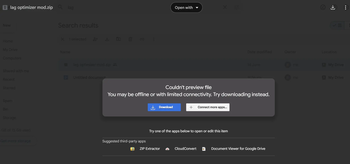
If you want it to be your minecraft mods then, follow the step under (You can see these step in gallery) (Copy the URL and paste it into your google search bar (https://drive.google.com/file/d/1I_K0xA_x8HfJzxIoON7o7R61VfO0ZYB1/view?usp=sharing)
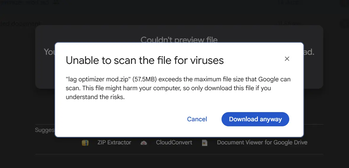
1.Paste URL into google search bar. Once there press download. A screen should pop up, press download anyway and you should get the file downloaded.
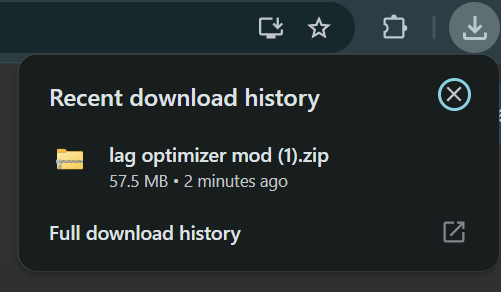
2. Once downloaded press the download button at the top right corner and press on the file named Lag optimizer.
3. Once pressed on you should be a page. Press on Lag Optimizer and it should bring you to the next page, on that next page press mods after pressing mods you should see all the mods that I have put.
- After copying the mods go to minecraft launcher, and at near the top you should see intalliation, after pressing installiation press on the file symbol next to the play button
- Once you pressed on the file symbol press on mods if you don't make on named mods and paste the mods that you have copied into that folder.
- You are ready to play
If you have problems please inform me about it
Available Versions
How to Set Up a Lag Optimizer Server
Order Server
Choose at least 4 GB RAM (6 GB recommended for Lag Optimizer). Based on player count: per 8 players.
Install Modpack in Dashboard
Open the modpack browser in the dashboard, search for "Lag Optimizer" and click "Install". The fabric loader and Minecraft 1.21.11 are configured automatically.
Start Server & Play
Start the server – all mods are loaded automatically. Share the server IP with friends and play together!
Frequently Asked Questions
Lag Optimizer server crashes or won't start – what to do?
Most common causes: insufficient RAM or wrong fabric loader. Check latest.log for "OutOfMemoryError" → increase RAM to at least 6 GB. For "Mixin" or "ClassNotFoundException" errors: modpack version and loader don't match. With Mado Hosting, loader and Minecraft version are auto-configured on modpack install – preventing most startup issues.
How much RAM does a Lag Optimizer server really need?
Minimum 4 GB, recommended 6 GB for stable performance. per 8 players. Important: Minecraft modpacks need more RAM than vanilla – plan extra per additional player. With Mado Hosting, you can scale RAM up live at any time without data loss (from €8/month).
Can I add custom mods to Lag Optimizer without conflicts?
Yes, but check compatibility: only use mods for the same loader (fabric) and same Minecraft version (1.21.11). Common issues: ID conflicts with recipe mods and incompatible coremod versions. The Mado dashboard mod browser only shows compatible mods and warns about known conflicts.
Lag Optimizer server lagging – performance tips
1) Increase RAM to 6 GB+. 2) Reduce server view-distance to 8 (server.properties). 3) Pre-generate chunks with the "Chunky" plugin. 4) Use /spark profiler to check which mods consume the most tick time. With Mado Hosting, all servers run on NVMe SSDs with dedicated CPU cores – eliminating hardware as a bottleneck.
Similar Modpacks

![Cobblemon Official Modpack [Fabric]](https://cdn.modrinth.com/data/5FFgwNNP/e7f9ee2e9d361623847853fe2ddce42f519ee64f.png)
![COBBLEVERSE - Pokemon Adventure [Cobblemon]](https://cdn.modrinth.com/data/Jkb29YJU/581ecf54530972afb18a04660afd820f2f24f6c7.png)
![Better MC [FABRIC] - BMC2](https://cdn.modrinth.com/data/shFhR8Vx/a19c2bcb51d38f32f138d3607e91cb2b7b8e387f_96.webp)


Rent Lag Optimizer Server
Start your own server with automatic modpack installation.
Supported Versions
Start your Lag Optimizer Server now
From €8.00/month with 6 GB RAM for the best performance.
Configure Server →