
lesha_1Pack-Mist
English: My mod pack that I use a lot Russian: Мой пакет модов, который я часто использую
Screenshots
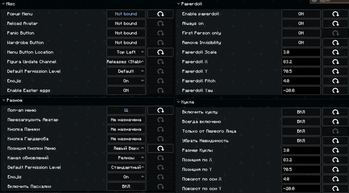
About this Modpack
● ● ● ● ● ● ● ● ● ● ● ● ● ● ● ● ● ●  ● ● ● ● ● ● ● ● ● ● ● ● ● ● ● ● ● ●
English:
In general, this is a modpack that simplifies life a little, adds beauty or optimizes the game without radically changing it.
Russian:
В целом это модпак который немного упрощает жизнь, добавляют красоты или оптимизируют игру, не меняя её кардинально.
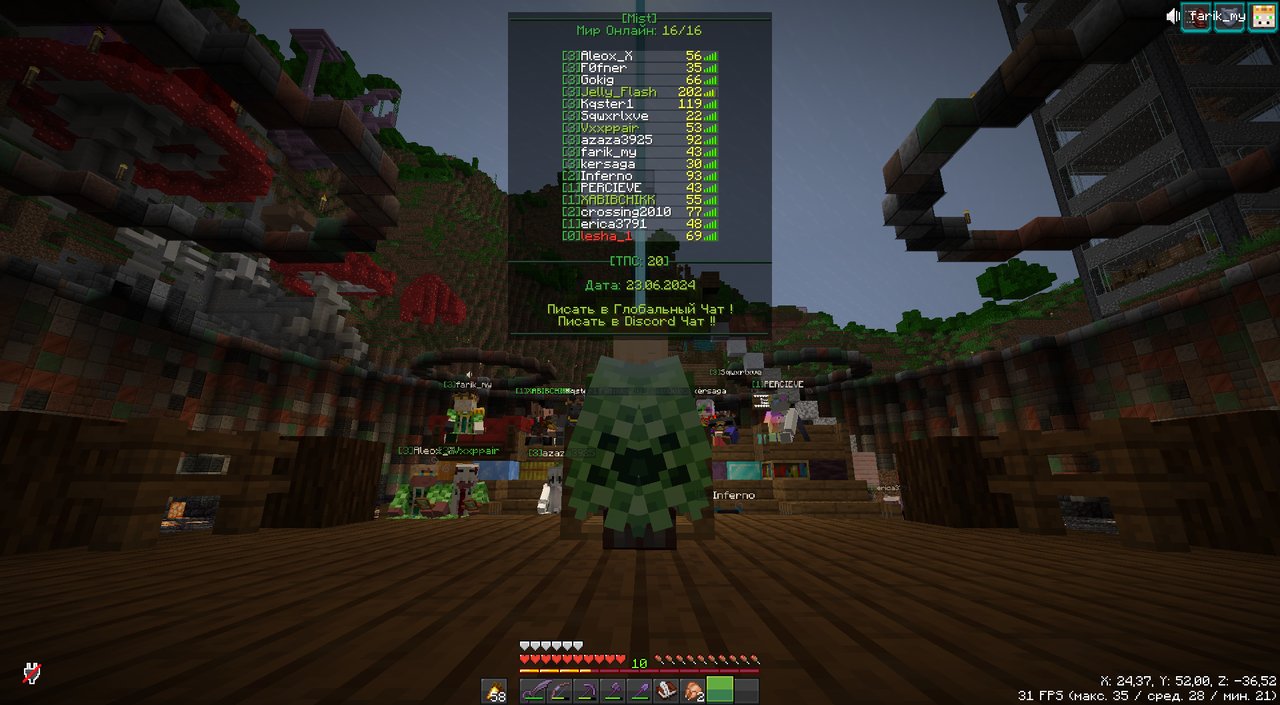
Info:
Resource Packs для перевода модов на Russian, такие как:
- Sodium
- Litematica
Resource Packs:
Mod:
English:
Check out the projects I'm using in my modpack!
Russian:
Посмотрите проекты, которые я использую в своем модпаке!
0/9
A
B
- Better Statistics Screen
- Better Advancements
- BetterF3
- bad packets
- Block Meter
- Better Third Person
- Bobby
- BadOptimizations
C
- Command Block IDE
- Centered Crosshair
- Chat Animation [Smooth Chat]
- Chat Heads
- Cubes Without Borders
- Continuity
- Cloth Config API
- Clumps
- Capes
- Chat Binds
- Controlling
D
E
- Emotecraft
- Enhanced Block Entities
- [EMF] Entity Model Features
- [ETF] Entity Texture Features
- Ears (+ Snouts/Muzzles, Tails, Horns, Wings, and More)
- e4mc
- Entity Culling
F
- Forge Config API Port
- Fast IP Ping
- Female Gender Mod
- FerriteCore
- Flashback
- Falling Leaves
- FastQuit
- Fabric Language Kotlin
- Flashside
- Fzzy Config
- Fabric API
- Figura
G
H
I
J
K
L
M
- Mouse Tweaks
- MaLiLib
- ModernFix
- More Chat History
- More Culling
- Make Bubbles Pop
- Model Gap Fix
- My Totem Doll
- M.R.U
- Map Tooltip
- Mod Menu
N
O
P
- pv-addon-replaymod
- Particle Rain
- Paginated Advancements & Custom Frames
- Particular ✨
- Prism
- Presence Footsteps
- Plasmo Voice
- Particle Effects
- Particle Core
- Polytone
Q
R
S
- Shulker Box Tooltip
- Smooth Scrolling
- Sodium
- Simple Shulker Preview
- Searchables
- Status Effect Bars
- Stack to Nearby Chests
- Sodium Extra
- Stendhal
- SchematicPreview
- Sounds
- Spyglass Astronomy
- Screenshot Viewer
- Sound Physics Remastered
T
- Tiny Item Animations
- Trees Make Sound (Presence Not Required)
- Timestamp Chat
- Text Placeholder API
- TCDCommons API
- Title Tweaks
U
V
W
X
Y
Z
Deleted But remained in a different version/Удален, но остался в другой версии
Recommend/Рекомендовать:
English:
- Emotecraft
- There is a good package of emotions: Link
Russian:
- Emotecraft
- Это хороший набор эмоций: Link
Resource Packs:
System Requirements:
RAM: 8 out of 16,32
Available Versions
How to Set Up a lesha_1Pack-Mist Server
Order Server
Choose at least 4 GB RAM (6 GB recommended for lesha_1Pack-Mist). Based on player count: per 8 players.
Install Modpack in Dashboard
Open the modpack browser in the dashboard, search for "lesha_1Pack-Mist" and click "Install". The fabric loader and Minecraft 1.21.4 are configured automatically.
Start Server & Play
Start the server – all mods are loaded automatically. Share the server IP with friends and play together!
Frequently Asked Questions
lesha_1Pack-Mist server crashes or won't start – what to do?
Most common causes: insufficient RAM or wrong fabric loader. Check latest.log for "OutOfMemoryError" → increase RAM to at least 6 GB. For "Mixin" or "ClassNotFoundException" errors: modpack version and loader don't match. With Mado Hosting, loader and Minecraft version are auto-configured on modpack install – preventing most startup issues.
How much RAM does a lesha_1Pack-Mist server really need?
Minimum 4 GB, recommended 6 GB for stable performance. per 8 players. Important: Minecraft modpacks need more RAM than vanilla – plan extra per additional player. With Mado Hosting, you can scale RAM up live at any time without data loss (from €8/month).
Can I add custom mods to lesha_1Pack-Mist without conflicts?
Yes, but check compatibility: only use mods for the same loader (fabric) and same Minecraft version (1.21.4). Common issues: ID conflicts with recipe mods and incompatible coremod versions. The Mado dashboard mod browser only shows compatible mods and warns about known conflicts.
lesha_1Pack-Mist server lagging – performance tips
1) Increase RAM to 6 GB+. 2) Reduce server view-distance to 8 (server.properties). 3) Pre-generate chunks with the "Chunky" plugin. 4) Use /spark profiler to check which mods consume the most tick time. With Mado Hosting, all servers run on NVMe SSDs with dedicated CPU cores – eliminating hardware as a bottleneck.
Similar Modpacks


![Cobblemon Official Modpack [Fabric]](https://cdn.modrinth.com/data/5FFgwNNP/e7f9ee2e9d361623847853fe2ddce42f519ee64f.png)
![COBBLEVERSE - Pokemon Adventure [Cobblemon]](https://cdn.modrinth.com/data/Jkb29YJU/581ecf54530972afb18a04660afd820f2f24f6c7.png)
![Better MC [FABRIC] - BMC2](https://cdn.modrinth.com/data/shFhR8Vx/a19c2bcb51d38f32f138d3607e91cb2b7b8e387f_96.webp)

Rent lesha_1Pack-Mist Server
Start your own server with automatic modpack installation.
Details
- License
- LicenseRef-All-Rights-Reserved
- Server-side
- Unsupported
- Client-side
- Required
Supported Versions
Start your lesha_1Pack-Mist Server now
From €8.00/month with 6 GB RAM for the best performance.
Configure Server →