
Lest Goo World
Welcome to the Forever World. This project is built for one thing: unlimited freedom. Whether you are playing with close friends or meeting someone new, our world is designed to stay online forever. We believe in Massive-Scale Play, meaning if you can drea
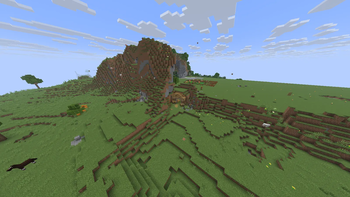
Screenshots
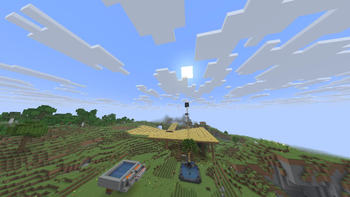
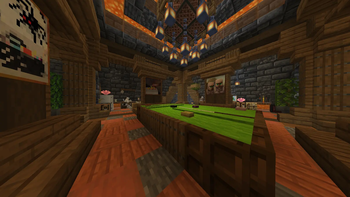
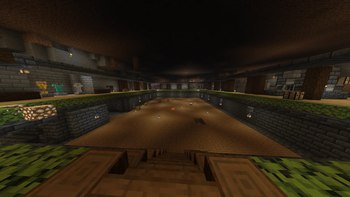
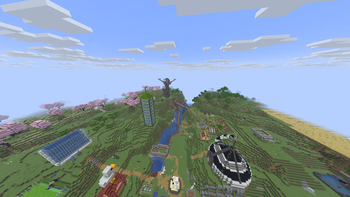
About this Modpack
The Forever World: Server-Side Edition
Welcome to The Forever World, a community-driven project designed for ultimate freedom, infinite automation, and long-term persistence.
This specific project is the Server-Side Edition of our modpack. It has been meticulously cleaned to remove all client-side-only mods (like shaders and HUD enhancements), leaving only the essential logic and content that runs directly on the server.
🌟 Project Vision
The goal of this project is to provide a "hop-on, hop-off" experience for friends and the public alike. We believe in a world that never resets, allowing you to invest hundreds of hours into massive builds and complex machinery without fear of losing your progress.
🚜 Core Mechanics: Farm Anything
The heart of this project is infinite farming. We have optimized the mod list to support massive-scale automation:
- No Limits: Build farms for any item you can imagine.
- Optimized Performance: Using the Fabric engine to ensure the world stays smooth as your industrial zones grow.
- Ease of Play: Includes tweaks like No Animal Tempt Delay and NoCollision to make large-scale building and animal husbandry less frustrating.
🛠️ Why Server-Side?
By hosting this version on your server, you enable Vanilla Compatibility. This means:
- Any Player Can Join: Your friends don't need to install a heavy modpack; they can join using a standard Minecraft launcher.
- Server Authority: Features like Incendium (Nether overhaul) and Universal Graves (death protection) are handled entirely by the server.
- Lightweight: Perfect for hosting on dedicated hardware where you want maximum TPS (Ticks Per Second) for your farms.
📦 Key Features
- World Generation: A massive Nether overhaul via Incendium.
- Player Security: Your items are always safe with Universal Graves.
- Economy & XP: Fairer enchanting and leveling with Tax Free Levels.
- Creativity: Share your art across the world with Signed Paintings.
Version Naming Convention
To help keep track of updates, we use a three-part versioning system: [Major].[Type].[Minor] (e.g., 1.B.2)
- Major Version (The first #): Represents major milestones, such as a full Minecraft game version update (1.21.1) or a complete overhaul of the project.
- Pack Type (The middle letter):
- B (Bare Bones): Only essential mods required for server functionality and performance.
- F (Full): Includes extra "Quality of Life" features like resource packs, shaders, and extra HUD enhancements.
- Minor Update (The last #): Used for small changes within the same game version, such as updating specific mods or tweaking configuration files.
📜 Credits & Attributions
This project is made possible by the incredible work of the following developers:
| Category | Mod / Tool | Author |
|---|---|---|
| World Gen | Incendium | Stardust Labs[cite: 1] |
| Tech/API | Polymer / Text Placeholder API / Universal Graves | Patbox[cite: 1] |
| Tech/API | Fabric API | modmuss50[cite: 1] |
| Mechanics | No Animal Tempt Delay / Collective | Serilum |
| Mechanics | Enchantments Overful | JellyJam[cite: 1] |
| Mechanics | NoCollision | sniffercraft34 |
| Mechanics | Tax Free Levels | Fourmisain |
| Utility | Balm / Inventory Essentials | BlayTheNinth[cite: 1] |
| Utility | JourneyMap | mysticdrew |
| Utility | Essential Mod | SparkUniverse[cite: 1] |
| Utility | Mod Menu | Terraformers |
| Optimization | Sodium | CaffeineMC |
| Optimization | Iris Shaders | coderbot |
| Optimization | Continuity | Pepper_Bell[cite: 1] |
| Visual/HUD | MiniHUD / MaLiLib | masa |
| Visual/HUD | Pickup Notifications | Roundaround |
| Visual/HUD | Shulker Preview | KGriffon |
| Visual/HUD | Status Effect Bars | A5b84 |
| QoL | Signed Paintings | Nettakrim |
| Library | Cloth Config API | shedaniel[cite: 1] |
The Forever World is an open project. Feel free to join us in building the ultimate automated world!
Available Versions
How to Set Up a Lest Goo World Server
Order Server
Choose at least 6 GB RAM (8 GB recommended for Lest Goo World). Based on player count: per 5 players.
Install Modpack in Dashboard
Open the modpack browser in the dashboard, search for "Lest Goo World" and click "Install". The fabric loader and Minecraft 1.21.11 are configured automatically.
Start Server & Play
Start the server – all mods are loaded automatically. Share the server IP with friends and play together!
Frequently Asked Questions
Lest Goo World server crashes or won't start – what to do?
Most common causes: insufficient RAM or wrong fabric loader. Check latest.log for "OutOfMemoryError" → increase RAM to at least 8 GB. For "Mixin" or "ClassNotFoundException" errors: modpack version and loader don't match. With Mado Hosting, loader and Minecraft version are auto-configured on modpack install – preventing most startup issues.
How much RAM does a Lest Goo World server really need?
Minimum 6 GB, recommended 8 GB for stable performance. per 5 players. Important: Minecraft modpacks need more RAM than vanilla – plan extra per additional player. With Mado Hosting, you can scale RAM up live at any time without data loss (from €12/month).
Can I add custom mods to Lest Goo World without conflicts?
Yes, but check compatibility: only use mods for the same loader (fabric) and same Minecraft version (1.21.11). Common issues: ID conflicts with recipe mods and incompatible coremod versions. The Mado dashboard mod browser only shows compatible mods and warns about known conflicts.
Lest Goo World server lagging – performance tips
1) Increase RAM to 8 GB+. 2) Reduce server view-distance to 8 (server.properties). 3) Pre-generate chunks with the "Chunky" plugin. 4) Use /spark profiler to check which mods consume the most tick time. With Mado Hosting, all servers run on NVMe SSDs with dedicated CPU cores – eliminating hardware as a bottleneck.
Similar Modpacks
![Cobblemon Official Modpack [Fabric]](https://cdn.modrinth.com/data/5FFgwNNP/e7f9ee2e9d361623847853fe2ddce42f519ee64f.png)
![COBBLEVERSE - Pokemon Adventure [Cobblemon]](https://cdn.modrinth.com/data/Jkb29YJU/581ecf54530972afb18a04660afd820f2f24f6c7.png)
![Better MC [FABRIC] - BMC2](https://cdn.modrinth.com/data/shFhR8Vx/a19c2bcb51d38f32f138d3607e91cb2b7b8e387f_96.webp)


![Better MC [FORGE] - BMC4](https://cdn.modrinth.com/data/4BV47HRn/7f5ef7cc61b2593609aabef3ed07a866a4f11b73_96.webp)
Rent Lest Goo World Server
Start your own server with automatic modpack installation.
Supported Versions
Start your Lest Goo World Server now
From €12.00/month with 8 GB RAM for the best performance.
Configure Server →