
LinusMinus
This modpack only adds some mods that enhances gameplay and performance, while not adding any new blocks or mechanics to the game.
About this Modpack
LinusMinus
This modpack aims to create an enhanced vanilla expierance and keeps all saves played with this modpack playable with vanilla. It does this by only adding mods that enhances gameplay and performance, while not adding any new blocks or mechanics to the game.
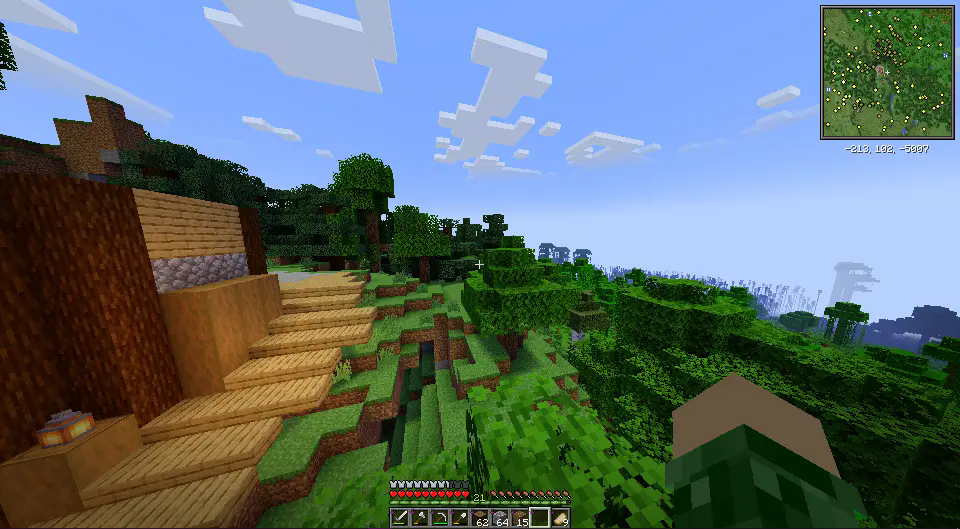
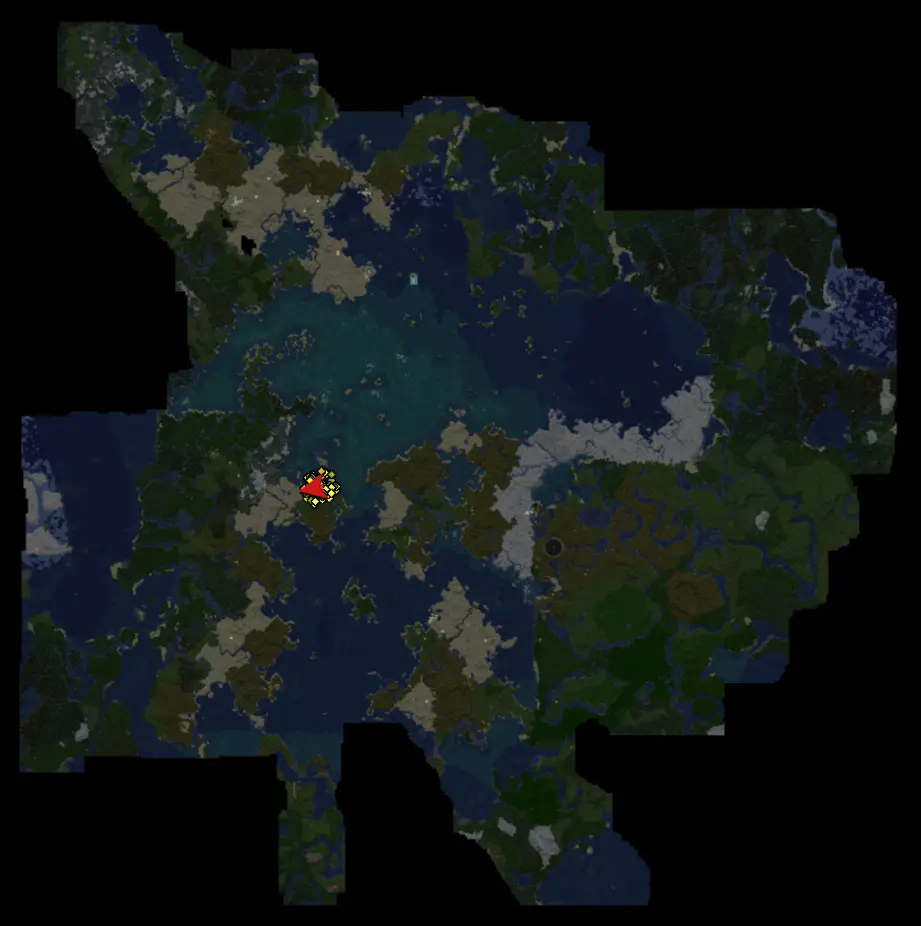
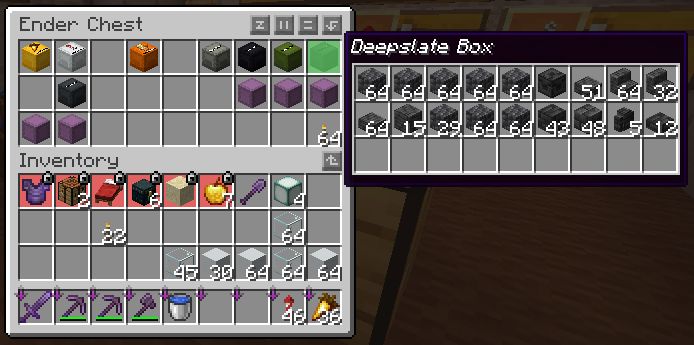
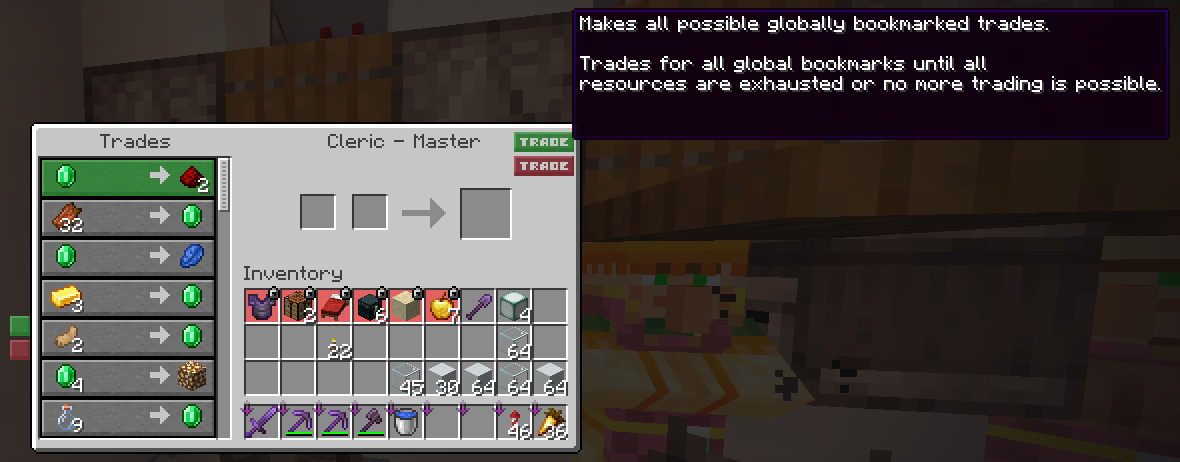
The main gameplay elements it adds are a mini- and worldmap. It also adds easier inventory management, which additionally makes things like bulk crafting and bulk trading much faster. Of course an extremely lightweight shaderpack, which works without Iris, is also included. If you want other shaderpacks, the Iris mod is also included.
A full list of gameplay mods
- Better Statistics Screen: Adds a better statistics screen
- Betterf3: Adds a more ordered and coloured F3 screen
- Carpet: Adds a bunch of technical Minecraft features, like tickwarp or viewing TPS
- Continuity: Adds connected glass and grass
- Controlling: Adds an search bar to the key-binding menu
- Inventory Profiles Next: Inventory sorting!
- RyoamicLights/LambDynamicLights: Adds dynamic lights
- WI Zoom: Adds the ability to zoom
- Mod Menu: View your installed Mods and edit their config!
- Peek: Hover over shulker boxes in your inventory and see what they contain
- Worldtime: Gives you a little nicely readable clock
- Xaero's Minimap and Worldmap: Minimap and worldmap, what else should I say?
- Chunky: pre generate your chunks (if wanted)
- One World Folder: Allows you to access worlds from other minecraft instances
- worldtime: Show the current minecraft time of the day
- e4mc: Allows multiplayer without a server
- jade: Shows you which Block/Entity you are looking at
- litematica: Create and Load Schematics to pre-build in creativ :)
- miniHUD: Show all kind of ranges (e.g. spawn range) and cirles
A full list of Performance/Other Mods:
- More Culling: Performance!
- Iris Shaders: Adds support for custom shaderpacks
- Sodium, Sodium Extra, Reese's Sodium Options: Performance!
- Dynamic FPS: Reduce FPS when minecraft is in the background.
Resourcepacks (can be enabled optionally):
- Energy Shaders: Vanilla Minecraft Shaderpack
- Alacrity: Medivial resourcepack
- 3D Default: Adds 3D models to some vanilla blocks.
Modpack updates
This modpack will always be updated to the newest Minecraft version. If a beta version is released, it means a lot of the mods are still not updated to this Minecraft version and a new update will come soon.
Gallery and help
Some images and other stuff to show what this modpack offers
Minimap
Worldmap
Inventory
Villager trading
Chunky example usage:
worldborder center 0 0
worldborder set 20000
chunky worldborder
chunky start
Available Versions
How to Set Up a LinusMinus Server
Order Server
Choose at least 4 GB RAM (6 GB recommended for LinusMinus). Based on player count: per 8 players.
Install Modpack in Dashboard
Open the modpack browser in the dashboard, search for "LinusMinus" and click "Install". The fabric loader and Minecraft 26.1.2 are configured automatically.
Start Server & Play
Start the server – all mods are loaded automatically. Share the server IP with friends and play together!
Frequently Asked Questions
LinusMinus server crashes or won't start – what to do?
Most common causes: insufficient RAM or wrong fabric loader. Check latest.log for "OutOfMemoryError" → increase RAM to at least 6 GB. For "Mixin" or "ClassNotFoundException" errors: modpack version and loader don't match. With Mado Hosting, loader and Minecraft version are auto-configured on modpack install – preventing most startup issues.
How much RAM does a LinusMinus server really need?
Minimum 4 GB, recommended 6 GB for stable performance. per 8 players. Important: Minecraft modpacks need more RAM than vanilla – plan extra per additional player. With Mado Hosting, you can scale RAM up live at any time without data loss (from €8/month).
Can I add custom mods to LinusMinus without conflicts?
Yes, but check compatibility: only use mods for the same loader (fabric) and same Minecraft version (26.1.2). Common issues: ID conflicts with recipe mods and incompatible coremod versions. The Mado dashboard mod browser only shows compatible mods and warns about known conflicts.
LinusMinus server lagging – performance tips
1) Increase RAM to 6 GB+. 2) Reduce server view-distance to 8 (server.properties). 3) Pre-generate chunks with the "Chunky" plugin. 4) Use /spark profiler to check which mods consume the most tick time. With Mado Hosting, all servers run on NVMe SSDs with dedicated CPU cores – eliminating hardware as a bottleneck.
Similar Modpacks

![Cobblemon Official Modpack [Fabric]](https://cdn.modrinth.com/data/5FFgwNNP/e7f9ee2e9d361623847853fe2ddce42f519ee64f.png)
![COBBLEVERSE - Pokemon Adventure [Cobblemon]](https://cdn.modrinth.com/data/Jkb29YJU/581ecf54530972afb18a04660afd820f2f24f6c7.png)
![Better MC [FABRIC] - BMC2](https://cdn.modrinth.com/data/shFhR8Vx/a19c2bcb51d38f32f138d3607e91cb2b7b8e387f_96.webp)


Rent LinusMinus Server
Start your own server with automatic modpack installation.
Supported Versions
Start your LinusMinus Server now
From €8.00/month with 6 GB RAM for the best performance.
Configure Server →