
Sundered Aletharia
The modpack for my Sundered Aletharia server. A modpack themed around Create.
Screenshots
About this Modpack
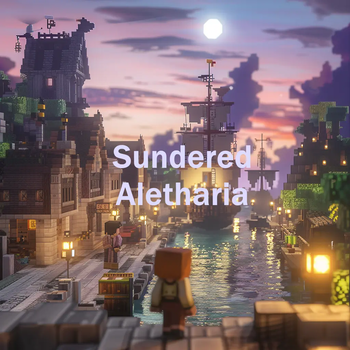
Sundered Aletharia, an interesting place in this new world. A huge chunk of land and mountain just appeared one day. It was obvious this land was from somewhere else. The land abruptly changing and in some places it towers above the field that used to be there. A small group of people living and camping in the region now found themselves in a foreign land. Where were they going to get their medicine, what would they do with their skill sets now that they found themselves in a new world that didn't work the same way as their old one. The tasks of the day are exploration and building a new life. At least one of the denizens of this new world has setup in The Cove and ze has embraced that pirate spirit.
This modpack centers around Create and its many companion mods and coupled with tech related mods. AE2, TechReborn and Powah for some more crunchy and process oriented people. Botania for a little bit of magic. ComputerCraft because I a programmer and it intriques me. As well as some mods to help build a beautiful world. Farmer's Delight because I like food.
Copyright is respective of each of the included mods, defer to those pages for licensing in relation to that mod.
Mods included that are hosted elsewhere:
- Deep Mob Learning: Refabricated [LGPL]
- Dank Storage [Public Domain - as per]
- Framework [LGPL]
- Goblin Traders [MIT]
- IndustrialReborn [MIT]
- TechReborn and RebornCore [MIT]
Available Versions
How to Set Up a Sundered Aletharia Server
Order Server
Choose at least 6 GB RAM (8 GB recommended for Sundered Aletharia). Based on player count: per 5 players.
Install Modpack in Dashboard
Open the modpack browser in the dashboard, search for "Sundered Aletharia" and click "Install". The fabric loader and Minecraft 1.20.1 are configured automatically.
Start Server & Play
Start the server – all mods are loaded automatically. Share the server IP with friends and play together!
Frequently Asked Questions
Sundered Aletharia server crashes or won't start – what to do?
Most common causes: insufficient RAM or wrong fabric loader. Check latest.log for "OutOfMemoryError" → increase RAM to at least 8 GB. For "Mixin" or "ClassNotFoundException" errors: modpack version and loader don't match. With Mado Hosting, loader and Minecraft version are auto-configured on modpack install – preventing most startup issues.
How much RAM does a Sundered Aletharia server really need?
Minimum 6 GB, recommended 8 GB for stable performance. per 5 players. Important: Minecraft modpacks need more RAM than vanilla – plan extra per additional player. With Mado Hosting, you can scale RAM up live at any time without data loss (from €12/month).
Can I add custom mods to Sundered Aletharia without conflicts?
Yes, but check compatibility: only use mods for the same loader (fabric) and same Minecraft version (1.20.1). Common issues: ID conflicts with recipe mods and incompatible coremod versions. The Mado dashboard mod browser only shows compatible mods and warns about known conflicts.
Sundered Aletharia server lagging – performance tips
1) Increase RAM to 8 GB+. 2) Reduce server view-distance to 8 (server.properties). 3) Pre-generate chunks with the "Chunky" plugin. 4) Use /spark profiler to check which mods consume the most tick time. With Mado Hosting, all servers run on NVMe SSDs with dedicated CPU cores – eliminating hardware as a bottleneck.
Similar Modpacks
![Cobblemon Official Modpack [Fabric]](https://cdn.modrinth.com/data/5FFgwNNP/e7f9ee2e9d361623847853fe2ddce42f519ee64f.png)
![COBBLEVERSE - Pokemon Adventure [Cobblemon]](https://cdn.modrinth.com/data/Jkb29YJU/581ecf54530972afb18a04660afd820f2f24f6c7.png)
![Better MC [FABRIC] - BMC2](https://cdn.modrinth.com/data/shFhR8Vx/a19c2bcb51d38f32f138d3607e91cb2b7b8e387f_96.webp)


![Better MC [FORGE] - BMC4](https://cdn.modrinth.com/data/4BV47HRn/7f5ef7cc61b2593609aabef3ed07a866a4f11b73_96.webp)
Rent Sundered Aletharia Server
Start your own server with automatic modpack installation.
Supported Versions
Start your Sundered Aletharia Server now
From €12.00/month with 8 GB RAM for the best performance.
Configure Server →