
Lost Horizons
This is a side project to Vanilla Adventures + with the main difference being the gameplay and game version!
Screenshots
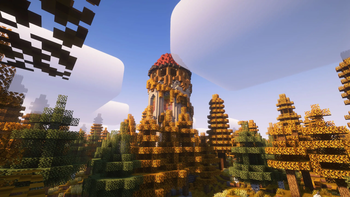
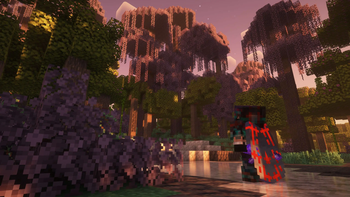
About this Modpack
What is the purpose of this modpack?
The main focus of this modpack is to allow players more customization of their armor, tools and other equipment! This modpack also introduces a few features that I feel should be a part of vanilla minecraft.
Examples:
- Easy Magic: It's a very simple mod that lets you leave items on the enchantment table and gives it a reroll button so you dont have to go back and forth with a pesky grindstone!
- Elytra Trims: This is a very simple yet really cool mod, it lets you put trims onto an elytra!
- Elytra Trinket: This mod allows your player to put an elytra into your cape slot! (It also allows you to fly with it too)
How does it affect gameplay?
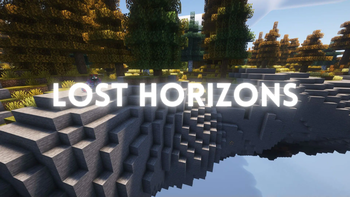
These world gen mods dont effect gameplay significantly however they do affect the world gen significantly.
- Overworld gen - (Terralith) and (Tectonic)
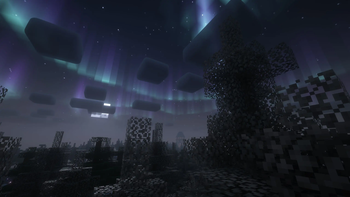
- Nether Dimension - (Amplified Nether)
- End Dimension - (Nullscape)
You may also notice some performance increases from the library of performance related mods like Sodium.
Other minor gameplay differences:
- Comforts - Adds sleeping bags, hammocks, and more!
- InvMove - Let's you move with your inventory open!
- Dynamic Lights - Dropped and held light sources emit light!
Visual differences
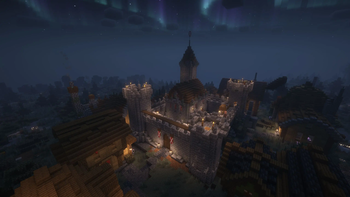
- Distant Horizons - Allows massively larger render distances (mileage may vary PC to PC)
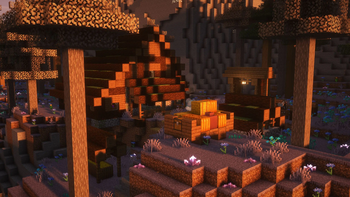
- Complementary Shaders - One of the best looking and most popular shaders available! (DH Compatible)
- Complementary Shaders + Euphoria Patches - Complementary reimagined with some modded tweaks to allow for a wider range of visuals! (NOT DH Compatible)
- Bloop Shaders - Another good alternative shaderpack to Complementary! (DH Compatible)
- Default Dark Mode - Gives the game a clean vanilla-like dark mode!
This modpack is an additional modpack I am working on alongside Vanilla Adventures + and Simply Refreshed
Available Versions
How to Set Up a Lost Horizons Server
Order Server
Choose at least 6 GB RAM (8 GB recommended for Lost Horizons). Based on player count: per 5 players.
Install Modpack in Dashboard
Open the modpack browser in the dashboard, search for "Lost Horizons" and click "Install". The fabric loader and Minecraft 1.21 are configured automatically.
Start Server & Play
Start the server – all mods are loaded automatically. Share the server IP with friends and play together!
Frequently Asked Questions
Lost Horizons server crashes or won't start – what to do?
Most common causes: insufficient RAM or wrong fabric loader. Check latest.log for "OutOfMemoryError" → increase RAM to at least 8 GB. For "Mixin" or "ClassNotFoundException" errors: modpack version and loader don't match. With Mado Hosting, loader and Minecraft version are auto-configured on modpack install – preventing most startup issues.
How much RAM does a Lost Horizons server really need?
Minimum 6 GB, recommended 8 GB for stable performance. per 5 players. Important: Minecraft modpacks need more RAM than vanilla – plan extra per additional player. With Mado Hosting, you can scale RAM up live at any time without data loss (from €12/month).
Can I add custom mods to Lost Horizons without conflicts?
Yes, but check compatibility: only use mods for the same loader (fabric) and same Minecraft version (1.21). Common issues: ID conflicts with recipe mods and incompatible coremod versions. The Mado dashboard mod browser only shows compatible mods and warns about known conflicts.
Lost Horizons server lagging – performance tips
1) Increase RAM to 8 GB+. 2) Reduce server view-distance to 8 (server.properties). 3) Pre-generate chunks with the "Chunky" plugin. 4) Use /spark profiler to check which mods consume the most tick time. With Mado Hosting, all servers run on NVMe SSDs with dedicated CPU cores – eliminating hardware as a bottleneck.
Similar Modpacks
![Cobblemon Official Modpack [Fabric]](https://cdn.modrinth.com/data/5FFgwNNP/e7f9ee2e9d361623847853fe2ddce42f519ee64f.png)
![COBBLEVERSE - Pokemon Adventure [Cobblemon]](https://cdn.modrinth.com/data/Jkb29YJU/581ecf54530972afb18a04660afd820f2f24f6c7.png)
![Better MC [FABRIC] - BMC2](https://cdn.modrinth.com/data/shFhR8Vx/a19c2bcb51d38f32f138d3607e91cb2b7b8e387f_96.webp)


![Better MC [FORGE] - BMC4](https://cdn.modrinth.com/data/4BV47HRn/7f5ef7cc61b2593609aabef3ed07a866a4f11b73_96.webp)
Rent Lost Horizons Server
Start your own server with automatic modpack installation.
Supported Versions
Start your Lost Horizons Server now
From €12.00/month with 8 GB RAM for the best performance.
Configure Server →