
Ludari Create 1
Ludari Create is a spinoff with the Create Mod and many more mods
Screenshots
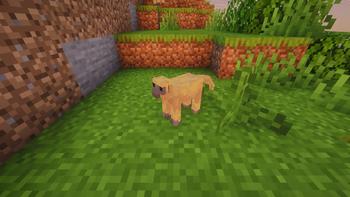
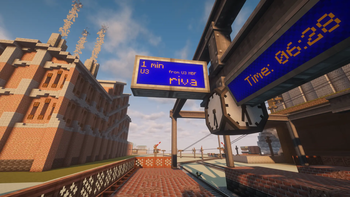
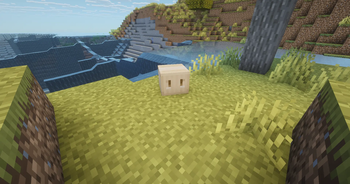
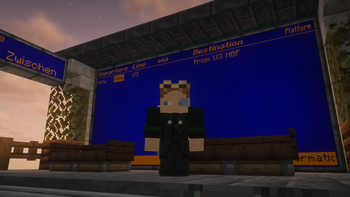
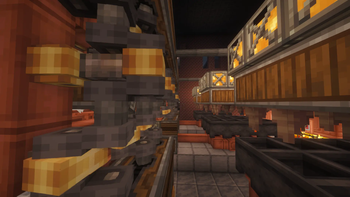
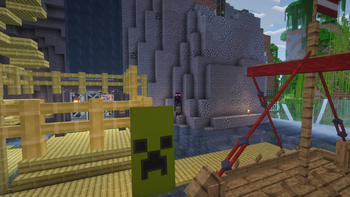
About this Modpack
Deutsch
Ludari Create ist ein brandneues Spin-off von Ludari, das die Create Mod ins Zentrum stellt und mit einer Vielzahl weiterer Mods erweitert wurde. Hier dreht sich alles um Maschinen, Automatisierung und kreative Möglichkeiten, die weit über Vanilla-Minecraft hinausgehen. Egal, ob du komplexe Fabriken bauen, neue Mechaniken ausprobieren oder einfach nur kreativ sein willst – Ludari Create bietet dir die perfekte Plattform dafür.
Features
- Vollständig kompatibel mit der Create Mod
- Hunderte weitere unterstützte Mods für Gameplay, Technik, Magie und Dekoration
- Optimiertes Spielerlebnis für kreatives Bauen und automatisierte Systeme
- Regelmäßige Updates mit neuen Mods und Features
- Multiplayer-freundlich – bau gemeinsam mit Freunden gigantische Maschinen
Tauche ein in eine Welt voller Mechanik, Innovation und Spaß!
English
Ludari Create is a brand-new Ludari spin-off, centered around the Create Mod and enhanced with a wide variety of additional mods. Here, everything revolves around machines, automation, and creative possibilities that go far beyond vanilla Minecraft. Whether you want to build complex factories, explore new mechanics, or just unleash your creativity – Ludari Create gives you the perfect playground.
Features
- Fully compatible with the Create Mod
- Hundreds of additional mods supporting gameplay, tech, magic, and decoration
- Optimized experience for creative building and automated systems
- Regular updates with new mods and features
- Multiplayer-friendly – build huge machines together with friends
Dive into a world of mechanics, innovation, and fun!
Available Versions
How to Set Up a Ludari Create 1 Server
Order Server
Choose at least 6 GB RAM (8 GB recommended for Ludari Create 1). Based on player count: per 5 players.
Install Modpack in Dashboard
Open the modpack browser in the dashboard, search for "Ludari Create 1" and click "Install". The neoforge loader and Minecraft 1.21.1 are configured automatically.
Start Server & Play
Start the server – all mods are loaded automatically. Share the server IP with friends and play together!
Frequently Asked Questions
Ludari Create 1 server crashes or won't start – what to do?
Most common causes: insufficient RAM or wrong neoforge loader. Check latest.log for "OutOfMemoryError" → increase RAM to at least 8 GB. For "Mixin" or "ClassNotFoundException" errors: modpack version and loader don't match. With Mado Hosting, loader and Minecraft version are auto-configured on modpack install – preventing most startup issues.
How much RAM does a Ludari Create 1 server really need?
Minimum 6 GB, recommended 8 GB for stable performance. per 5 players. Important: Minecraft modpacks need more RAM than vanilla – plan extra per additional player. With Mado Hosting, you can scale RAM up live at any time without data loss (from €12/month).
Can I add custom mods to Ludari Create 1 without conflicts?
Yes, but check compatibility: only use mods for the same loader (neoforge) and same Minecraft version (1.21.1). Common issues: ID conflicts with recipe mods and incompatible coremod versions. The Mado dashboard mod browser only shows compatible mods and warns about known conflicts.
Ludari Create 1 server lagging – performance tips
1) Increase RAM to 8 GB+. 2) Reduce server view-distance to 8 (server.properties). 3) Pre-generate chunks with the "Chunky" plugin. 4) Use /spark profiler to check which mods consume the most tick time. With Mado Hosting, all servers run on NVMe SSDs with dedicated CPU cores – eliminating hardware as a bottleneck.
Similar Modpacks
![Cobblemon Official Modpack [Fabric]](https://cdn.modrinth.com/data/5FFgwNNP/e7f9ee2e9d361623847853fe2ddce42f519ee64f.png)
![COBBLEVERSE - Pokemon Adventure [Cobblemon]](https://cdn.modrinth.com/data/Jkb29YJU/581ecf54530972afb18a04660afd820f2f24f6c7.png)
![Better MC [FABRIC] - BMC2](https://cdn.modrinth.com/data/shFhR8Vx/a19c2bcb51d38f32f138d3607e91cb2b7b8e387f_96.webp)


![Better MC [FORGE] - BMC4](https://cdn.modrinth.com/data/4BV47HRn/7f5ef7cc61b2593609aabef3ed07a866a4f11b73_96.webp)
Rent Ludari Create 1 Server
Start your own server with automatic modpack installation.
Supported Versions
Start your Ludari Create 1 Server now
From €12.00/month with 8 GB RAM for the best performance.
Configure Server →