
LumaVale
A polished vanilla-plus survival experience built for beautiful worlds, smooth performance, and cozy co-op.
Screenshots
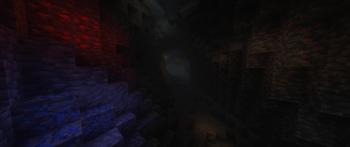
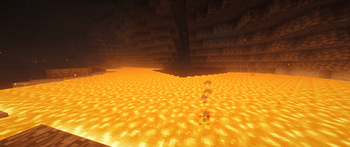

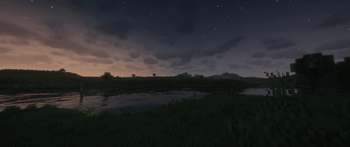

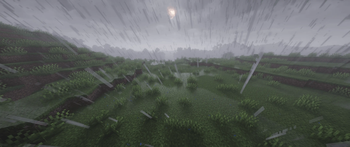
About this Modpack

LumaVale keeps Minecraft familiar while making it feel more refined, atmospheric, and comfortable to play. It combines shader-ready visuals, fresh animations, connected textures, quality-of-life improvements, and carefully tuned defaults into a pack that enhances survival without overwhelming it.
Why play LumaVale?
LumaVale is designed for players who want Minecraft to look and feel better while still playing like Minecraft. The pack avoids heavy content bloat and focuses instead on atmosphere, polish, performance, exploration, and useful everyday improvements.
Features
Beautiful vanilla-plus visuals
- Enjoy a warmer, more polished Minecraft world with shaders, improved lighting, connected glass, fresh animations, enhanced food visuals, subtle effects, and carefully layered resource packs.
Huge draw distances with Voxy
- LumaVale uses Voxy to give the world incredible long-distance views while keeping performance smooth, making mountains, forests, valleys, and builds feel much larger and more immersive.
Quality-of-life improvements
- Build, farm, harvest, manage tools, interact with doors, view information, and explore more comfortably with practical improvements that make survival smoother without feeling overpowered.
Fair exploration
- JourneyMap is included for convenience, but the minimap and radar features are disabled by default to keep exploration fair and preserve the survival feel.
Lightweight co-op
- Play solo or host small co-op worlds easily with e4mc support, tuned defaults, and a setup intended for shared vanilla-plus survival.
LumaVale ships with sensible graphics, performance, resource-pack, and keybind defaults so new players can jump in quickly while still being free to customise everything themselves.
Pack Philosophy
LumaVale is for players who want a polished, cozy, visually rich survival experience without turning Minecraft into a completely different game. It is vanilla-plus first: smoother, prettier, more convenient, and more immersive — but still unmistakably Minecraft.
Available Versions
How to Set Up a LumaVale Server
Order Server
Choose at least 6 GB RAM (8 GB recommended for LumaVale). Based on player count: per 5 players.
Install Modpack in Dashboard
Open the modpack browser in the dashboard, search for "LumaVale" and click "Install". The fabric loader and Minecraft 26.1.2 are configured automatically.
Start Server & Play
Start the server – all mods are loaded automatically. Share the server IP with friends and play together!
Frequently Asked Questions
LumaVale server crashes or won't start – what to do?
Most common causes: insufficient RAM or wrong fabric loader. Check latest.log for "OutOfMemoryError" → increase RAM to at least 8 GB. For "Mixin" or "ClassNotFoundException" errors: modpack version and loader don't match. With Mado Hosting, loader and Minecraft version are auto-configured on modpack install – preventing most startup issues.
How much RAM does a LumaVale server really need?
Minimum 6 GB, recommended 8 GB for stable performance. per 5 players. Important: Minecraft modpacks need more RAM than vanilla – plan extra per additional player. With Mado Hosting, you can scale RAM up live at any time without data loss (from €12/month).
Can I add custom mods to LumaVale without conflicts?
Yes, but check compatibility: only use mods for the same loader (fabric) and same Minecraft version (26.1.2). Common issues: ID conflicts with recipe mods and incompatible coremod versions. The Mado dashboard mod browser only shows compatible mods and warns about known conflicts.
LumaVale server lagging – performance tips
1) Increase RAM to 8 GB+. 2) Reduce server view-distance to 8 (server.properties). 3) Pre-generate chunks with the "Chunky" plugin. 4) Use /spark profiler to check which mods consume the most tick time. With Mado Hosting, all servers run on NVMe SSDs with dedicated CPU cores – eliminating hardware as a bottleneck.
Similar Modpacks
![Cobblemon Official Modpack [Fabric]](https://cdn.modrinth.com/data/5FFgwNNP/e7f9ee2e9d361623847853fe2ddce42f519ee64f.png)
![COBBLEVERSE - Pokemon Adventure [Cobblemon]](https://cdn.modrinth.com/data/Jkb29YJU/581ecf54530972afb18a04660afd820f2f24f6c7.png)
![Better MC [FABRIC] - BMC2](https://cdn.modrinth.com/data/shFhR8Vx/a19c2bcb51d38f32f138d3607e91cb2b7b8e387f_96.webp)


![Better MC [FORGE] - BMC4](https://cdn.modrinth.com/data/4BV47HRn/7f5ef7cc61b2593609aabef3ed07a866a4f11b73_96.webp)
Rent LumaVale Server
Start your own server with automatic modpack installation.
Supported Versions
Start your LumaVale Server now
From €12.00/month with 8 GB RAM for the best performance.
Configure Server →