
Magpie's Shiny Client
A vanilla server-compatible modpack with optimisation, QoL, and immersion.
Screenshots
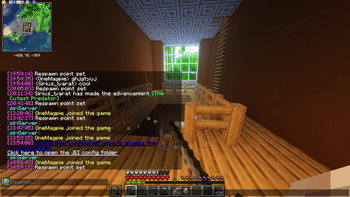
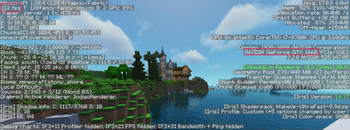
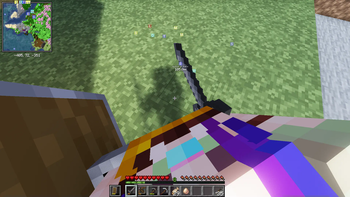
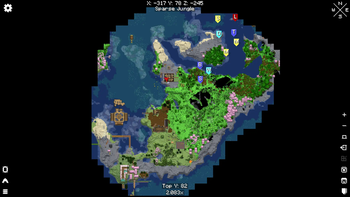
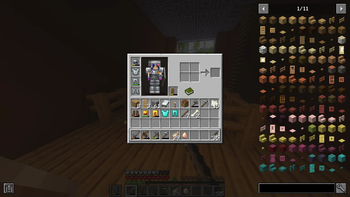
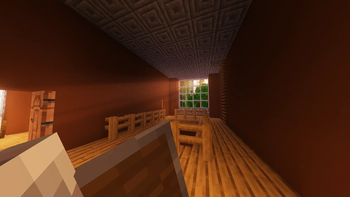
About this Modpack
A vanilla server-compatible modpack with optimisation, QoL, and immersion. For further performance on low end computers, disable the physics mod, tweak the shader settings or turn them off with K.
This modpack is what I use when playing on vanilla servers, with some preset options, that I feel is good enough to share. However, you aren't playing on my computer, so you may want to double check the Minecraft settings or reset the shaderpack settings and tweak them yourself. Resourceify is added to make installing shaders and resourcepacks easy, in case there's stuff you want or you just want to browse.
ℹ️ In some versions some things were a bit annoying, like a skin collection mod that kept my settings and set your skin to whatever it was at the time I made it, or tutorial popups still appearing, these have been removed in newer versions, apologies if anyone was affected.
For a complete list of mods, check the Versions tab. The major features are:
Optimisation
Spoiler
- Embeddium
- Greatly improved performance.
- Makeup UltraFast Shaders
- Beautiful lighting and effects at no noticeable cost.
QoL
Spoiler
- Chat Patches
- An improved chat!
- Just Enough Items (and extras)
- Information on all blocks and items in the game, right in your inventory.
- Mod Detection Preventer
- Not sure if it'll stop you from being banned, but hey, just in case.
- Mouse Wheelie
- Use shift to transfer a stack instantly, middle mouse to sort, and more!
- No Telemetry
- Stop M$ from spying on you!
- Xaero's Minimap + Map
- Never get lost!
Immersion
Spoiler
- Dynamic Surroundings
- Beautiful ambient sounds and other features.
- First-person Model
- See yourself!
- Physics Mod
- Satisfying ragdolls and other effects.
- Restored Female Gender Mod
- An edit of Wildfire's Gender Mod to restore original size and physics. Yes, this is very important for my immersion. Press G to configure.
- Sounds
- Adds satisfying UI sounds and more!
- Sound Physics Remastered
- Beautiful effects and processing on sounds, muffling and reverb based on the block around you, etc.
Mods will vary based on Minecraft version.
⚠️ The gender mod was made for 1.20.2 and it unfortunately crashes when clicking Appearance settings. To configure size, seperation, rotation, height and depth, you'll need to edit the JSON file in
/config/WildfireGenderafter starting the game, or copy and paste it from another instance where it worked. Sorry about that!
License
Do anything you want with this modpack, except for putting it behind a paywall or building on it without crediting me somewhere. This doesn't override the licenses of the individual mods in this pack.
Available Versions
How to Set Up a Magpie's Shiny Client Server
Order Server
Choose at least 4 GB RAM (6 GB recommended for Magpie's Shiny Client). Based on player count: per 8 players.
Install Modpack in Dashboard
Open the modpack browser in the dashboard, search for "Magpie's Shiny Client" and click "Install". The fabric loader and Minecraft 1.21 are configured automatically.
Start Server & Play
Start the server – all mods are loaded automatically. Share the server IP with friends and play together!
Frequently Asked Questions
Magpie's Shiny Client server crashes or won't start – what to do?
Most common causes: insufficient RAM or wrong fabric loader. Check latest.log for "OutOfMemoryError" → increase RAM to at least 6 GB. For "Mixin" or "ClassNotFoundException" errors: modpack version and loader don't match. With Mado Hosting, loader and Minecraft version are auto-configured on modpack install – preventing most startup issues.
How much RAM does a Magpie's Shiny Client server really need?
Minimum 4 GB, recommended 6 GB for stable performance. per 8 players. Important: Minecraft modpacks need more RAM than vanilla – plan extra per additional player. With Mado Hosting, you can scale RAM up live at any time without data loss (from €8/month).
Can I add custom mods to Magpie's Shiny Client without conflicts?
Yes, but check compatibility: only use mods for the same loader (fabric) and same Minecraft version (1.21). Common issues: ID conflicts with recipe mods and incompatible coremod versions. The Mado dashboard mod browser only shows compatible mods and warns about known conflicts.
Magpie's Shiny Client server lagging – performance tips
1) Increase RAM to 6 GB+. 2) Reduce server view-distance to 8 (server.properties). 3) Pre-generate chunks with the "Chunky" plugin. 4) Use /spark profiler to check which mods consume the most tick time. With Mado Hosting, all servers run on NVMe SSDs with dedicated CPU cores – eliminating hardware as a bottleneck.
Similar Modpacks
![Better MC [FABRIC] - BMC2](https://cdn.modrinth.com/data/shFhR8Vx/a19c2bcb51d38f32f138d3607e91cb2b7b8e387f_96.webp)
![Better MC [FORGE] - BMC4](https://cdn.modrinth.com/data/4BV47HRn/7f5ef7cc61b2593609aabef3ed07a866a4f11b73_96.webp)


![Better MC [FABRIC] - BMC3](https://cdn.modrinth.com/data/NHUidpfR/327e0749bb6d160c41799fd77bf6d3d631569dc8_96.webp)

Rent Magpie's Shiny Client Server
Start your own server with automatic modpack installation.
Supported Versions
Start your Magpie's Shiny Client Server now
From €8.00/month with 6 GB RAM for the best performance.
Configure Server →