
Mason works
A 1.20.2 modpack designed to help with building
Screenshots
About this Modpack
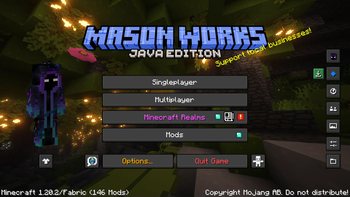
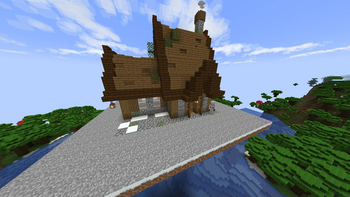
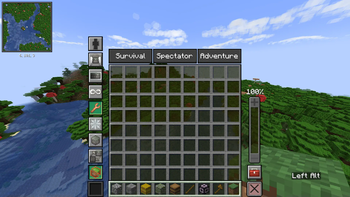
A 1.20.2 modpack designed to help with building structures, adjustments, schematics, and NBT files, as well as simple arrangement and export and import of buildings. Running both Litematica and Axiom, as well as a variety of other useful utility mods and configurations, with the essential mod to allow for world-to-world connectivity with friends so that you can build together.


Mod List
Check out the projects I'm using!
Chiseled Bookshelf Visualizer
AmbientSounds
Axiom
BuildPaste - Instant Structures
Chunky
Craftify
CreativeCore
Creative One-Punch
Disable Custom Worlds Advice
Essential Dependencies.jar
ImmediatelyFast
Open Loader
Presence Footsteps
ReloadKey
Resourcify
Structure Remover
Xaero's World Map
Xaero's Minimap
Architectury API
Better Clouds
Chat Heads
Chat Calc
Cloth Config API
Command Macros
Collective
Dynamic FPS
Entity Culling
ESSENTIAL Mod
Fabric API
Fabric Language Kotlin
FerriteCore
Image2Map
Infinite Music
Iris Shaders
KeybindsGalore 1.20.x (HVB007)
Konkrete
LambDynamicLights
LazyDFU
Litematica
Litematica-Printer-Easyplace-Extension
Lithium
MaLiLib
ModernFix
Mod Menu
More Culling
ResolutionControl+
Sodium
Superflat World No Slimes
Syncmatica
ThreadTweak
Simple Voice Chat
WorldEdit
YetAnotherConfigLib
Your Options Shall Be Respected (YOSBR)
BSL Shaders
Complementary Shaders - Unbound
Available Versions
How to Set Up a Mason works Server
Order Server
Choose at least 4 GB RAM (6 GB recommended for Mason works). Based on player count: per 8 players.
Install Modpack in Dashboard
Open the modpack browser in the dashboard, search for "Mason works" and click "Install". The fabric loader and Minecraft 1.20.2 are configured automatically.
Start Server & Play
Start the server – all mods are loaded automatically. Share the server IP with friends and play together!
Frequently Asked Questions
Mason works server crashes or won't start – what to do?
Most common causes: insufficient RAM or wrong fabric loader. Check latest.log for "OutOfMemoryError" → increase RAM to at least 6 GB. For "Mixin" or "ClassNotFoundException" errors: modpack version and loader don't match. With Mado Hosting, loader and Minecraft version are auto-configured on modpack install – preventing most startup issues.
How much RAM does a Mason works server really need?
Minimum 4 GB, recommended 6 GB for stable performance. per 8 players. Important: Minecraft modpacks need more RAM than vanilla – plan extra per additional player. With Mado Hosting, you can scale RAM up live at any time without data loss (from €8/month).
Can I add custom mods to Mason works without conflicts?
Yes, but check compatibility: only use mods for the same loader (fabric) and same Minecraft version (1.20.2). Common issues: ID conflicts with recipe mods and incompatible coremod versions. The Mado dashboard mod browser only shows compatible mods and warns about known conflicts.
Mason works server lagging – performance tips
1) Increase RAM to 6 GB+. 2) Reduce server view-distance to 8 (server.properties). 3) Pre-generate chunks with the "Chunky" plugin. 4) Use /spark profiler to check which mods consume the most tick time. With Mado Hosting, all servers run on NVMe SSDs with dedicated CPU cores – eliminating hardware as a bottleneck.
Rent Mason works Server
Start your own server with automatic modpack installation.
Details
- License
- GNU General Public License v3.0 or later
- Server-side
- Required
- Client-side
- Required
Supported Versions
Start your Mason works Server now
From €8.00/month with 6 GB RAM for the best performance.
Configure Server →