
MC but Better
Mods, Shaders, and Resource Packs I think will make Minecraft better. Supports Minecraft version 1.21.8 (1.21.9 support coming soon!)
Screenshots
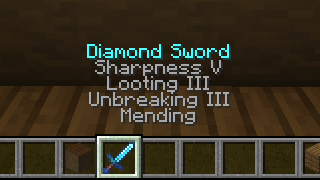
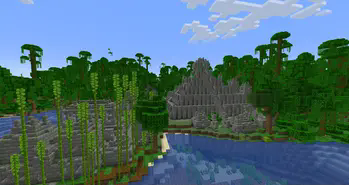
About this Modpack
Have a Better Minecraft Experience with MC but Better!
Heres what it does!
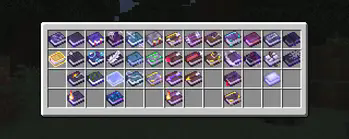
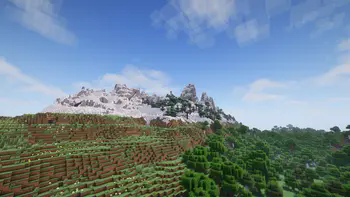
MC but Better attempts to give you a better Minecraft experience with tons of quality of life features, like shaders, zooming, higher gamma, playing with friends, having more blocks to build with, fully custom world generation, new biomes, new structures, and so much more! If you don't like a certain feature in this modpack feel free to disable or add any mod / resource / shader pack you want! Thank you to Vanilla Perfected, and Better Minecraft for the inspiration!
Downloading Vanilla Tweaks
What is Vanilla Tweaks?
Vanilla Tweaks is a collection of resource packs that lets you choose the changes you want to make to your game, most of these features are quality of life and bug fixes, there are a variety of changes to be made to your game like makes ores have borders and much more.
How To Download Vanilla Tweaks!
Vanilla Tweaks is not in MC but Better by default because its's not on modrinth to Download Vanilla Tweaks Visit the site vanillatweaks.net
and pick the changes you want to be made! Alternatively you can use the mod VTdownloader To Download a Vanilla Tweaks Resource Pack Directly ingame, just press the Download VT Resource Pack Button to download a pack and from there you can choose the changes you want to be made (VTDownloader is in MC But Better by default). But I recommend to just download it manully.
Here are the projects! (123)
The mods...
- [EMF] Entity Model Features
- [ESF] Entity Sound Features
- [ETF] Entity Texture Features
- 3D Skin Layers
- Ambient Sounds
- Architectury API
- Axiom.
- Balm
- Better Advancements
- Better Clouds
- Better Statistics Screens
- Better Than Mending
- Better Third Person
- Better Tridents
- Better F3
- Biomes O' Plenty
- Boat Item View
- Bobby
- Capes
- Chat Heads
- Cherished Worlds
- CICADA
- Cloth Config API
- Clumps
- Continuity
- Controlify (Controller support)
- Controlling
- Creative Core
- Cubes Without Borders
- Cut through
- Do a Barrel Roll
- Dungeons and Taverns
- Dynamic FPS
- Easy Anvils
- Easy Magic
- Easy Shulker Boxes
- Enchanted Vertical Slabs
- Entity Culling
- Explorify
- Fabric API
- Fabric Language Kotlin
- First Person Model
- Forge Config API
- Fzzy Config
- Gamma Utils (Fullbright)
- Glitch Core
- Glowing Torchflower
- Held Item Info
- Immediately Fast
- Iris Shaders
- Jade
- Lamb Dynamic Lights (Dynamic Lights)
- Lighty
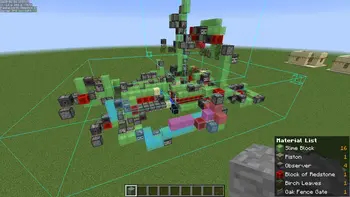
- Litematica
- Lithium
- Malilib
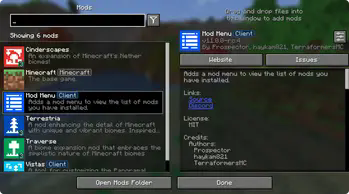
- Modmenu
- More Chat History
- More Culling
- Mouse Tweaks
- No Chat Reports
- No Resource Pack Warning
- Not Enought Animations
- OptiGUI
- OWO (OWO-lib)
- Particle Rain
- Pick Up Notifier
- Puzzles Lib
- Reese's Sodium Options
- Replay Mod
- Resourcify
- Roughly Enough Items (REI)
- Scribble
- Searchable
- Show Me Your Skin
- Silk
- Simple Voice Chat
- Sit
- Sodium
- Sodium Extra
- Status Effect Bars
- Subtle Effects
- TCDCommonsAPI
- Terra Blender
- Text Place Holder API
- Tweakeroo
- Veinminer
- Veinminer Enchantment
- Visual Workbench
- Visuality
- VTDownloader
- Waystones
- Wordedit
- Xaero's Minimap
- Xaero's World Map
- Yet Another Config LIB (YACL)
- Zoomify
- Wakes
- Mo Glass
- More Concrete
- Trailier Tails
The Resource Packs
- (Bee's) Fancy Crops
- AL's Creepers Revamped
- Bare Bones
- Bare Bones x Fresh Animations
- Even Better Enchants
- Fast Better Grass
- Fresh Animations
- Fresh Animations: Extensions
- Fresh Skeleton Physics
- Mob Crates
- New Glowing Ores
- Qrafty's Capitilzed Font
- Recolorful Containers GUI + HUD
- Recolorful Containers GUI + HUD (DARK)
- Vanilla Tweaks (NOT DIRECTLY IN MODPACK DOWNLOAD FROM HERE)
The Shader Packs
- BSL Shaders
- Complementary Shaders - Reimagined
- Complementary Shaders - Unbound
- Make Up - Ultra Fast
- Solas Shader
My Links
Available Versions
How to Set Up a MC but Better Server
Order Server
Choose at least 6 GB RAM (8 GB recommended for MC but Better). Based on player count: per 5 players.
Install Modpack in Dashboard
Open the modpack browser in the dashboard, search for "MC but Better" and click "Install". The fabric loader and Minecraft 1.21.8 are configured automatically.
Start Server & Play
Start the server – all mods are loaded automatically. Share the server IP with friends and play together!
Frequently Asked Questions
MC but Better server crashes or won't start – what to do?
Most common causes: insufficient RAM or wrong fabric loader. Check latest.log for "OutOfMemoryError" → increase RAM to at least 8 GB. For "Mixin" or "ClassNotFoundException" errors: modpack version and loader don't match. With Mado Hosting, loader and Minecraft version are auto-configured on modpack install – preventing most startup issues.
How much RAM does a MC but Better server really need?
Minimum 6 GB, recommended 8 GB for stable performance. per 5 players. Important: Minecraft modpacks need more RAM than vanilla – plan extra per additional player. With Mado Hosting, you can scale RAM up live at any time without data loss (from €12/month).
Can I add custom mods to MC but Better without conflicts?
Yes, but check compatibility: only use mods for the same loader (fabric) and same Minecraft version (1.21.8). Common issues: ID conflicts with recipe mods and incompatible coremod versions. The Mado dashboard mod browser only shows compatible mods and warns about known conflicts.
MC but Better server lagging – performance tips
1) Increase RAM to 8 GB+. 2) Reduce server view-distance to 8 (server.properties). 3) Pre-generate chunks with the "Chunky" plugin. 4) Use /spark profiler to check which mods consume the most tick time. With Mado Hosting, all servers run on NVMe SSDs with dedicated CPU cores – eliminating hardware as a bottleneck.
Similar Modpacks
![Cobblemon Official Modpack [Fabric]](https://cdn.modrinth.com/data/5FFgwNNP/e7f9ee2e9d361623847853fe2ddce42f519ee64f.png)
![COBBLEVERSE - Pokemon Adventure [Cobblemon]](https://cdn.modrinth.com/data/Jkb29YJU/581ecf54530972afb18a04660afd820f2f24f6c7.png)
![Better MC [FABRIC] - BMC2](https://cdn.modrinth.com/data/shFhR8Vx/a19c2bcb51d38f32f138d3607e91cb2b7b8e387f_96.webp)


![Better MC [FORGE] - BMC4](https://cdn.modrinth.com/data/4BV47HRn/7f5ef7cc61b2593609aabef3ed07a866a4f11b73_96.webp)
Rent MC but Better Server
Start your own server with automatic modpack installation.
Supported Versions
Start your MC but Better Server now
From €12.00/month with 8 GB RAM for the best performance.
Configure Server →