![MCCI Utilities and Optimization Pack [Unofficial]](https://cdn.modrinth.com/data/W09VXJGP/f1d372741fa292f8d6afb09ec2f3f96b7dc7a6d2_96.webp)
MCCI Utilities and Optimization Pack [Unofficial]
Modpack with a collection of mods to be used on MCC Island.
Screenshots
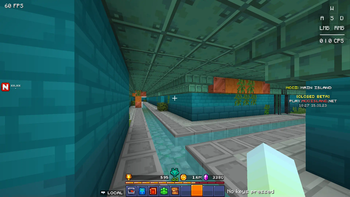
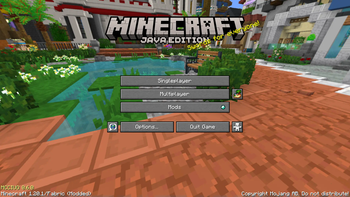
About this Modpack
This modpack is not officially associated with or endorsed by the Noxcrew. No mods in this pack are made by me.
MCCI Utilities and Optimization Pack
An unofficial collection of mods that are useful for playing on MCC Island. Includes utility mods for the server, optimization mods, GUI and visual mods, and a few mods that are just for aesthetics.
Things you should know
- This modpack includes Methane instead of Starlight, which provides better performance by essentially removing lighting from the game entirely. This gives the game the same effect as fullbright with performance benefits. If you would prefer fullbright to be disabled, you can manually replace Methane with Starlight.
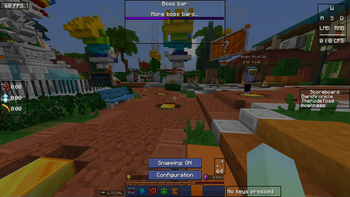
- Options added by the pack can be changed in each mod's configuration screen in the Mod Menu.
Yeah, but what features does this modpack have anyway?
- Game Music: EpicLandlord's absolute bangers of tracks from the MCC event are now played in their respective games! You can also turn it off if it isn't your thing (I call that bad taste)
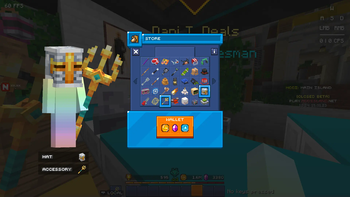
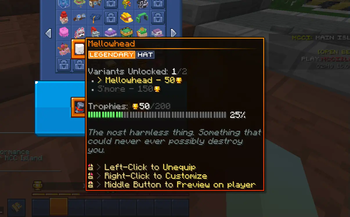
- Cosmetic Previews: Inspect how a cosmetic looks on your character before equipping or purchasing it!
- Visual & Accessibility Improvements: Noxesium brings player heads into GUIs and hides those annoying ghost tooltips, Companion adds handy toasts as notifications, and Island Utils lets you switch chat channels with ease!
- Optimization. Like, a lot of it: Optimizes your game to the point that loading screens are gone
- ...and more
This modpack is designed to be useful for both casual and competitive players on the server, whilst still being lightweight in appearance and mod list.
Further Clarification: This is not an official modpack in any way. The only official modpack for the server can be found on the MCC forums here. This pack was created as I wanted to include utility mods and more optimization mods not included on Noxcrew's optimized client.
Available Versions
How to Set Up a MCCI Utilities and Optimization Pack [Unofficial] Server
Order Server
Choose at least 4 GB RAM (6 GB recommended for MCCI Utilities and Optimization Pack [Unofficial]). Based on player count: per 8 players.
Install Modpack in Dashboard
Open the modpack browser in the dashboard, search for "MCCI Utilities and Optimization Pack [Unofficial]" and click "Install". The fabric loader and Minecraft 1.20.1 are configured automatically.
Start Server & Play
Start the server – all mods are loaded automatically. Share the server IP with friends and play together!
Frequently Asked Questions
MCCI Utilities and Optimization Pack [Unofficial] server crashes or won't start – what to do?
Most common causes: insufficient RAM or wrong fabric loader. Check latest.log for "OutOfMemoryError" → increase RAM to at least 6 GB. For "Mixin" or "ClassNotFoundException" errors: modpack version and loader don't match. With Mado Hosting, loader and Minecraft version are auto-configured on modpack install – preventing most startup issues.
How much RAM does a MCCI Utilities and Optimization Pack [Unofficial] server really need?
Minimum 4 GB, recommended 6 GB for stable performance. per 8 players. Important: Minecraft modpacks need more RAM than vanilla – plan extra per additional player. With Mado Hosting, you can scale RAM up live at any time without data loss (from €8/month).
Can I add custom mods to MCCI Utilities and Optimization Pack [Unofficial] without conflicts?
Yes, but check compatibility: only use mods for the same loader (fabric) and same Minecraft version (1.20.1). Common issues: ID conflicts with recipe mods and incompatible coremod versions. The Mado dashboard mod browser only shows compatible mods and warns about known conflicts.
MCCI Utilities and Optimization Pack [Unofficial] server lagging – performance tips
1) Increase RAM to 6 GB+. 2) Reduce server view-distance to 8 (server.properties). 3) Pre-generate chunks with the "Chunky" plugin. 4) Use /spark profiler to check which mods consume the most tick time. With Mado Hosting, all servers run on NVMe SSDs with dedicated CPU cores – eliminating hardware as a bottleneck.
Similar Modpacks

![Better MC [FABRIC] - BMC2](https://cdn.modrinth.com/data/shFhR8Vx/a19c2bcb51d38f32f138d3607e91cb2b7b8e387f_96.webp)
![Better MC [FORGE] - BMC4](https://cdn.modrinth.com/data/4BV47HRn/7f5ef7cc61b2593609aabef3ed07a866a4f11b73_96.webp)


Rent MCCI Utilities and Optimization Pack [Unofficial] Server
Start your own server with automatic modpack installation.
Supported Versions
Start your MCCI Utilities and Optimization Pack [Unofficial] Server now
From €8.00/month with 6 GB RAM for the best performance.
Configure Server →