
MC Definitive Edition
A new way to play Minecraft.
Screenshots
About this Modpack
A modpack focused on improving the vanilla Minecraft experience.
What this modpack does?
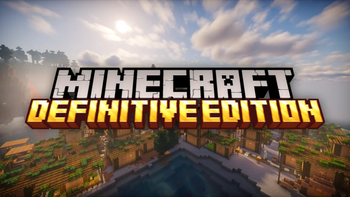
This modpack enhances both small things like the eating animation and big things like world generation and structures, but still preserving the original Minecraft experience.
This modpack also adds volumetric clouds and glowing ores without needing shaders;
 connected textures;
 better first person;
 new armors;
 new weapons;
 musical instruments that you can play any song;
 and MUCH more.
List of mods
- Accurate Blocks Placement
- Advancement Plaques
- AmbientSounds
- AppleSkin
- BadOptimizations
- Better Clouds
- Better Third Person
- Better Trim Tooltips
- BetterF3
- Bountiful
- Camera Overhaul
- Cave Dust
- ChoiceTheorem's Overhauled Village
- ClearDespawn
- Clumps
- Comforts
- Continuity
- Controlling
- Cull Less Leaves
- Double Doors
- Drip Sounds
- Dungeons and Taverns
- Easy Anvils
- Easy Magic
- Eating Animation
- Enchantment Description
- Enhanced Block Entities
- EnhancedVisuals
- Entity Culling
- FabricSkyboxes
- Falling Leaves
- FastAnim
- FerriteCore
- First-person Model
- HT's TreeChop
- ImmediatelyFast
- Immersive Armors
- Immersive Melodies
- Immersive UI
- Indium
- Iris Shaders
- Item Borders
- Item Highlighter
- LambDynamicLights
- language Reload
- Legendary Tooltips
- Let Me Despawn
- Lithium
- Mod Menu
- Modeol Gap Fix
- ModernFix
- Monsters in the closet
- More Culling
- Mouse Wheelie
- Noisium
- Not Enough Animation
- Particle Core
- Particle Rain
- Philips Ruins
- Polymorph
- Presence Footsteps
- RightClickHarvest
- Simply Swords
- Sodium
- Sodium Extra
- Sodium Shadowy Path Blocks
- Sounds Physics Remastered
- Sounds
- Spawn Animations
- Terralith
- Tidal Towns
- Town and Towers
- Traveler's Titles
- Trinkets
- Universal Ores
- Villager Names
- Villagers & Pillages
- Visual Workbench
- Visuality
- Wakes
- Xander's Sodium Options
- YUNG's Better Desert Temples
- YUNG's Better Dungeons
- YUNG's Better Jungle Temples
- YUNG's Better Witch Huts
- YUNG's Bridges
- Zoomify
- EMF
- ETF
I took the liberty of putting my 2 favorite shaders in this modpack;
Complementary Reimagined;
Photon Shader.

And some texture packs.
Performance
This modpack has SEVERAL performance mods for you to make the most of the more than 80 VANILLA+ mods in the best possible way and FLUIDITY.
Suggestions are welcome in the discord server.
Available Versions
How to Set Up a MC Definitive Edition Server
Order Server
Choose at least 6 GB RAM (8 GB recommended for MC Definitive Edition). Based on player count: per 5 players.
Install Modpack in Dashboard
Open the modpack browser in the dashboard, search for "MC Definitive Edition" and click "Install". The fabric loader and Minecraft 1.20.1 are configured automatically.
Start Server & Play
Start the server – all mods are loaded automatically. Share the server IP with friends and play together!
Frequently Asked Questions
MC Definitive Edition server crashes or won't start – what to do?
Most common causes: insufficient RAM or wrong fabric loader. Check latest.log for "OutOfMemoryError" → increase RAM to at least 8 GB. For "Mixin" or "ClassNotFoundException" errors: modpack version and loader don't match. With Mado Hosting, loader and Minecraft version are auto-configured on modpack install – preventing most startup issues.
How much RAM does a MC Definitive Edition server really need?
Minimum 6 GB, recommended 8 GB for stable performance. per 5 players. Important: Minecraft modpacks need more RAM than vanilla – plan extra per additional player. With Mado Hosting, you can scale RAM up live at any time without data loss (from €12/month).
Can I add custom mods to MC Definitive Edition without conflicts?
Yes, but check compatibility: only use mods for the same loader (fabric) and same Minecraft version (1.20.1). Common issues: ID conflicts with recipe mods and incompatible coremod versions. The Mado dashboard mod browser only shows compatible mods and warns about known conflicts.
MC Definitive Edition server lagging – performance tips
1) Increase RAM to 8 GB+. 2) Reduce server view-distance to 8 (server.properties). 3) Pre-generate chunks with the "Chunky" plugin. 4) Use /spark profiler to check which mods consume the most tick time. With Mado Hosting, all servers run on NVMe SSDs with dedicated CPU cores – eliminating hardware as a bottleneck.
Similar Modpacks
![Cobblemon Official Modpack [Fabric]](https://cdn.modrinth.com/data/5FFgwNNP/e7f9ee2e9d361623847853fe2ddce42f519ee64f.png)
![COBBLEVERSE - Pokemon Adventure [Cobblemon]](https://cdn.modrinth.com/data/Jkb29YJU/581ecf54530972afb18a04660afd820f2f24f6c7.png)
![Better MC [FABRIC] - BMC2](https://cdn.modrinth.com/data/shFhR8Vx/a19c2bcb51d38f32f138d3607e91cb2b7b8e387f_96.webp)


![Better MC [FORGE] - BMC4](https://cdn.modrinth.com/data/4BV47HRn/7f5ef7cc61b2593609aabef3ed07a866a4f11b73_96.webp)
Rent MC Definitive Edition Server
Start your own server with automatic modpack installation.
Supported Versions
Start your MC Definitive Edition Server now
From €12.00/month with 8 GB RAM for the best performance.
Configure Server →