
MCAPVR
The bare minimum essentials for playing Minecraft in VR!
About this Modpack
Description
MCAPVR is a modpack made to be used as a base (or used as-is for a vanilla experience), for playing Minecraft in Virtual Reality. Normal Minecraft VR can be compared to Skyrim VR in that, yes, it works, but there is a lot of room for improvement. Vivecraft is a wonderful mod, and none of this would exist without it, but it, too, can be improved.
MCAPVR is a nod to the three Skyrim VR mods PLANCK, HIGGS, and VRIK - the three mods that no Skyrim VR player should play without. All three are capitalized, so Minecraft Capitalized VR is the name.
Features
MCAPVR's mod list was carefully picked. I've only included mods that aim to enhance vanilla Minecraft's VR experience without breaking the vanilla feel. For a full list of all mods used, click on a release in the versions tab. Notable mentions include:
- Full custom resource pack and shader support
- Better statistics, advancements, resource pack, and recipe book screens, plus screenshots in-game
- Bedrock-edition style bridging/placement assistance
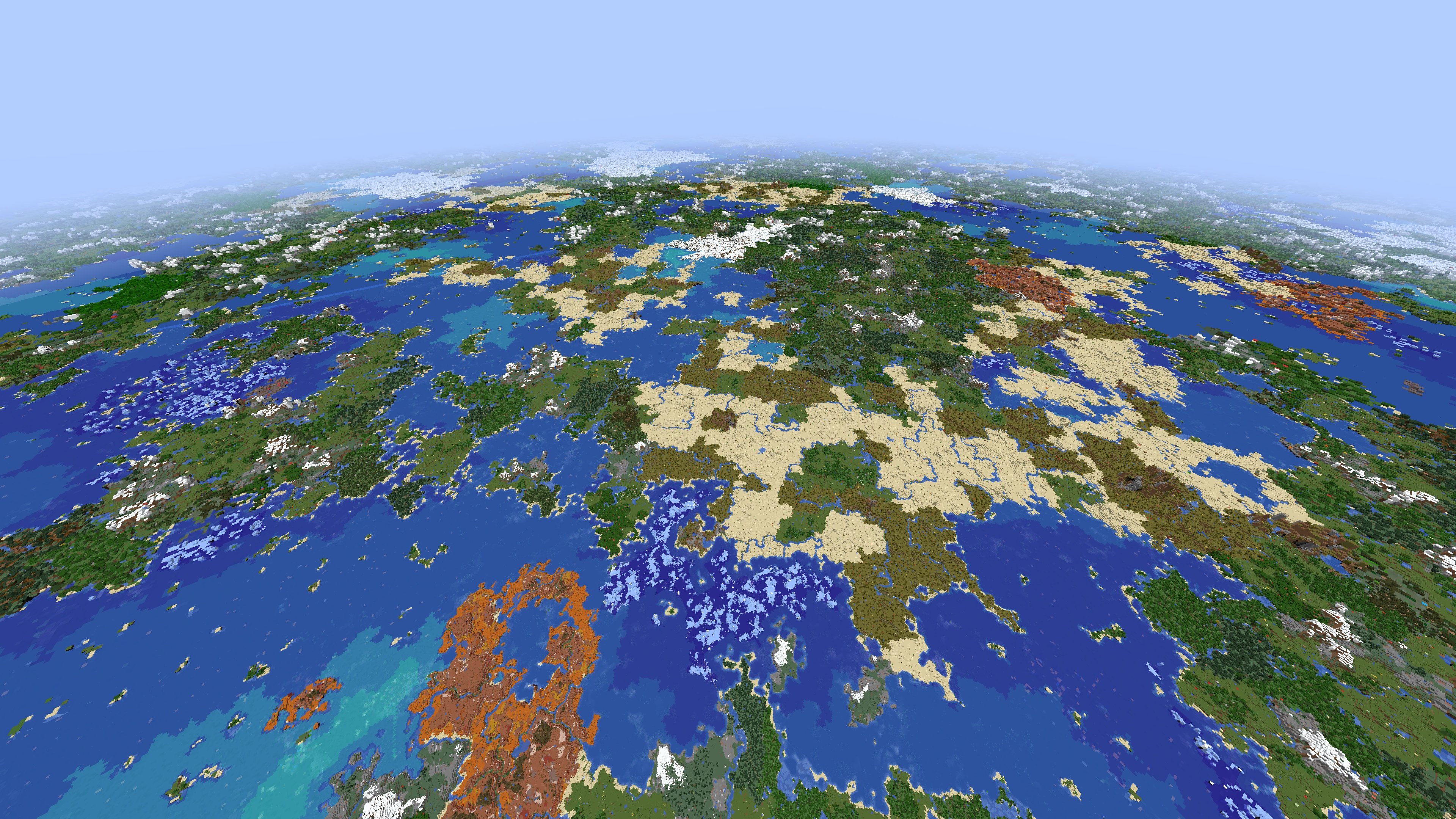
- Distant Horizons (example - nuff said)
- Sound improvements (Sound physics, distance-based thunder, dynamic footsteps, inventory sounds, drip sounds, etc)
- Horse swimming when mounted and pass through of leaves
- Various fixes (Perfect bow accuracy, Nether portal linking, movement when inventory is open, fire aspect applies to sweep attack, rain doesn't fall above clouds, pets can't be attacked indirectly, slabs break in half, etc)
- Graphical fixes (Model gap fix, double-block outlines, bubble pops, hunger/etc shown when on entities, first-person player model, better biome blend, eating animations, dynamic lights, etc)
- Peak performance (Fast world load/quitting, optimized graphics, calculations, animations, memory usage, lighting, Nvidia GPU rendering engine, etc)
As per usual, all mods are configurable, just access the pause or main menu and click on mods. Hover over a mod's icon and click on the settings icon to configure it.
MCAPVRNHNCD
If you were hoping that I would've included more mods, or were confused as to why I didn't add some obvious popular ones, consider checking out my other MCVR modpack - MCAPVRNHNCD. It features over 200 mods and 10 resource packs, all with the same goal of enhancing VR minecraft and building onto the vanilla game, with the intended audience being Minecraft veterans.
Available Versions
How to Set Up a MCAPVR Server
Order Server
Choose at least 6 GB RAM (8 GB recommended for MCAPVR). Based on player count: per 5 players.
Install Modpack in Dashboard
Open the modpack browser in the dashboard, search for "MCAPVR" and click "Install". The fabric loader and Minecraft 1.20.4 are configured automatically.
Start Server & Play
Start the server – all mods are loaded automatically. Share the server IP with friends and play together!
Frequently Asked Questions
MCAPVR server crashes or won't start – what to do?
Most common causes: insufficient RAM or wrong fabric loader. Check latest.log for "OutOfMemoryError" → increase RAM to at least 8 GB. For "Mixin" or "ClassNotFoundException" errors: modpack version and loader don't match. With Mado Hosting, loader and Minecraft version are auto-configured on modpack install – preventing most startup issues.
How much RAM does a MCAPVR server really need?
Minimum 6 GB, recommended 8 GB for stable performance. per 5 players. Important: Minecraft modpacks need more RAM than vanilla – plan extra per additional player. With Mado Hosting, you can scale RAM up live at any time without data loss (from €12/month).
Can I add custom mods to MCAPVR without conflicts?
Yes, but check compatibility: only use mods for the same loader (fabric) and same Minecraft version (1.20.4). Common issues: ID conflicts with recipe mods and incompatible coremod versions. The Mado dashboard mod browser only shows compatible mods and warns about known conflicts.
MCAPVR server lagging – performance tips
1) Increase RAM to 8 GB+. 2) Reduce server view-distance to 8 (server.properties). 3) Pre-generate chunks with the "Chunky" plugin. 4) Use /spark profiler to check which mods consume the most tick time. With Mado Hosting, all servers run on NVMe SSDs with dedicated CPU cores – eliminating hardware as a bottleneck.
Similar Modpacks
![Cobblemon Official Modpack [Fabric]](https://cdn.modrinth.com/data/5FFgwNNP/e7f9ee2e9d361623847853fe2ddce42f519ee64f.png)
![COBBLEVERSE - Pokemon Adventure [Cobblemon]](https://cdn.modrinth.com/data/Jkb29YJU/581ecf54530972afb18a04660afd820f2f24f6c7.png)
![Better MC [FABRIC] - BMC2](https://cdn.modrinth.com/data/shFhR8Vx/a19c2bcb51d38f32f138d3607e91cb2b7b8e387f_96.webp)


![Better MC [FORGE] - BMC4](https://cdn.modrinth.com/data/4BV47HRn/7f5ef7cc61b2593609aabef3ed07a866a4f11b73_96.webp)
Rent MCAPVR Server
Start your own server with automatic modpack installation.
Supported Versions
Start your MCAPVR Server now
From €12.00/month with 8 GB RAM for the best performance.
Configure Server →